

Activity › Forums › Astrosoftware › Astro Pixel Processor › Difference between “Correct Vignetting” & “Remove Light Pollution”
Tagged: APP
- This topic has 5 replies, 2 voices, and was last updated 9 years, 6 months ago by
Theunissen.

-
AuthorPosts
-
March 16, 2017 at 08:59 #12573
Theunissen
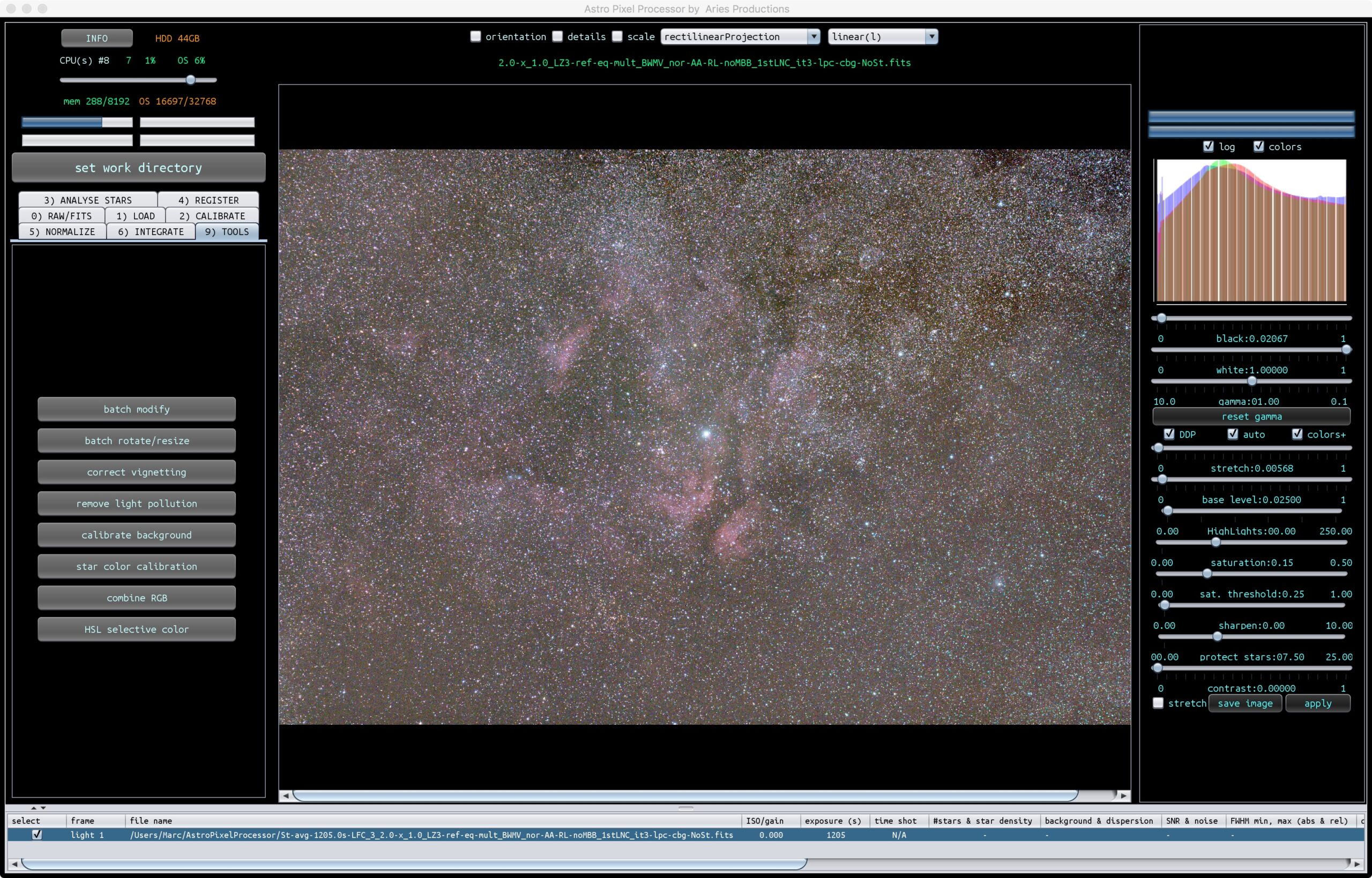
ParticipantNot really a beta feedback but a question, what is the difference between “Correct Vignetting” & “Remove Light Pollution”, more specific, what are the best strategies for the placement of the “area select boxes”?
 March 16, 2017 at 12:11 #12577
 HaverkampParticipant
Hi Marc,
The differences are in the calculation of the correction model and how the model is applied to the data.
The how:
Correct Vignetting: model is applied multiplicatively, since vignetting is a mutliplicative function on the data.
Light Pollution: model is applied additively, since Light Pollution is extra signal added to the signal we wish to subtract from the data.
The model calculation:
Correct Vignetting: you can select 3 different models
1) circulair Kang-Weiss model with fixed center of the vignetting function, and also correction for a linear gradient which will be corrected additively. This works really well for light frames that have both strong vignetting and gradients from light pollution. Remaining gradients can be corrected with the Remove LP tool.
2) simple but fully elliptical Kang Weiss model where the center of the vignetting fucntions is modelled as well. Not all objectives/OTA have the the center of the vignetting function located on the center of the sensor.
3) Complex fully elliptical Kang Weiss model where the center of the vignetting fucntions is modelled and also a geometric factor is added. This is much more complex but will give the best results. Especially with objectives/OTA’s with multiple optical elements.
All three models can be used to create an artifical masterflat. But model 1 isn’t well suited, since it also models a linear gradient. Use model 1 only for an artificial flat if the gradients in all of your lights that you wish to calibrate are rather similar.
Light Pollution correction model:
Light Pollution can have a very arbitrary shape which isn’t very well corrected using polynomial functions (linear is a polynomial function of degree 1). This is due to the fact that the gradients in your data arise from lots of different light sources.
The model needs the ability to become very complex, but still algebraically stable. APP uses a regularized Thin Plate Spline model, where you can adjust the flexibility of the model. Without regularization, the model can suffer from placing some area select boxes at wrong locations. With regularization, the model can become very comples but much robuster for badly placed area select boxes ?
A model flexibiliyt of 16 means no regularization, and lower values meand increasing regularization. You should aim to find the model that fits nicely with the lowest flexibility and thus highest regularization. This normally is the most optimal correction you can get.
March 16, 2017 at 20:16 #12610ParticipantThanks for your answer!
March 16, 2017 at 20:25 #12611ParticipantCorrect Vignetting: you can select 3 different models
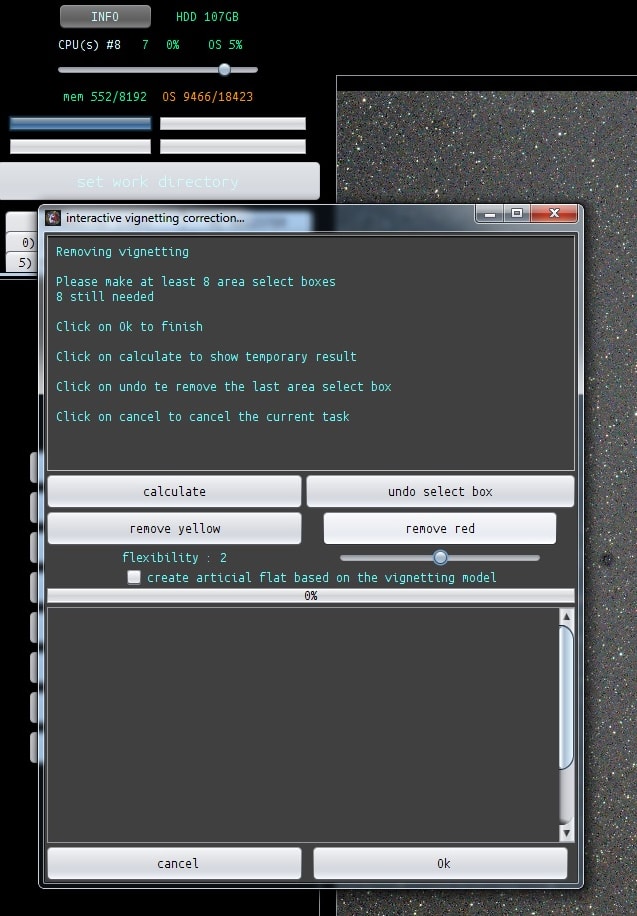
How can I select one of the 3 models? I can’t see a dropdown menu to select one of the 3 in the “Interactive light pollution modelling” dialog window?
March 16, 2017 at 20:36 #12615HaverkampParticipantIt’s the flexibility slider, values 1,2,3 correspond to the models i mentioned. I will fix this soon. I also want to integrate this new frame into the panel on the left instead of the menu, so you don’t get different windows…
 March 16, 2017 at 20:45 #12618Participant
Ah, thx!
-
AuthorPosts

- You must be logged in to reply to this topic.