

Activity › Forums › Astrotechniek › Methoden en Technieken › ICC color management in APP
- This topic has 3 replies, 4 voices, and was last updated 9 years, 7 months ago by
 van Overzee.
-
AuthorPosts
-
February 21, 2017 at 18:18 #12124
 HaverkampParticipant
Hi all,
I am happy to announce that APP has complete support for color management of your pictures using ICC-profiles. Whenever you want to save a color picture in TIFF or JPEG format, you can add an ICC profile of your choice to the meta data or header of the file.
APP has the following ICC built-in:
– sRGB v2.1, which is most widely used and perfect for showing your images on regular monitors and for publication on the internet in JPEG format.
– sRGB v4, new version, but there is still little support for this and a lot of applications including older or obsure browsers don’t have support for this.
– AdobeRGB1998, this is widely used in normal photography, but you should realise that most people can’t actually use this properly, since the AdobeRGB1998 profile has a larger color gamut than sRGB and most monitors are only able to show sRGB colors. However, saving your pictures with an AdobeRGB1998 format can be nice if you want to print your images. But you’ll need to know how the image looks on a monitor that can show this wider color gamut (wider than the sRGB gamut that is).
If there is need for other ICC profiles, just let me know, I’ll be happy to add them to Astro Pixel Processer.
I have just done a test for a printer, I uploaded my image with a sRGB v2.1 ICC profile to
for a small print on aliminium. I didn’t alter the image for the print, I only made sure the uploaded JPG included the sRGB ICC profile.
A professional printer should then be able to use his own ICC profiles for their printers, to make an accurate color managed print. If you upload an image without an ICC profile. The professional printer needs to guess in what colorspace the image actually is, which you really want to prevent. (but usually they will assume sRGB, since most people only work in sRGB at home).
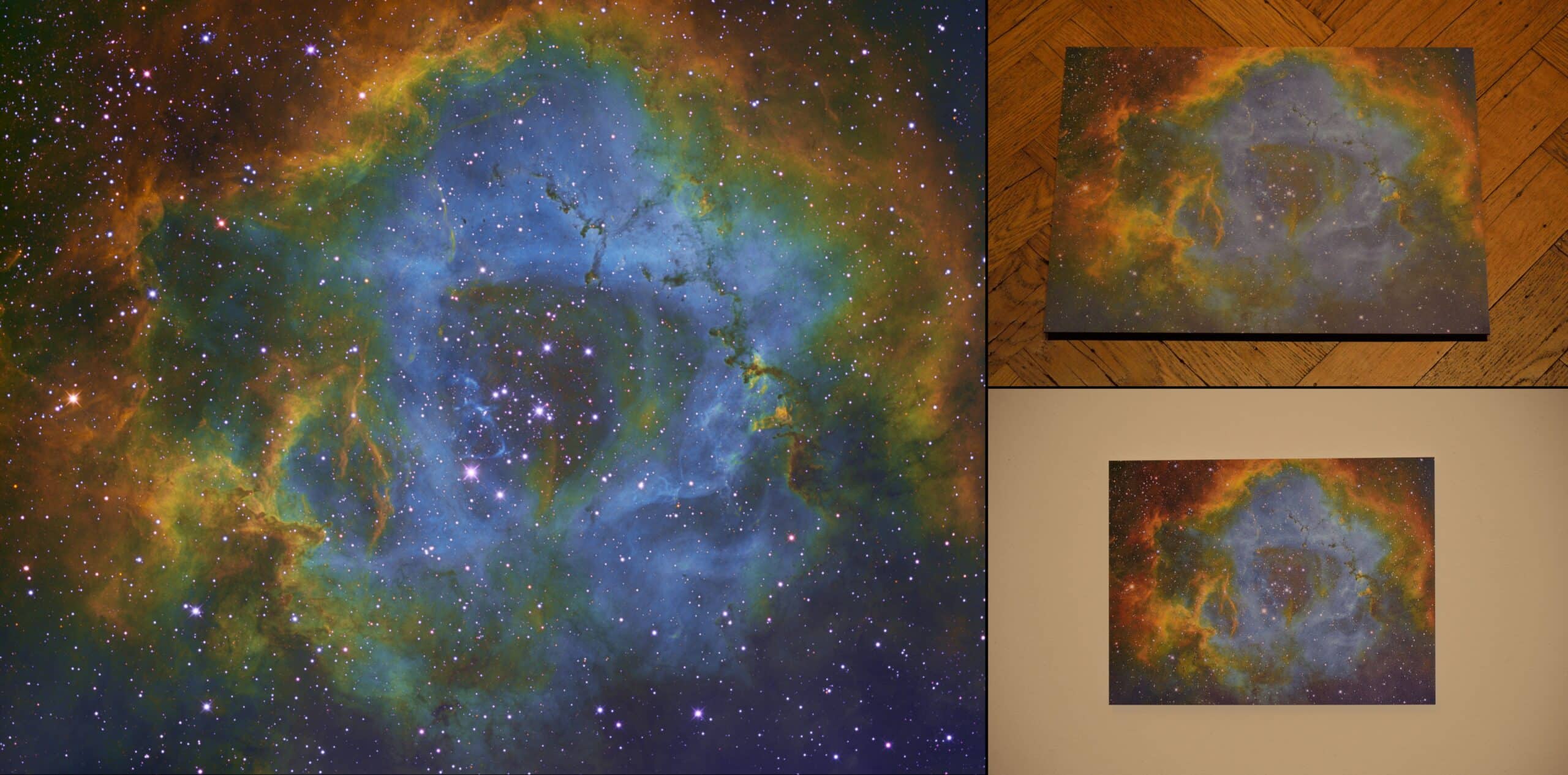
Check the image below, left is the original JPG with the sRGB v2.1 ICC profile, top right is the aluminium print on the floor in warm light, bottom right is the same print on a modestly lit wall. I think the print came out excellent ;-) !
The original image is courtesy of Irving Pieters, André van der Hoeven, Michael van Doorn, Ruud de Vries and Rob Musquetier. Fully processed with Astro Pixel Processor, it’s a narrowband Hubble pallette ( SII H-alpha OIII -> RGB) of the Rosette Nebula.
 February 21, 2017 at 18:38 #12126
Theunissen
ParticipantGreat feature Mabula! Thanks for this update … and we’ll wait impatiently :-)
February 21, 2017 at 19:59 #12128 MusquetierParticipant
I can’t wait till APP is available! Another great feature, thanks for developing all this!!!
February 21, 2017 at 22:04 #12138 van OverzeeParticipant
Indeed. It looks very promising.!
-
AuthorPosts

- You must be logged in to reply to this topic.