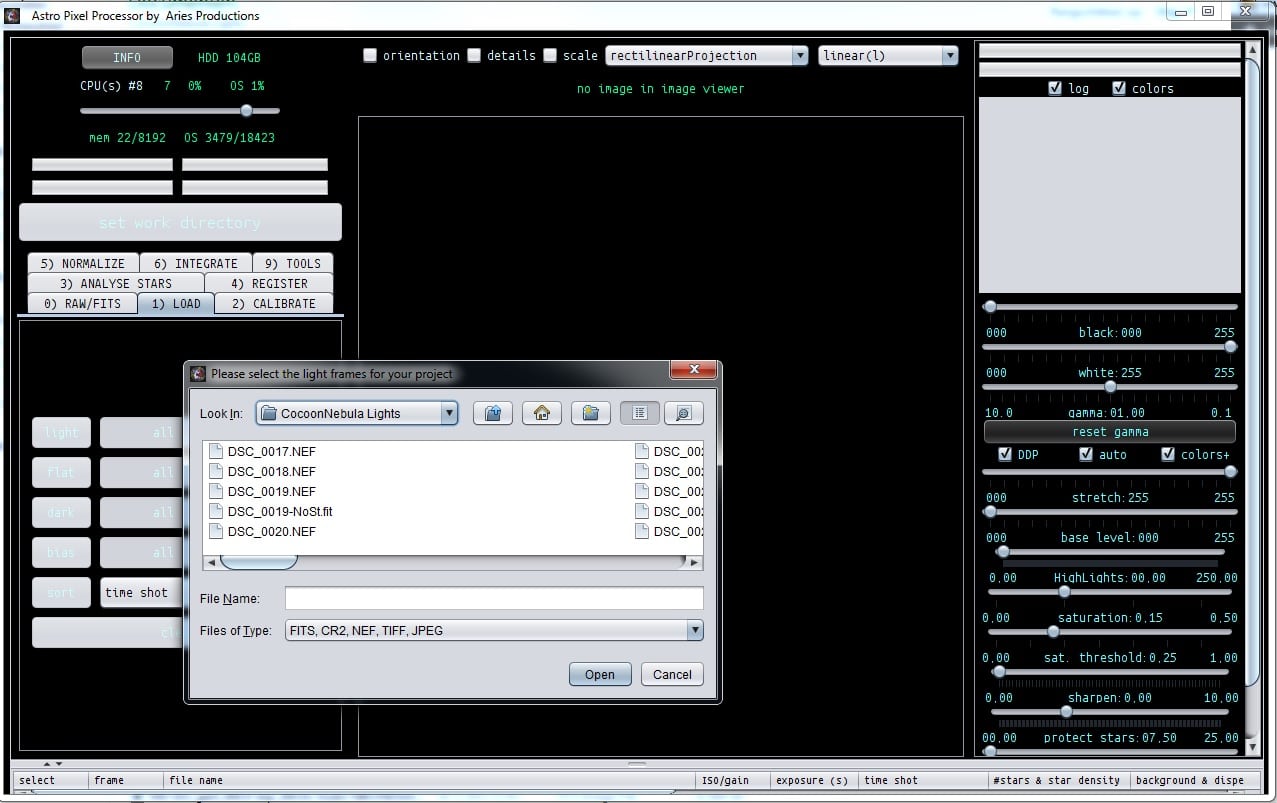
Loading subs, how to?By Musquetier / Activity › Forums › Astrosoftware › Astro Pixel Processor › Loading subs, how to? Tagged: APP This topic has 10 replies, 5 voices, and was last updated 9 years, 6 months ago by Haverkamp. Viewing 11 posts - 1 through 11 (of 11 total) Author Posts March 16, 2017 at 21:55 #12626 MusquetierParticipant Ok, I have been able to license APP and open te app. I’ve selected G:\ (my SSD work drive) as work directory but I’m puzzled what to do next??? March 16, 2017 at 21:57 #12628 GroenewoldParticipant You follow the numbers on the tabs as the workflow. March 16, 2017 at 21:58 #12630 MusquetierParticipant But how do I select my files? March 16, 2017 at 22:55 #12635 TheunissenParticipant First step: set work directory, second, click 1) Load and “load” your lights and calibration files. March 16, 2017 at 23:01 #12637 HaverkampParticipant Indeed, first set your work directory Load your frames and follow the numbers. And very simple. Just load some lights, go to Tab 6) Integrate, scroll to bottom, click stack. Your lights will be stacked with default settings ? So all tabs between 1) and 6) will be done automatically. Let me know if this works @musquetier ? March 17, 2017 at 07:30 #12644 MusquetierParticipant But how do I load the frames. Where do I select them? I don’t see any option to select the files (all .fit files in the g:\ directory). March 17, 2017 at 08:01 #12647 HaverkampParticipant Hi Rob, In Tab 1) LOAD click on light, a file chooser should pop-up March 17, 2017 at 08:02 #12648 HaverkampParticipant If the file chooser doesn’t appear, something must be wrong… On what OS are you running APP? March 17, 2017 at 08:33 #12653 KeesSchererParticipant Musquetier wrote: But how do I load the frames. Where do I select them? I don’t see any option to select the files (all .fit files in the g:\ directory). Select the first, scroll to the last, keep the SHIFT key pressed and click on the last file. March 17, 2017 at 19:48 #12713 MusquetierParticipant Success today, I didn’t realise these were buttons on the Load screen… PS I’m using the 8GB Windows version… March 17, 2017 at 19:54 #12714 HaverkampParticipant Okay, that makes sense then ;-) Author Posts Viewing 11 posts - 1 through 11 (of 11 total) You must be logged in to reply to this topic. Log In Username: Password: Keep me signed in Log In


 .
.


 .
.