

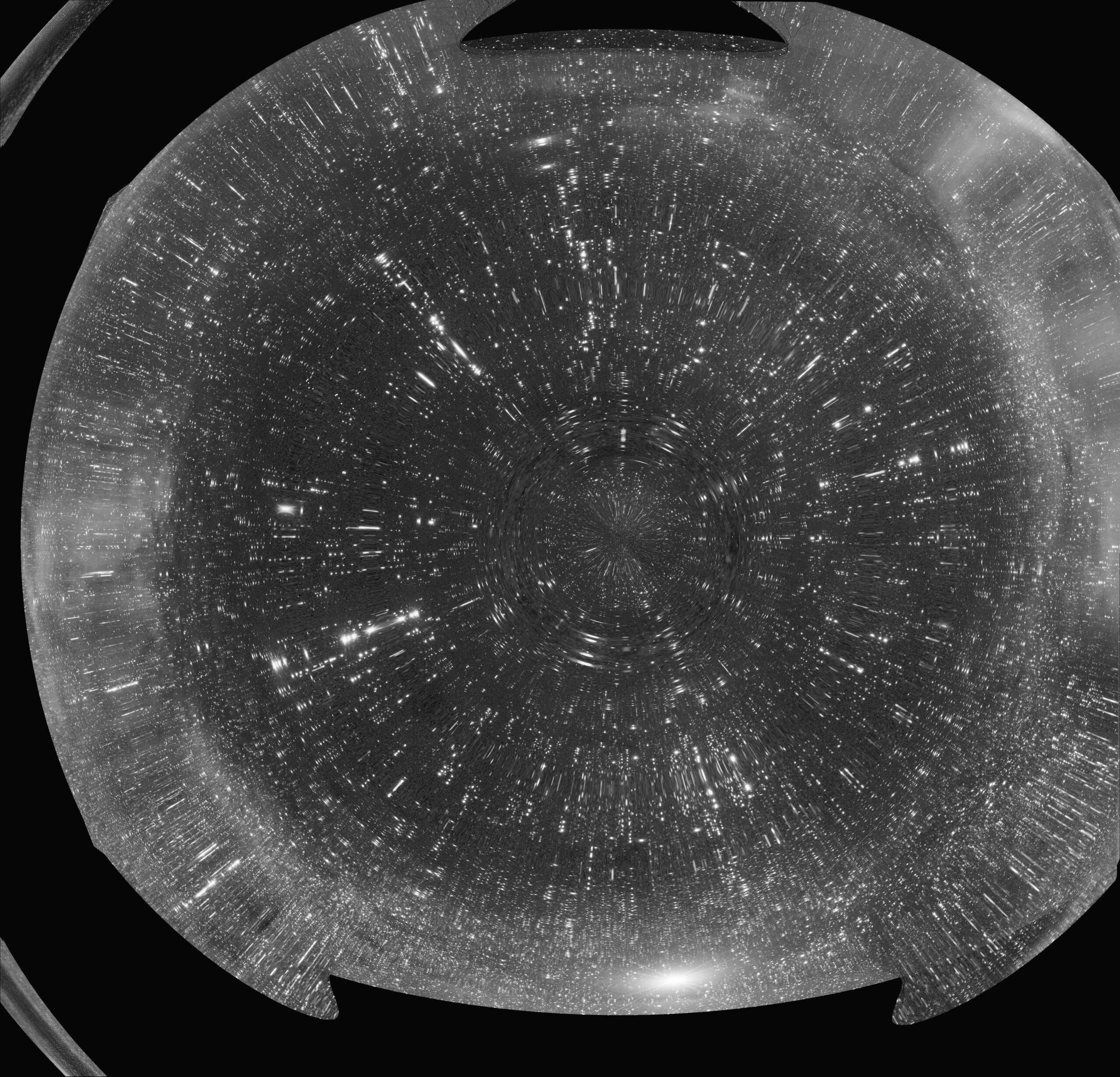
Activity › Forums › Astrosoftware › Astro Pixel Processor › Oops… a sphere after integrating lights
Tagged: APP
- This topic has 25 replies, 3 voices, and was last updated 9 years, 4 months ago by
 MauriceToet.
-
AuthorPosts
-
May 1, 2017 at 21:46 #14742
 MauriceToetParticipant
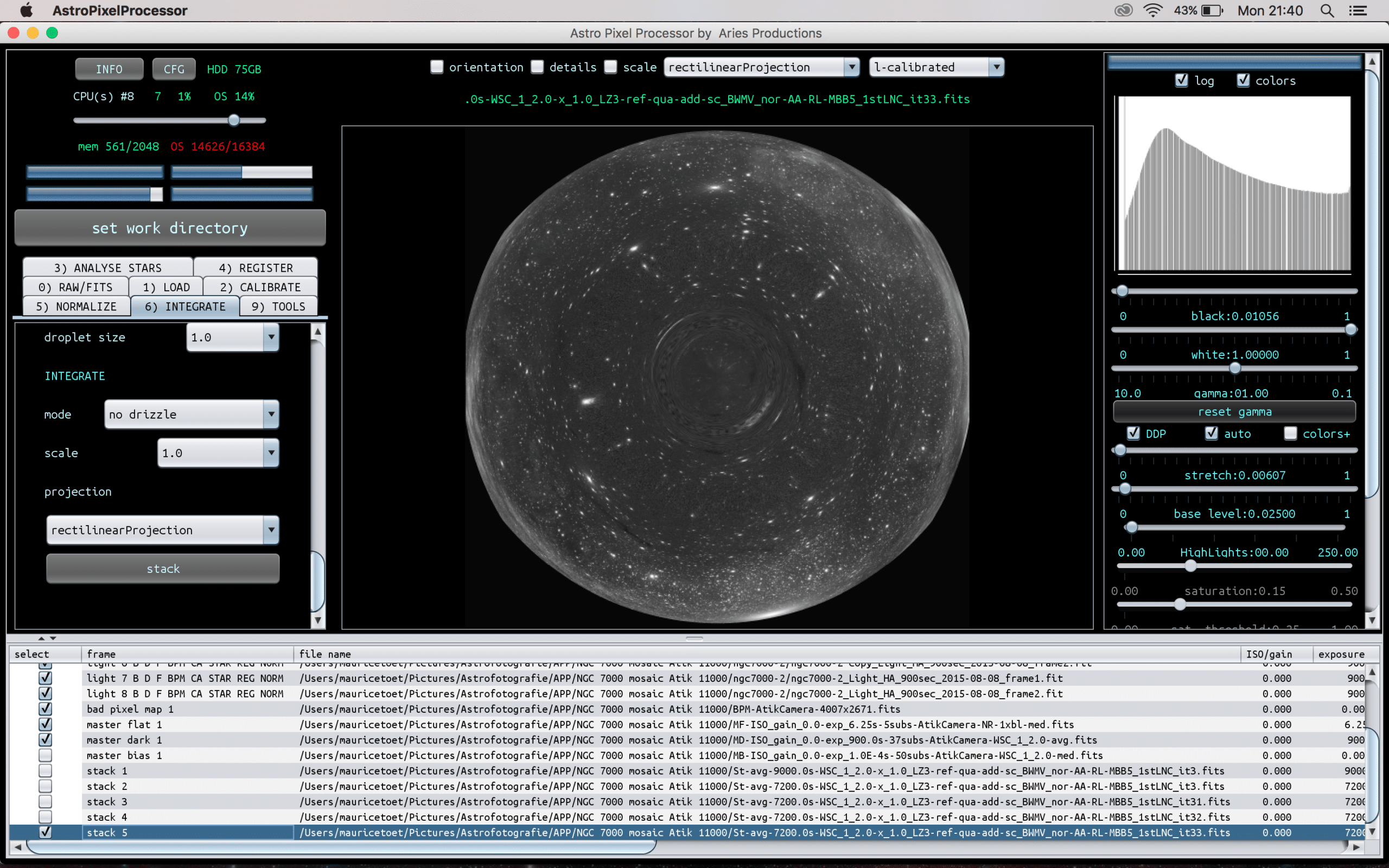
What happened here? This is the second set of lights of a 9 pane mosaic. I cleared the lights of the first set I stacked, but left the master flat, master dark and bad pixel map active and loaded the second set of lights.
I’m now about to do a second attempt where I will first completely clear the list of loaded files.
 May 1, 2017 at 22:08 #14745
 HaverkampParticipant
Okay, the sphere most likely is the result of using distortion correction in a case where it’s actually not needed.
What registration settings did you use? Try registering without distortion correction and/or switching the “same camera and optics”select box.
Would love to test this myself @mauricetoet, so I can check in which algorithm this actually happens and prevent it from happening.
May 1, 2017 at 22:08 #14746MauriceToetParticipantThis sphere issue occurs after enabling “use dynamic distortion correction”. I’ll check what happens with the next set of data (3rd panel of the mosaic).
May 1, 2017 at 22:11 #14747MauriceToetParticipantI was just typing my previous message when you replied. So yes, I can confirm it happens after enabling dynamic distortion correction. I’ll send you the data set so you can test it.
May 1, 2017 at 22:14 #14748HaverkampParticipantLike I expected then, this sphere is then the result of very little or no movement between the light frames. For distortion correction to work you would need more dithering between the frames.
If the registration RMS is low (< than 0.3 pixel give or take) without using distortion correction then things are fine, otherwise I’ll need to have a closer look at your data ;-)
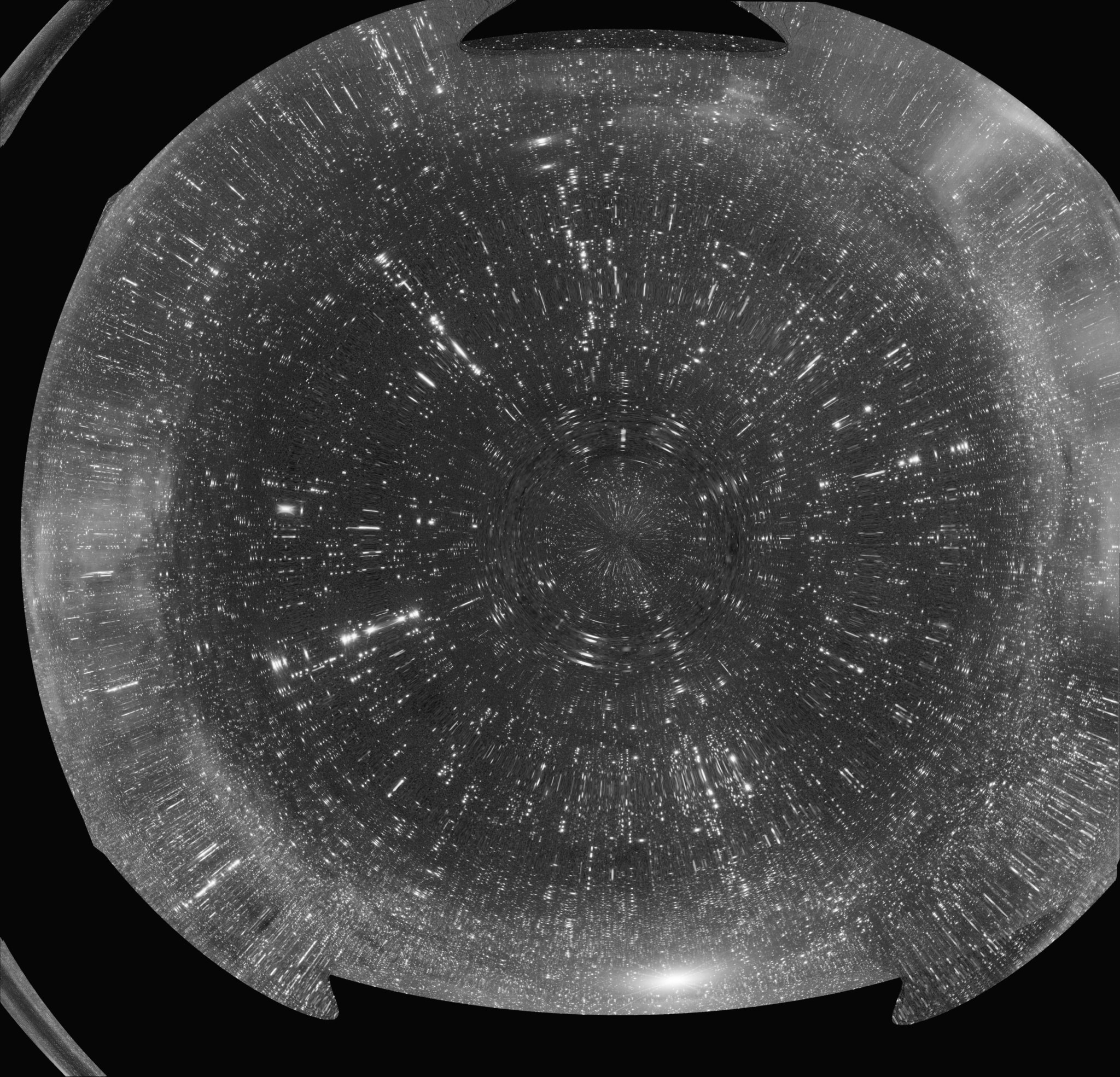
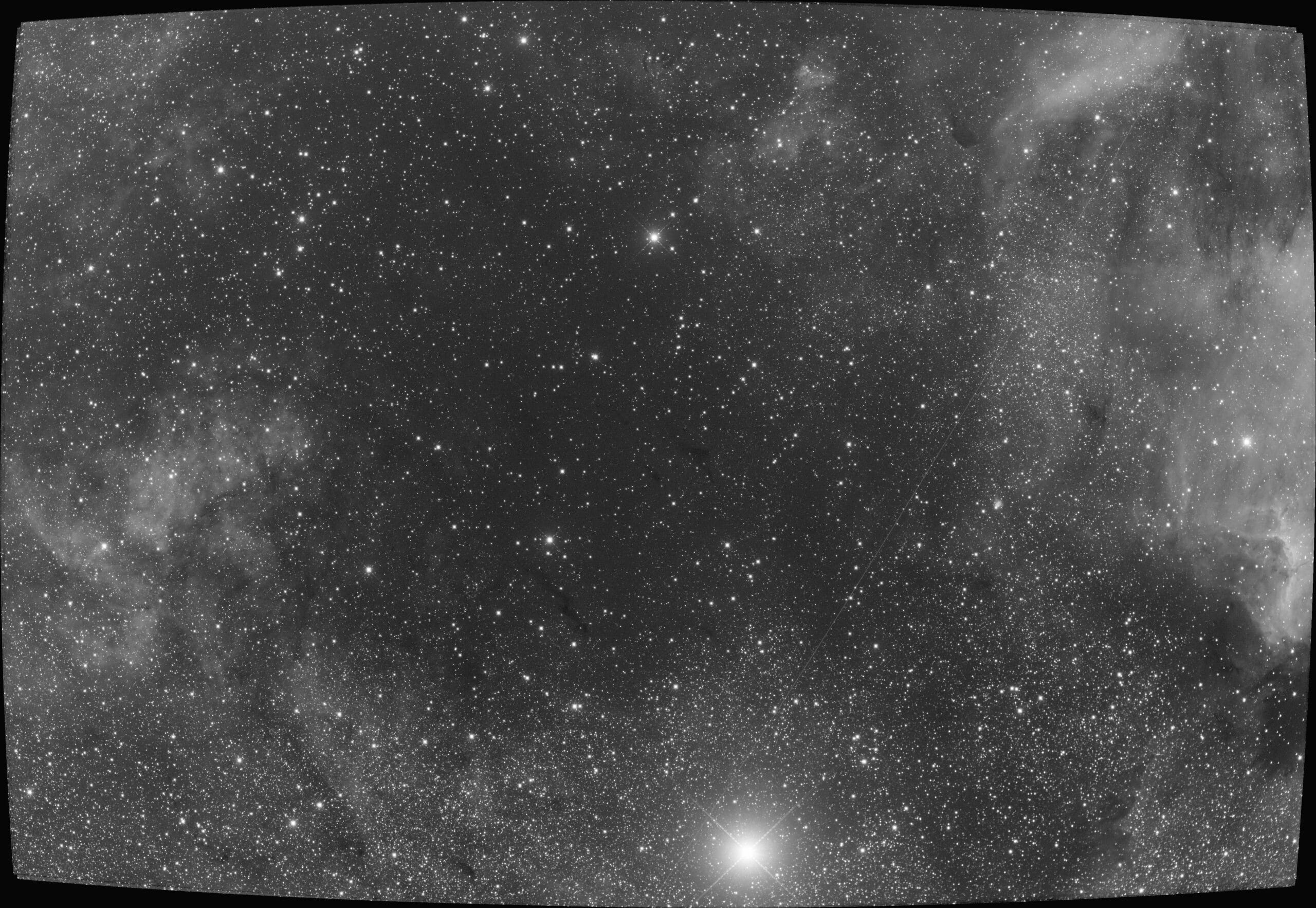
May 3, 2017 at 15:11 #14822HaverkampParticipantI can replicate the sphere as well, it happens with the following registration settings:
– “same camera and optics” on and “dynamic distortion correction” on
If I turn “”same camera and optics” off, the result is even worse. (first image)
I’ll try to isolate the cause to fix this exception. This dataset clearly triggers instability in the dynamic ditortion correction algorithms which I need to catch ?
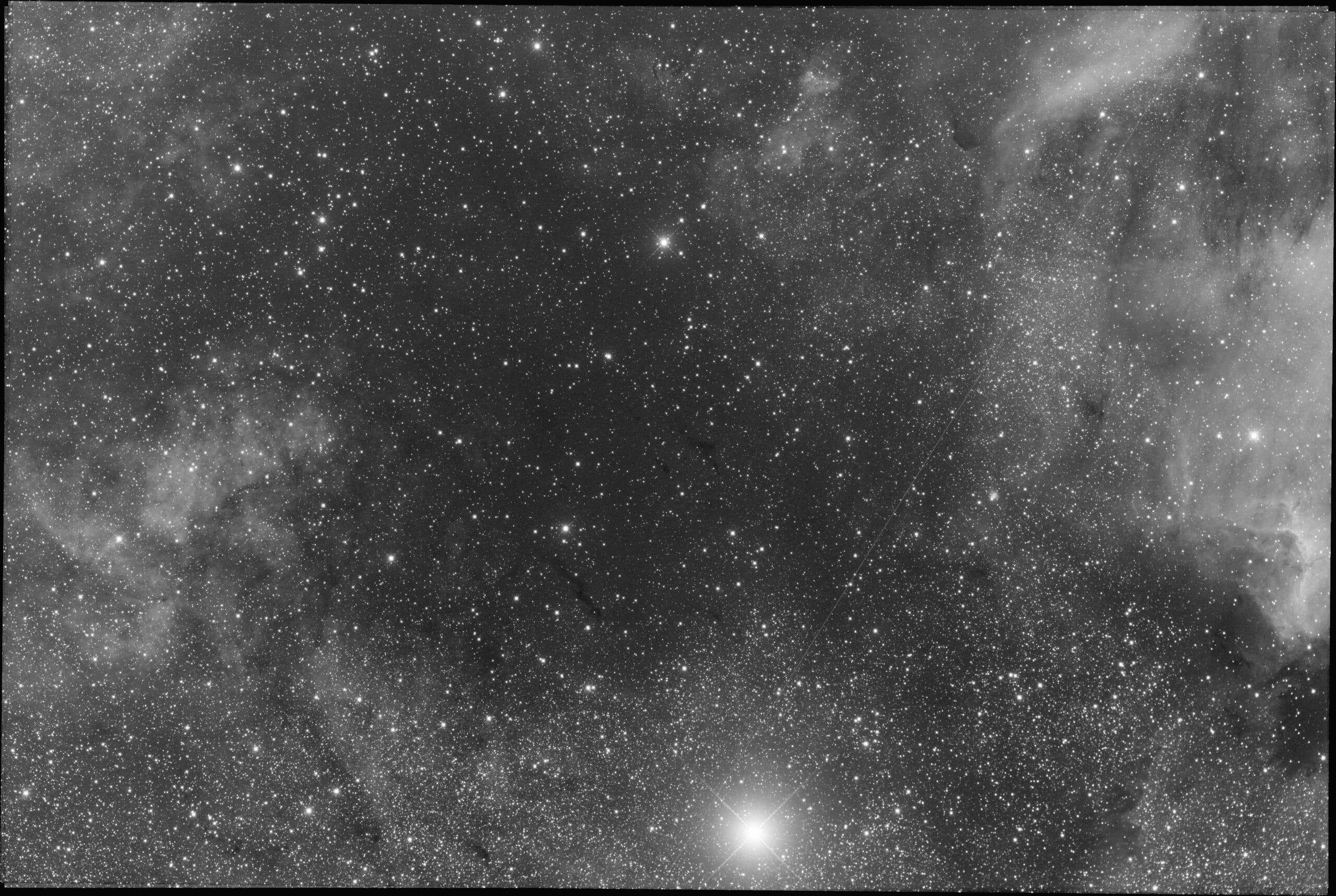
If I turn “dynamic distortion correction” off we clearly see that this dataset can be registered without distorton correction (image 2). The RMS registration values for all frames are in the range of 0,2-0,3 pixel.
 May 3, 2017 at 17:50 #14834HaverkampParticipant
Hi @mauricetoet,
I have found the cause of this regression instability and I have fixed this for both settings (on/off) of “same camera and optics” while using “dynamic distortion correction”.
 May 4, 2017 at 16:58 #14904MauriceToetParticipant
Thank you, Mabula. As soon as time permits, I’ll continue working on the mosaic with the latest beta version of APP.
May 5, 2017 at 00:38 #14932HaverkampParticipantGreat @mauricetoet, let me know if you need assistance with the mosaic integration in any way ;-)
May 6, 2017 at 16:04 #15008MauriceToetParticipantI’m experimenting to get a properly aligned (registered) mosaic in APP version 1.037. Still some minor flaws, though. Maybe they’re caused by edge of field distortions (coma, miscollimation).
@bula: what settings do you recommend under 4) register & 6) integrate?Technical details:
6 pane mosaic with Tak Epsilon-180ED, Atik 11000. Data acquired in August 2015. Total integration time of 11 hours, 15 minutes.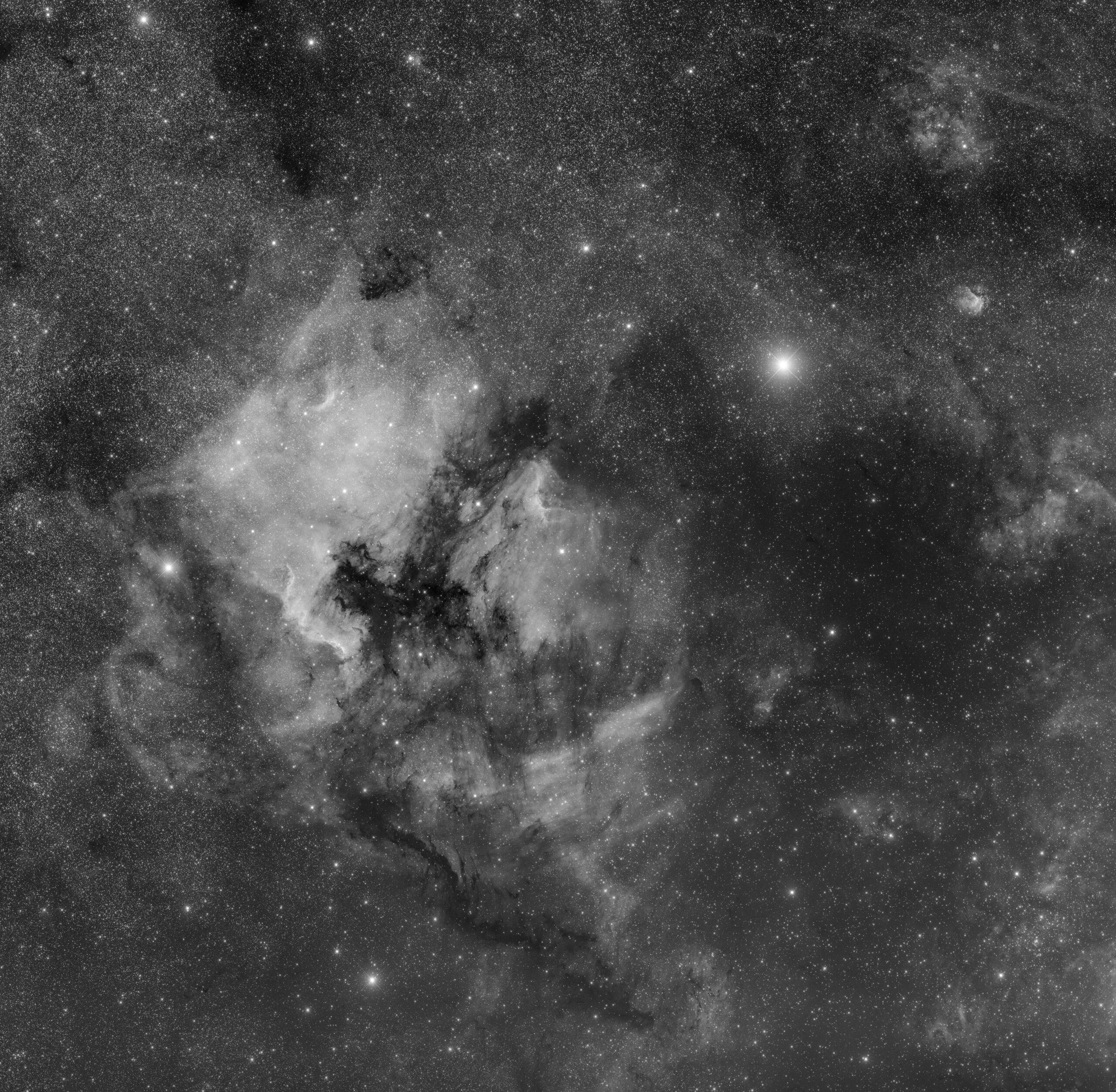 May 6, 2017 at 17:11 #15016HaverkampParticipant
Hi @mauricetoet,
I would recommend for the mosaic registration to use:
4) Register
use “dynamic distortion correction”
disable “same camera and optics” (the panels were created by APP, so APP is the camera now, and this camera normally is slightly different for all panels)
mosaic mode
( 5) normalize, you can experiment with advanced normalization mode)
6) integrate
use full composition mode
use LNC 3 iterations degree 1 to start with, increase the degree if you see clear illumination difference between the panels. (your mosaic already looks very good in this aspect )
enable MBB, depending on overlap between the panels, experiment wtih 5-20 %. The percentage for MBB is to be compared with the % of overlap between the frames. so if they overlap for 25%, increase MBB to 25% for instance.
Pixel interpolation – Lanczos 3 with “no under/overshoot” turned on, to prevent artefacts at star borders due to Lanczos.
If the registration isn’t perfect, it can help to adjust some settings in
3) analyse stars
– increase the maximum amount of stars,
– lower kappa to 4,
– increase minimum star size to 5 or 6 to start
– enable filter star profile (gives a bit better star lokation, so better registration)
– increase clip star profile to 0,3 or even 0,5
For perfect registration of all frames make sure, APP had enough stars to work with. More than 1000 is usually enough.
I am looking at your downscaled mosaic, but I can’t find any flaws at the moment. Probably, in the full resolution the flaws are clear though, or really small?
May 6, 2017 at 21:00 #15036MauriceToetParticipantThank you very much @bula. I did some further experimenting with your suggested settings, especially for analysing stars (3). Still need to tweak / further experiment with the settings. Whats happens is that at one of the seams I get double stars; see attachment. In the end I cheated and mixed two versions (with double stars at different postions) in Photoshop.
Now I can provide a link to the full size version (which is actually ~50% of the image at its native, true resolution).
http://www.mauricetoet.nl/Deep-sky/i-fQnSpV7/O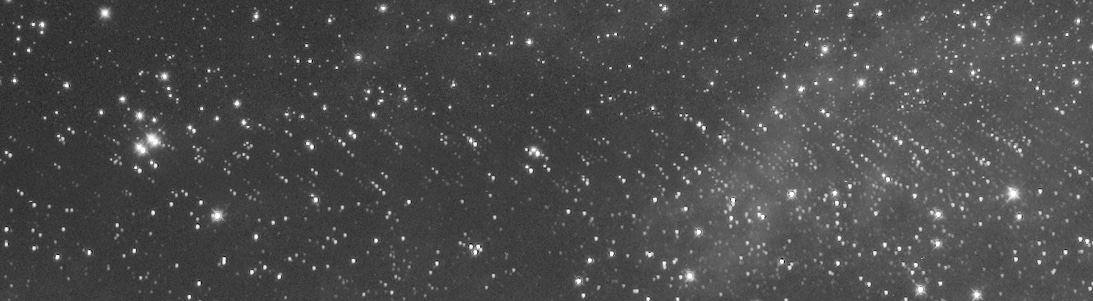 May 6, 2017 at 23:36 #15040HaverkampParticipant
Hi @mauricetoet,
Looks like this seam has very little overlap for the two adjacent frames. This could be the reason this seam isn’t registered like it should. You could try triangles instead of the quadrilaterals for this in the pattern recognition, but registering the mosaic while take quite a bit longer.
I think I need an addition in the registration engine to solve this properly and hopefully make the engine more robust in case there is very little overlap.
Can you send me these 2 panels? I can then check precisely what’s happening in pattern recognition and how many star pairs are matched between the 2 frames. And hopefully make a robust addition for these cases…
May 7, 2017 at 07:48 #15046 KeesSchererParticipant
Looks like this seam has very little overlap for the two adjacent frames. This could be the reason this seam isn’t registered like it should.
What would be the minimum required overlap as a %-age of frame width/height?
May 7, 2017 at 08:27 #15047MauriceToetParticipantToo little overlap between the panels might cause the issue. “Hollandse zuinigheid” ;-) I’ll send you all (6) panels.
-
AuthorPosts
- You must be logged in to reply to this topic.