RfC Crop function

Activity Forums Astrosoftware Astro Pixel Processor RfC Crop function

Tagged: 

Viewing 6 posts - 1 through 6 (of 6 total)
  • Author
    Posts
  • #13031
    Theunissen
    Participant

    Hi Mabula,

    I would like to request a Crop function, maybe in R2?

    Best,

    Marc

    #13032
    Haverkamp
    Participant

    There are actually 2 crop functions,

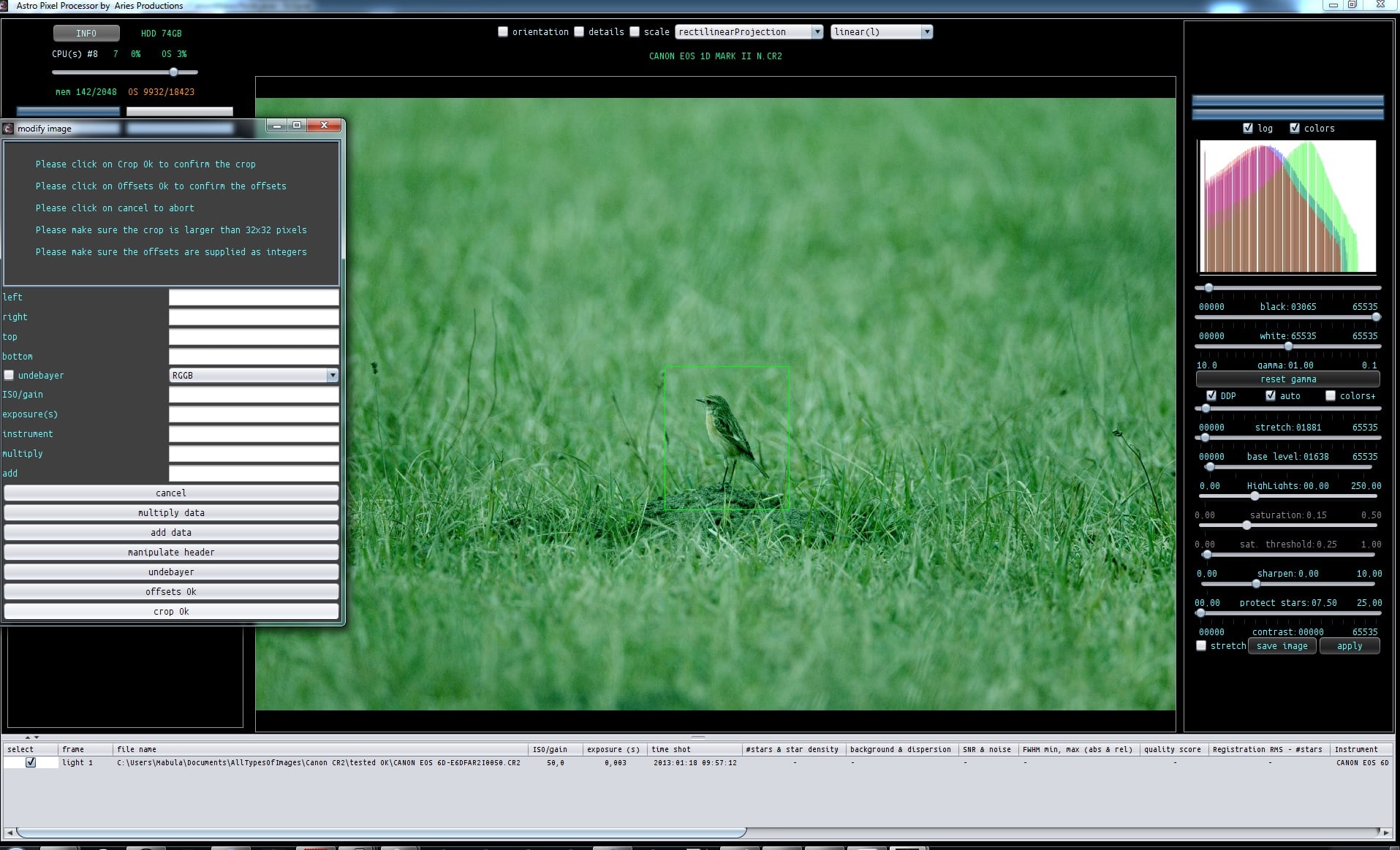
    1) batch modify tool

    2) and you can integrate to a crop of the reference in 6) integrate

    If you want to crop just 1 frame, use the batch modify tool ?

    #13033
    Theunissen
    Participant

    Wow! Thanks for the guidance :-) . The batch modify button is probably the one button I didn’t click :-) .

    #13036
    Haverkamp
    Participant

    With the batch modify tool, you can do several modifications

    1) you can mutliply your data with a factor

    2) you can add or subtract an offset

    3) you can adjust the (FITS) header for ISO/GAIN/ exposure time, instrument

    4) you can undebayer ! so from debayered data, you can create the monochrome CFA data again ! Try it

    5) You can crop using offsets, even negative offsets, this will uncrop your data, so you can add a border around your data.

    6) or crop, you can draw a crop in the image on your screen and select crop OK

    #13038
    Theunissen
    Participant

    And I discovered a little bug.

    I rotated my image on the y-axis. Next I tried to place some area select boxes (remove light pollution), when I try to place a box the box appears a quarter right under the mouse pointer.

    #13039
    Haverkamp
    Participant

    Hmm, can you make a screenshot, your description has me guessing how that actually looks.. I am afraid.

Viewing 6 posts - 1 through 6 (of 6 total)
  • You must be logged in to reply to this topic.
Scroll to Top