Activity › Forums › Astrosoftware › Astro Pixel Processor › RfC Extending the Tooltips with parameter suggestions
Tagged: APP
- This topic has 5 replies, 3 voices, and was last updated 9 years ago by
Haverkamp.
-
AuthorPosts
-
May 6, 2017 at 13:17 #14995
Theunissen
ParticipantMay 6, 2017 at 15:23 #15003
HaverkampParticipantExcellent suggestion @mth75, i”ll work on the tooltips while working on the quick start guide and manual ? I’ll add this to the RFC list at the top.
(I have moved the warning system about possibly wrong, sub optimal calibration also to the top of the RFC list)
May 10, 2017 at 14:25 #15139
HaverkampParticipantHi all,
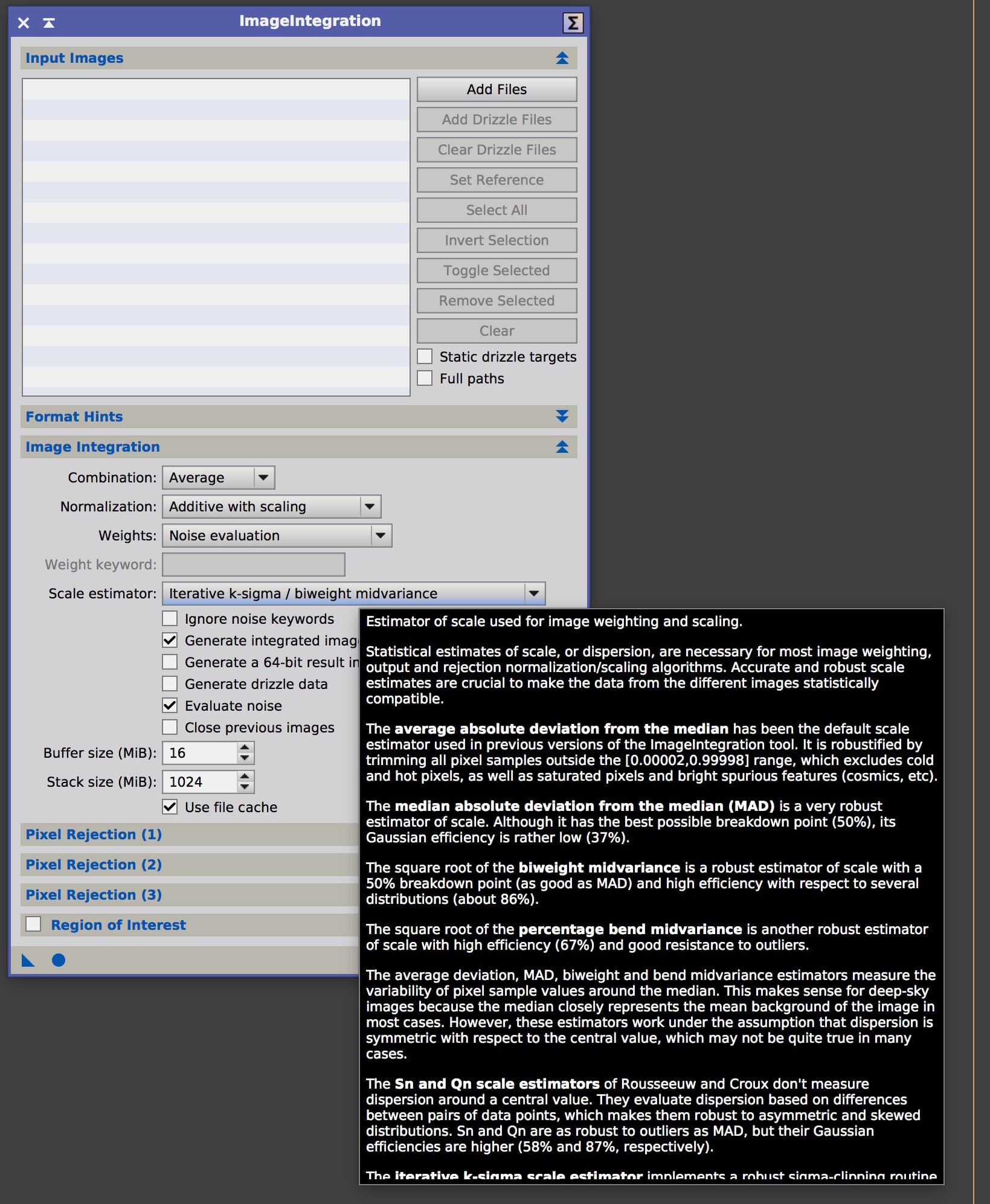
I am working on the tooltips as a simple and quick way to inform the user about all possible settings and when to use these.
I have set the current time for the tooltip to show at 60 seconds. So if you hoover over a button, the tooltip will show, and if you don’t move at all in 60seconds, the tooltip will dissapear. If you move the mouse over the button while showing the tooltip, the 60 seconds counter starts again when you don’t move the mouse anymore.
Is this practical in your opinion? Normally a tooltip only shows for 5-15 seconds.
I have managed to get a nice tooltip implementation. I can use HTML coding for the tooltip, so I could even put small images/graphs in the tooltip in due time for further explanation.

May 10, 2017 at 14:43 #15142Theunissen
ParticipantIs this practical in your opinion? Normally a tooltip only shows for 5-15 seconds.
Should be enough, PI shows 15s on hover.
May 10, 2017 at 14:44 #15143
GroenewoldParticipantCan you scroll the tooltips if they become too big? That would be nice, but for that I would have to move the mouse. Maybe it might be a nice idea to be able to do that and click outside to close them without a timer. And to be able to turn these on or off.
May 13, 2017 at 14:23 #15167 -
AuthorPosts
- You must be logged in to reply to this topic.