

Activity › Forums › Astrosoftware › Astro Pixel Processor › APP crashes stacking 3 lights (Linux DEB)
Tagged: APP
- This topic has 31 replies, 4 voices, and was last updated 9 years, 6 months ago by
 KeesScherer.
-
AuthorPosts
-
March 17, 2017 at 08:42 #12655
 KeesSchererParticipant
I performed this simple operation: “Just load some lights, go to Tab 6) Integrate, scroll to bottom, click stack.” Loaded 3 lights, (Canon 6D CR2 files) and APP crashes after a few seconds.
Linux Mint 17.0 KDE 64bit on Vaio Laptop (Core i7, 8GB RAM)
March 17, 2017 at 10:14 #12660 HaverkampParticipant
Ai.. did you get an error message? Or did APP just stop?
March 17, 2017 at 10:35 #12662HaverkampParticipantHi @KeesScherer,
I just performed this on a Ubuntu virtual machine with 4GB memory en the 8GB Deb package, no crash and stacking was no problem.
The first step would be to analyse the stars, so I guess it crashed when it started with that task?
Mabula
 March 17, 2017 at 13:49 #12688KeesSchererParticipant
I tested again with 3 lights, went to analyse stars, pressed “analyse stars” and at 27% progress bar APP crashes into never never land. No error message. I will test on my other Linux Mint laptop this afternoon.
March 17, 2017 at 13:51 #12689Theunissen
ParticipantMarch 17, 2017 at 13:56 #12691KeesSchererParticipanttested with 1 lightframe, that goes ok with analysing stars. When i test with 2 lightframes APP crashes, tested with different CR2 files.
March 17, 2017 at 14:41 #12693HaverkampParticipantHi Kees,
Thank you for your feedback, how much RAM do you have on your laptops and how many cpus?
Weird behaviuor to say the least, let’s try to get to the bottom of this (since I haven’t seen this happening on any system myself).
I’ll download Linux Mint 17.0 KDE 64bit to see if I can replicate the problem.
I’ll make a virtual machine with the same amount of memory and CPUs.
And, are you using swap memory under Linux?
Mabula
March 17, 2017 at 15:12 #12694HaverkampParticipantKees, I am creating a Linux Mint 17.0 KDE 64bit machine with 8GB mem and 4 cores.
And will try to install the 1.033-2 DEB 8GB package and then stack some canon 6D cr2s.
March 17, 2017 at 16:12 #12697KeesSchererParticipantI have:
1) Sony Vaio with Core i7 (4 cores) / 8 GB RAM /Mint KDE 17.0 64 bit
2)Panasonic Toughbook CF-53 with Core I5 (2 cores) / 16 GB RAM/ Mint KDE 17.1 64 bit
March 17, 2017 at 17:25 #12701HaverkampParticipantThanks Kees, I get the info from your first e-mail.
I have setup the Mint 17.0 64bit KDE desktop fully updated and will start testing now
March 17, 2017 at 19:30 #12709HaverkampParticipantHi @KeesScherer,
I have been running APP on linux Mint and sofar it just works perfectly over here.. ;-(
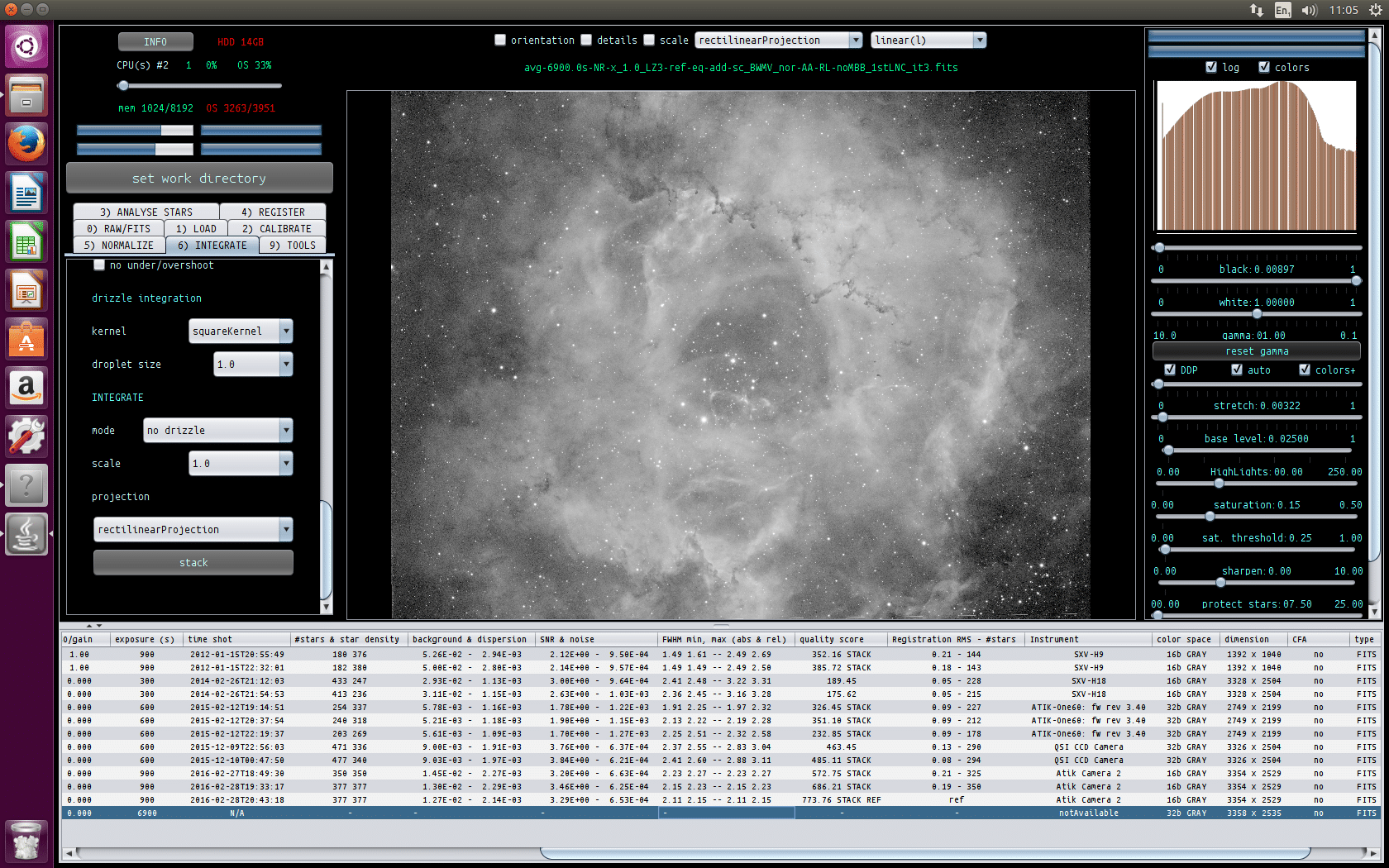
I have loaded CR2 files af a Canon 6D. See screenshot of the APP
I do notice that the CR2loader seems to take a large memory heap on Linux, so maybe I shoud investigate that further…
In the mean time all try to make a linux build on Linux Mint, to see if that changes the behaviour on your Mint system.
Mabula
March 17, 2017 at 19:41 #12711HaverkampParticipantOooh, I think I found the problem… it looks like it has to do with multi-threading behaviour on Linux.. I think we can fix this.
March 17, 2017 at 20:43 #12722HaverkampParticipant@KeesScherer, I have uploaded new versions 1.033-4 with hopefully a fix for your Linux Mint Star Analyzer problem. Let me know if the bug is fixed… ;-)
March 18, 2017 at 11:42 #12784KeesSchererParticipantInstalled 1.033.4 8GB on the vaio: 2 CR2 frames loaded, star analyser works, step 6 stack, “we will not stack 1 frame” error (same as Rob reported). Loaded frame 3, star analyser, crash.
March 18, 2017 at 11:50 #12790HaverkampParticipant““we will not stack 1 frame” error (same as Rob reported)”
Set the images to stack slider al the way to the right, this is a quality slider for the images that you will stack. Default now is 80%, and with two frame, it will only select 1 at the moment.
“Loaded frame 3, star analyser, crash.”
So now the star analyser works with 2 frames, but not with 3? Maybe I can test this better if you send me some of your 6D subs so I can try to find the error on Linux Mint? Put them in our shared dropbox folder ?
-
AuthorPosts

- You must be logged in to reply to this topic.