

Activity › Forums › Astrosoftware › Astro Pixel Processor › APP crashes stacking 3 lights (Linux DEB)
Tagged: APP
- This topic has 31 replies, 4 voices, and was last updated 9 years, 6 months ago by
 KeesScherer.
-
AuthorPosts
-
March 18, 2017 at 11:57 #12794
 HaverkampParticipant
I am making a linux mint 17.1 KDE 64bit virtual machine now, and will work on your problem with installation as well.
March 18, 2017 at 13:26 #12839HaverkampParticipantKees, unfortunately, this seems to be a difficult bug.
I have installed Linux Mint 17.1 KDE 64bit, fully updated with
apt-get update
, and I can install APP 1.033-4 without problems and also do all fases up until stacking with 7 Canon 6D CR2s in this case. screenshot 1
I have set the star analyser to find as much stars as possible, see screenshot 2
I do notice the CR2 loader is taking a big memory heap, I’ll look into that further now.
One possible reason could be, the OS is running out of your RAM memory ( the OS ? /8000 at top left) and your Linux OS doesn’t have swap enabled? If swap is enabled, the OS should be able to handle this, At least I think so.
– my plan of attack to solve this, I need to optimize the CR2 loader, memory management seems to be off there….
March 18, 2017 at 15:31 #12877 KeesSchererParticipant
I have uploaded the 3 CR2 files that i use for testing. I suppose there is a difference between testing in a virtual environment and testing in the real world.
March 18, 2017 at 16:28 #12878HaverkampParticipantThank you Kees,
It would be most helpfull if you can answer my questions in the mean time?
– is swap enable or not on your linux OS ?
– is your linux mint fully up-to-date ?
– is the OS running out of memory befor the crash?
The more information you provide the faster I can get to the bottom of this ;-) and I really want to solve this.
Regarding a virtual computer, whole bank networks (which require the best stability and security) run on virtual computers/servers, because it really works like regular computers only with shared hardware resources. So something must speak for it to work properly I would think.
March 19, 2017 at 23:45 #13046HaverkampParticipantHi @KeesScherer,
I have used your CR2s in testing.
I have released a new version 1.033.5 with a huge fix for the CR2 loader in APP. The CR2s will load 2-3 seconds faster now and the memory footprint is reduced drastically. Hopefully this will solve your problem on Linux Mint as well.
I still need to make more work of the DEB and RPM packages. They are a bit too simple at the moment.
So, before you install 1.033.5, you will need to manually remove the old APP version from your system. Did you do this previously or not?
I removed the old version cleanly with
sudo apt-get purge astropixelprocessor
After that action, you should be able to install 1.033.5. Let me know if you can proceed past the star analyser now ;-)
Cheers,
Mabula
March 20, 2017 at 13:24 #13054KeesSchererParticipantVersion 1.033.5 tested and it was a success! CR2 loading time is a huge, huge improvement, it is lightening fast! Star analyser works and the teststack with the 3 CR2 lights was made without a problem!
I removed APP with the Software manager but now i used the sudo apt-get purge astropixelprocessor command. (Only thing is that APP does not show in the menu system.)
 March 20, 2017 at 13:29 #13055HaverkampParticipant
yes ! Great ;-)
Okay, now I will focus on improving the DEB en RPM packages, so the application gets a nice Icon on Linux and it will show in the menu system ;-)
I am really glad it works now on your system, luckily, this bug forced me to have a good look at the CR2 loader. (Haven’t touched the CR2loader in the past year or so…) The improvement is huge indeed. I am very happy !
March 20, 2017 at 14:17 #13056 GroenewoldParticipant
Which is great as .cr2 loading was slow here as well (a lot slower than just loading in fits files). Very nice improvement!
March 22, 2017 at 11:06 #13155KeesSchererParticipantVersion 1.033.5 DEB 8 package.Linux Mint 17.0 KDE 64Bit : APP Crashed after 90 minutes stacking/calibrating 157 Lights, 34Flats and 150 Bias frames. I made regular screen shots and include a few. Start was at 08:30, crash time 09:55 (No error, a crash into never, never land {No Marc no videoclip promotion ! :-)})
March 22, 2017 at 13:04 #13161HaverkampParticipantAi, okay, so you created a master flat and master bias. And then proceeded.
At which process did it crash, do you know ?
Was it already stacking, or was it still in the registration process?
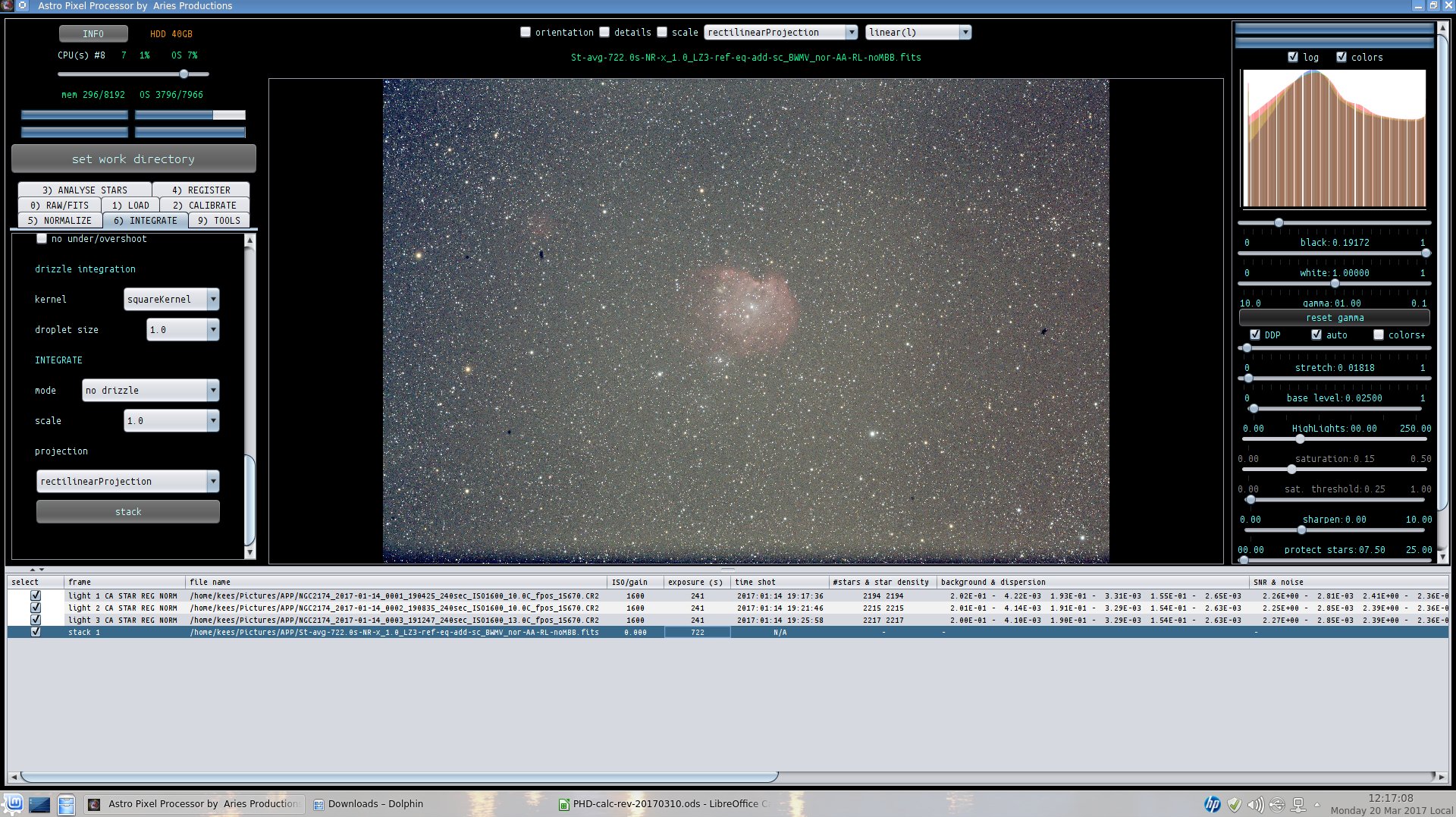
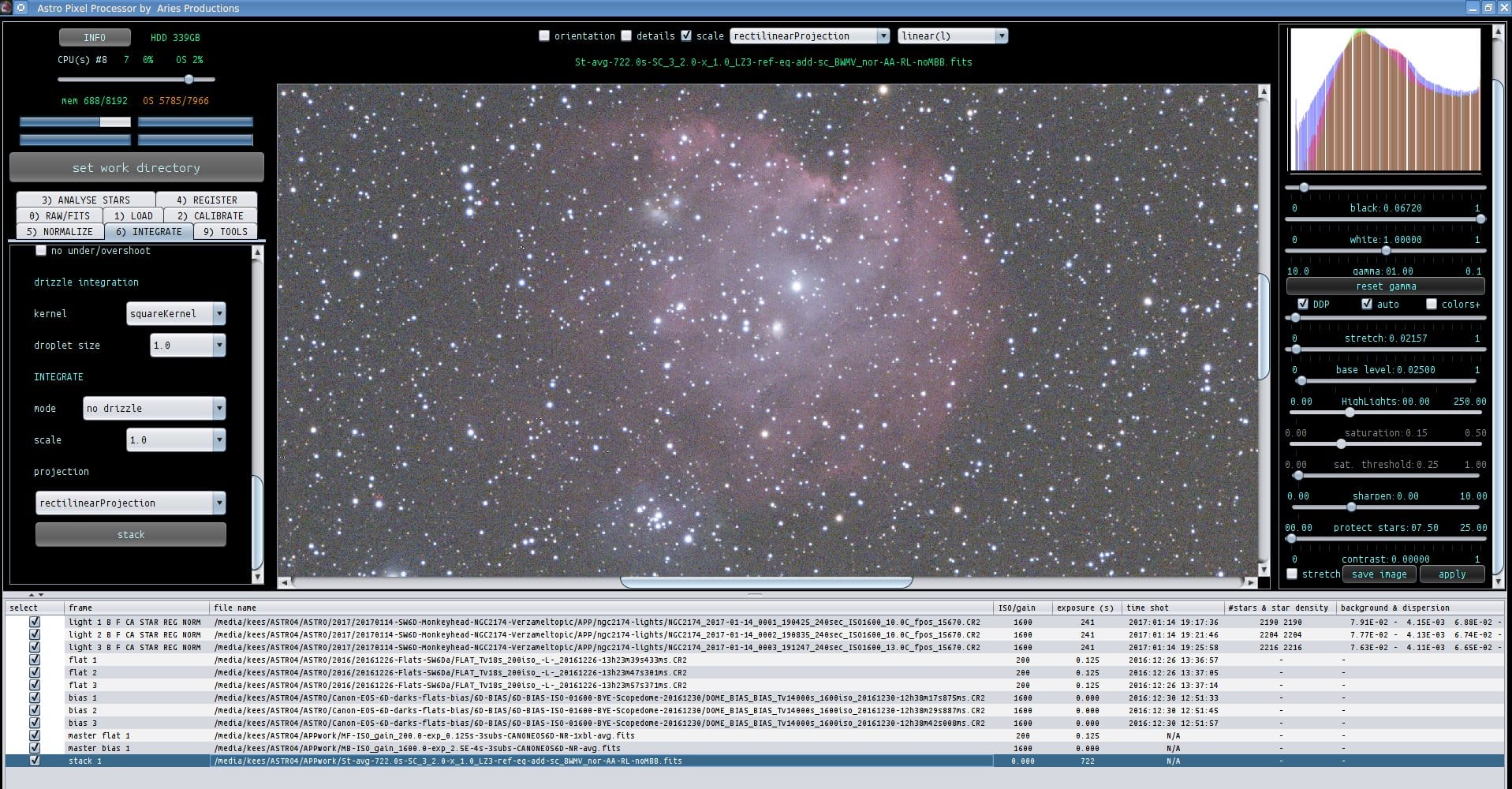
March 22, 2017 at 13:25 #13167KeesSchererParticipantI don’t know, the last screen i checked was the “registering lights” (photo 3). I tried with the same settings but now with 3 Lights, 3 flats and 3 bias. That went fine, see attached photo:
 March 22, 2017 at 13:35 #13168HaverkampParticipant
Okay, thank you Kees,
I’ll enable logging and a possible memory dump for out of memory problems and will compile a new version so we can track were in the process it fails. I’ll notify you when you can download the new version.
March 24, 2017 at 15:31 #13257KeesSchererParticipantOk, i will test the 1.034 4GB DEB. I have swap disabeled. I do have a swap partition but Mint 17.0 has a bug that disables swap.
March 24, 2017 at 16:26 #13258HaverkampParticipantOh okay, that could be a reason why the 8GB didn’t work. Let me know if the 4GB works ;-) I will try if I can’t find a mention online of the swap bug, to understnad what’s happening on the OS side..
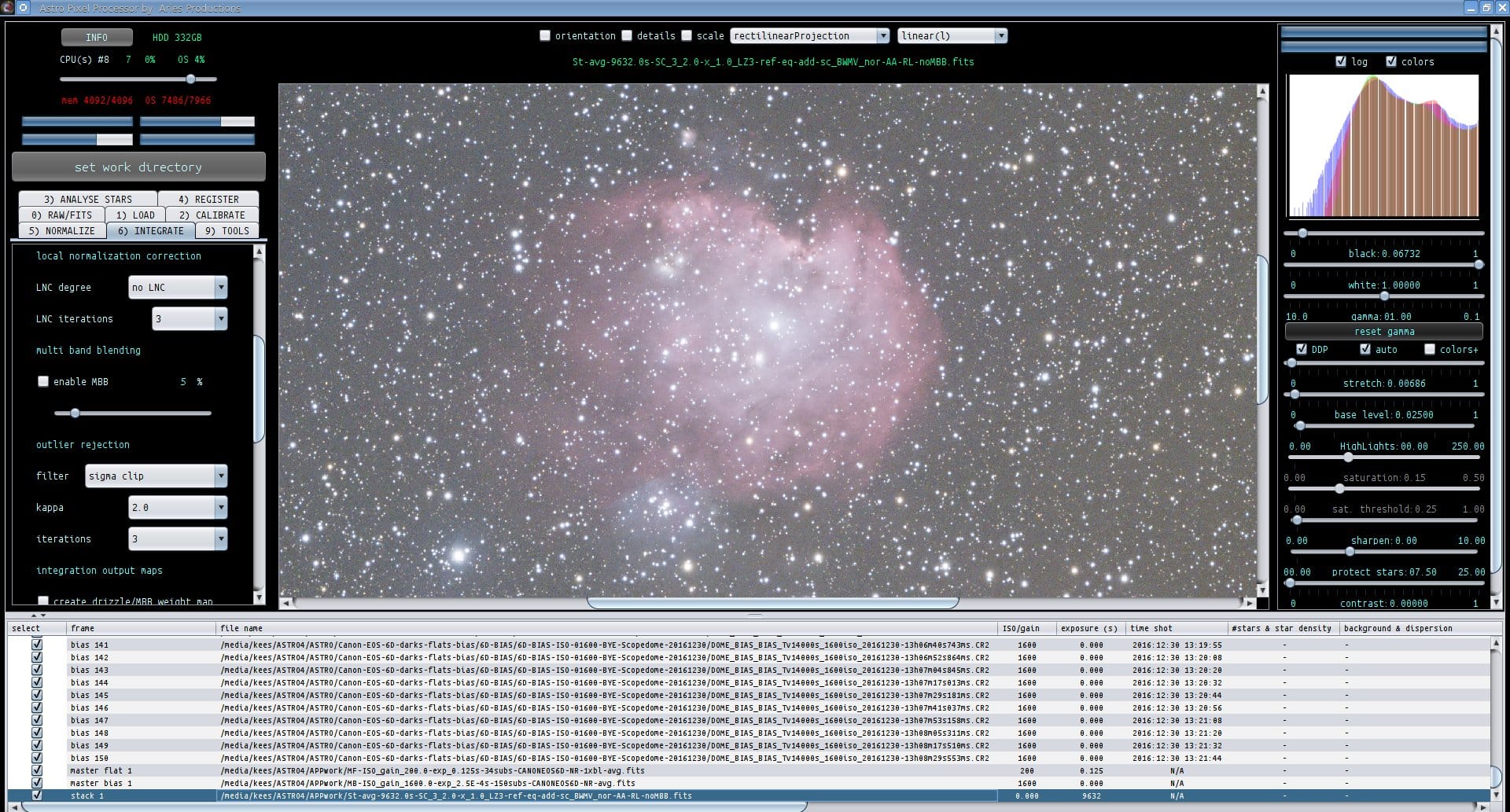
March 24, 2017 at 17:40 #13262KeesSchererParticipant1.034 4GB DEB package stacking on Vaio 8GB OK! I stacked 40Lights using 34Flats and 150Bias. See screenprint. As for the Mint 17 swap problem, that is the same for all Ubuntu 14.04 based Linux versions, see: https://ubuntuforums.org/archive/index.php/t-2259245.html
-
AuthorPosts
- You must be logged in to reply to this topic.