

Activity › Forums › Astrotechniek › Methoden en Technieken › Creating a seamless Mosaic
Tagged: APP, Barnard's Loop, LDN1622, M78, mosaic
- This topic has 24 replies, 7 voices, and was last updated 9 years, 4 months ago by
 Haverkamp.
-
AuthorPosts
-
March 24, 2017 at 21:17 #13283
 HaverkampParticipant
Hi all,
In this topic I’ll discuss the steps which you need to make to make a seamless mosaic in APP. And I am working on a video tutorial as well. But i’ll start with a quick explanation on how to do this in APP.
Update: first instructional video is online at my astro pixel processor vimeo website:
https://vimeo.com/astropixelprocessor
– First, to get the best results, it’s always best to correct your mosaic panels for gradients as good as you possibly can using the remove light pollution tool.
– Next step is to load your your mosaic panels as lights into APP. For even very complicated situations , you don’t need to alter anything in 3) Analyse Stars.
– The (multiple view) mosaic registration is selected in 4) Register
– enable “dynamic distortion correction”, because unless your data is already perfectly rectilinear, you will need this to get the best registration.
– To make your first mosaic, deselect “same camera and optics”. This selectbox is here for a reason, but needs some explanation which I’ll do later. For now deselecting this is just fine.
-Registration mode, choose “mosaic”
-Leave the model at projective, calibrated projective is needed if your field of view is bigger than 120 degrees.
And start registration. APP will now try to find the best registration hypothesis between all 2-view registrations that are possible. Once all 2-view registrations are done ( for a 10 panel mosaic, it will need to do 1+2+3+4+5+6+7+8+9 = 45 two view registrations) APP will then calculate a multiple view registration hypothesis and tries to find distortion correction parameters for all frames, including the reference frame. By treating this as one single problem, APP can solve this problem in one go. You don’t need to register frame by frame against a reference yourself. Another advantage of treating this as one problem is that you will have much more certainty that the solution that APP finds is the most optimal one for all frames in your mosaic.
After registration, you’ll get feedback about the registration RMS in the file details window. Check that all frames of your mosaic were registered and have acceptable RMS errors ( well below 1 pixel is what you are looking for)
Proceed to 5) Normalize
use defaults or at your next attempt, try mode advanced. Depending on the arrangement of your mosaic panels, this can make a difference in how well the mosaic comes out in the end.
Then 6) Integrate
choose composition mode FULL and click on the apply button ( the apply button is there for creating a crop in the reference to stack to, usefull to immediately drizzle small object in your field of view for instance)
Then to get the seamless mosaic, enable Local Normalization Correction
you can choose the degree and iterations. In most cases, a fourth degree LNC with 3 iterations will already give you a very good result. IF not, increase the degree and possible iterations.
And enable multi band blending, the percentage is a percentage of the image dimensions of each panel that is registered into the mosaic. So the percentage is relative and so in absolute terms will differ if you combine panels of different sizes in the mosaic.
Enable normalization and weight maps, these will show you how well the panels were integrated and could give you clues if you are having problems in getting a good result.
If you are creating a huge mosaic ( bigger than 10000 x 10000 pixels) start of with making the mosaic on a smaller scale
at pixel interpolation select no under/overshoot
At integrate choose scale 0,3-0.5 to start with.
If you like the result you can increase the scale in the next run ;-)
Please share your results, good or bad, possibly I can help in improving it…
March 24, 2017 at 21:53 #13284 MauriceToetParticipant
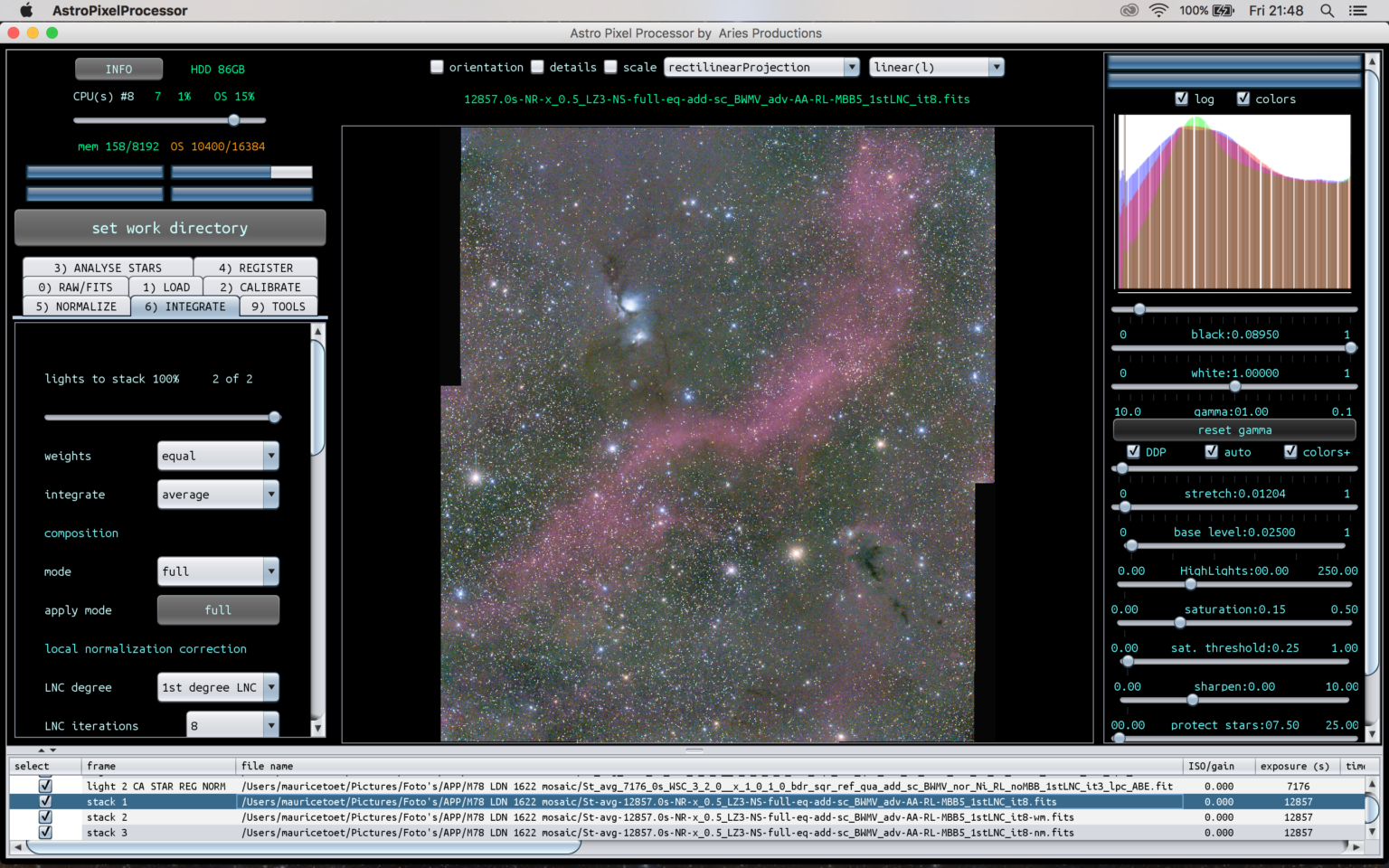
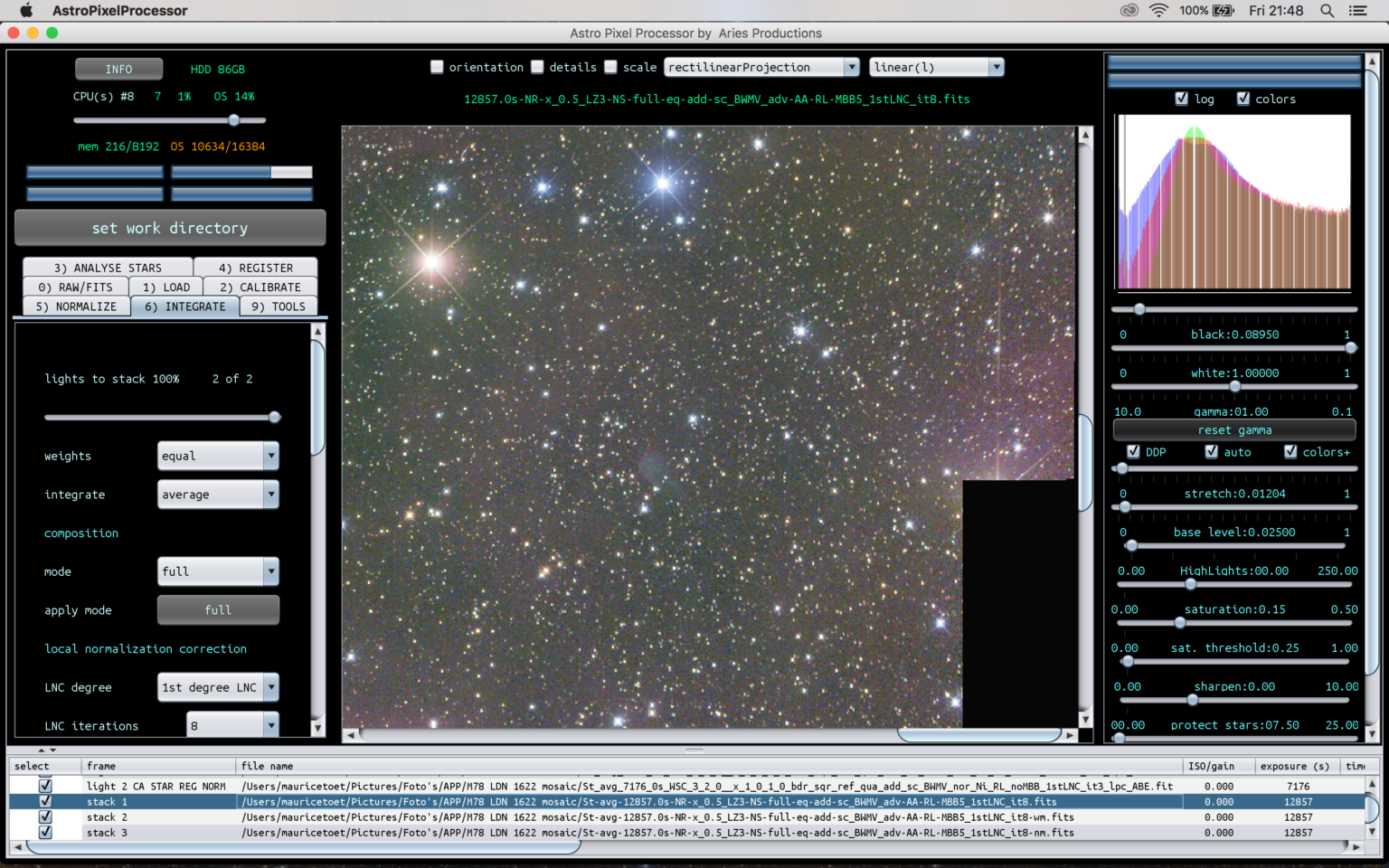
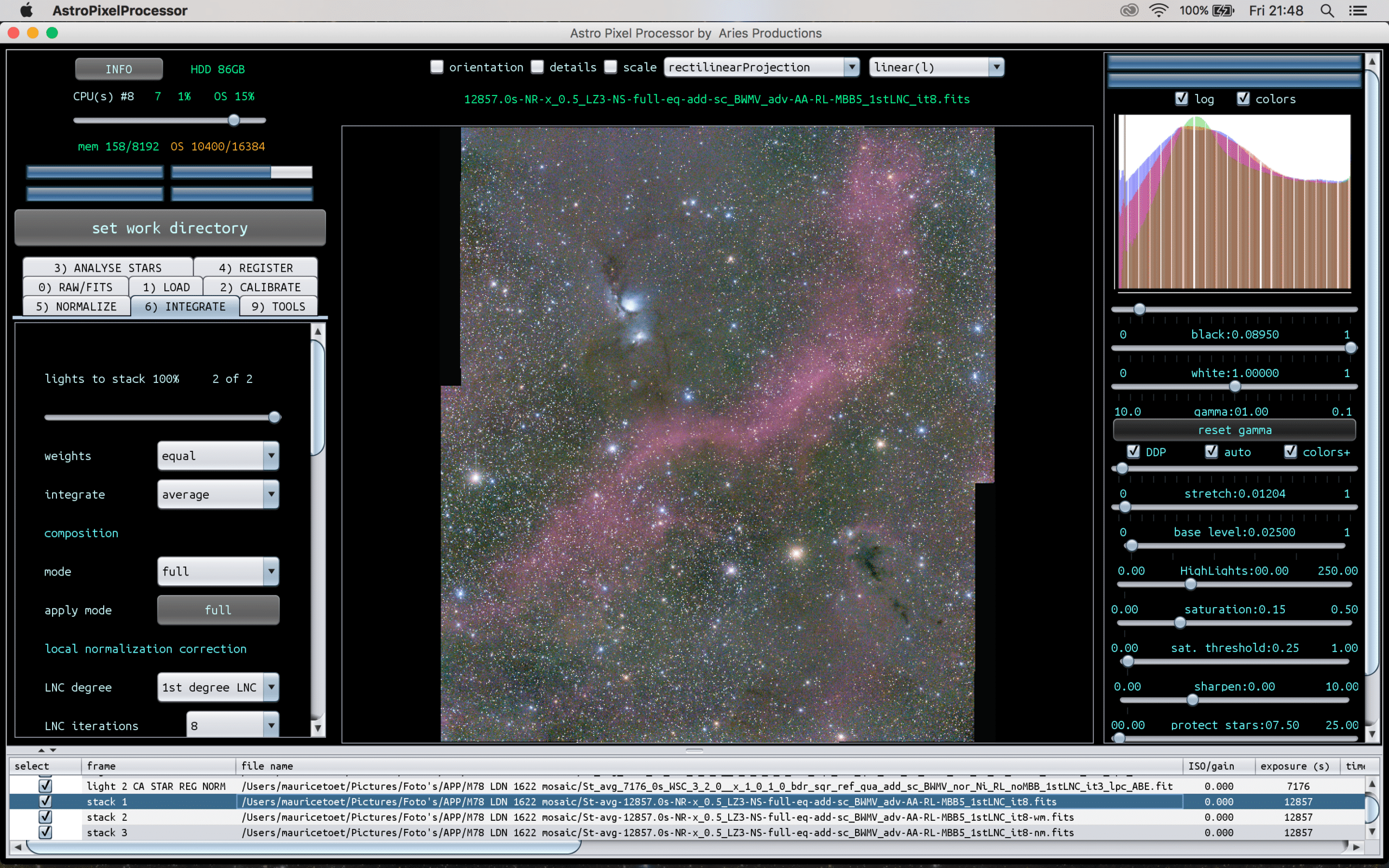
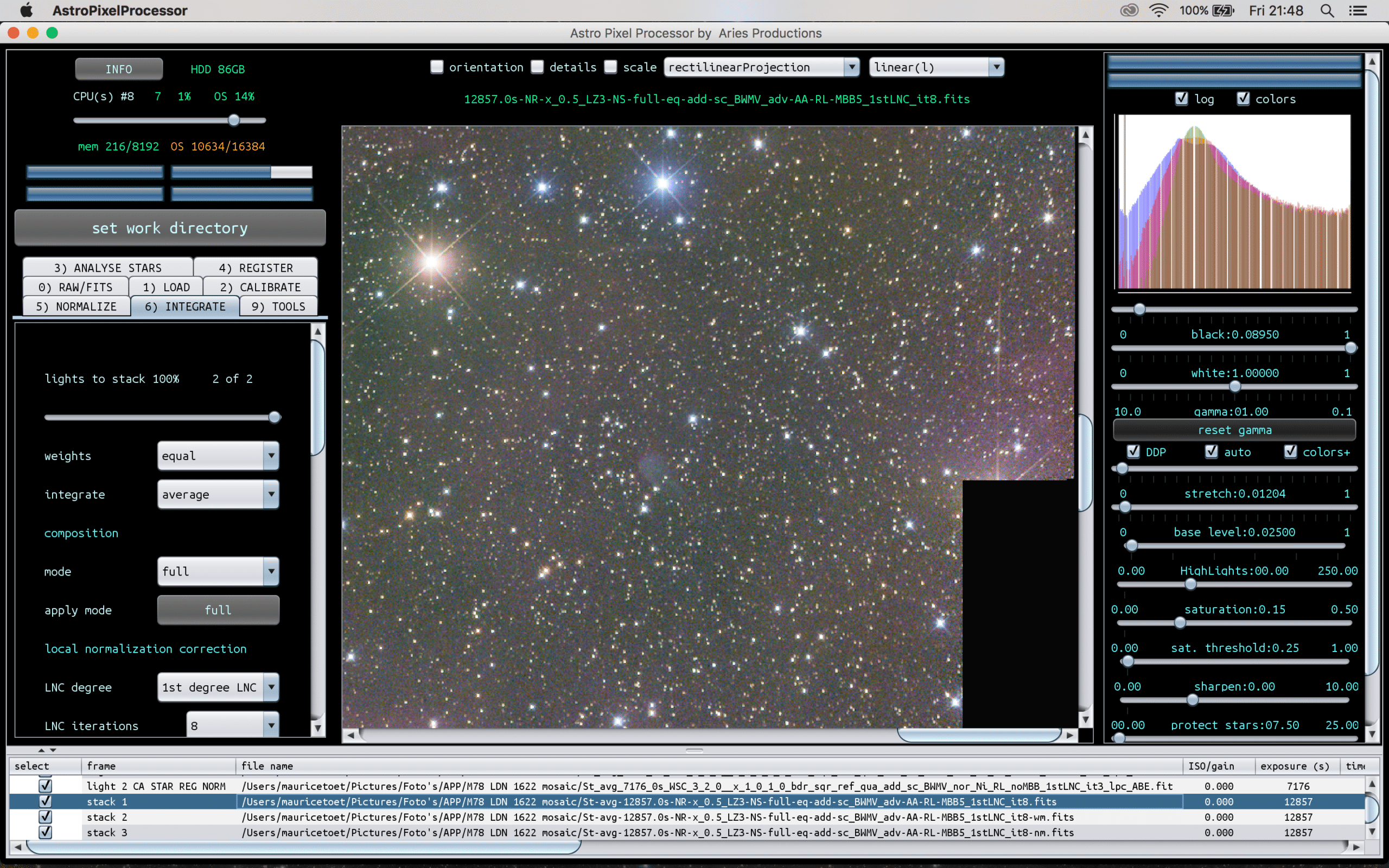
Thank you very much, Mabula. This worked excellent! (See attachments.)
Request for change: I think most users would appreciate if you set the “number of lights to stack” at 100% by default. In this particular case, I had two panels to align, and the program only selected one by default.
 March 24, 2017 at 22:24 #13288
Theunissen
ParticipantSee attachments
Hoi Maurice, klik eens op het blauwe camera symbooltje voor de aardigheid :-) rechtsonder het invoerveld i.p.v Attachments (No Photos) bij het uploaden van images.
March 24, 2017 at 22:35 #13292MauriceToetParticipantHoi Maurice, klik eens op het blauwe camera symbooltje voor de aardigheid rechtsonder het invoerveld i.p.v Attachments (No Photos) bij het uploaden van images.
Aha, dat ziet er beter uit ;-) Al die keren over “No Photos” heen gelezen… Doorgaans upload ik foto’s op mijn eigen website waarnaar ik vervolgens hotlink.
March 24, 2017 at 22:37 #13293ParticipantHad ik de “No Photos” nog zo’n mooi kleurtje gegeven :-) . Ik zie overigens dat op AF precies hetzelfde gebeurt, alleen dan veelal met dubbel uploads als gevolg @norbert.
March 24, 2017 at 22:51 #13294HaverkampParticipantExcellent ! Looks very good, beautiful field of view in the Barnard region ;-)
RFC noted, it’s already fixed in the latest version ;-) which I uploaded today. (And I am uploading a new version again…)
March 24, 2017 at 23:11 #13297HaverkampParticipantHi Maurice,
I see you did 8 iterations of 1st degree LNC + MBB 5% and you already got this good a result.
In complicated situations, for instance with more panels, the higher degree LNC is very valuable.
In the fits header of the stack, you can find the details of the LNC proces, the normalization map has some statistics as well ;-)
March 25, 2017 at 00:07 #13300MauriceToetParticipantAnd here’s the post-processed (in Photoshop CC) result.
1h35 minutes of exposure time for the M78 pane, 2h of exposure time for the LDN 1622 pane. Exposed with a Baader modded Canon 5D MKIII @ ISO 1600 (5 min. subs) and Takahashi Epsilon-180ED. 25 February 2017, Étoile-Saint-Cyrice (France).
 March 25, 2017 at 00:30 #13304HaverkampParticipant
This is a phenomenal picture @mauricetoet ;-) ! Simply stunning…
March 25, 2017 at 08:53 #13311 MusquetierParticipant
Waanzinnig mooi Maurice!!!
March 25, 2017 at 09:29 #13314 KeesSchererParticipant
And here’s the post-processed (in Photoshop CC) result.
Fantastisch @Mauricetoet , mijn complimenten! Weer een nieuwe referentie.
March 25, 2017 at 09:35 #13315ParticipantPrachtig inderdaad, en een mooie referentie voor APP!
March 25, 2017 at 10:30 #13322 GroenewoldParticipant
Pfffff, geweldig! Niks op aan te merken gewoon en inderdaad indrukwekkend hoe APP zorgt voor het gemak van naadloos stacken. Volgende keer dus mijn spullen mee naar zuid-Frankrijk. :)
March 25, 2017 at 20:32 #13360MauriceToetParticipant@bula, @musquetier, @keesscherer en @supernov: bedankt voor jullie complimenten. Mede mogelijk gemaakt door APP ;-)
March 30, 2017 at 05:32 #13513Rosen
ParticipantNo kidding – that’s a great mosaic, Maurice! Congratulations to both you and Mabula!
-
AuthorPosts


- You must be logged in to reply to this topic.