

Activity › Forums › Astrotechniek › Methoden en Technieken › Creating a seamless Mosaic
Tagged: APP, Barnard's Loop, LDN1622, M78, mosaic
- This topic has 24 replies, 7 voices, and was last updated 9 years, 4 months ago by
 Haverkamp.
-
AuthorPosts
-
March 31, 2017 at 00:32 #13561
 HaverkampParticipant
Thank you @srosenfraz ;-) ! Big credits indeed to @mauricetoet, he captured excellent data with his Espilon. I thinks this picture is a real beauty..
April 11, 2017 at 16:06 #13964 KeesSchererParticipant
” The multiple view mosaic registration is selected in 4) Register” . I can not find this option under 4) register…….
April 11, 2017 at 16:19 #13965HaverkampParticipant@keesscherer, the multiple view option is always applied in mosaic and regular registration mode.
So for a mosaic, you just need to select mosaic mode ;-)
I can understand that this can be confusing in the way I wrote it.. I’ll adjust it.
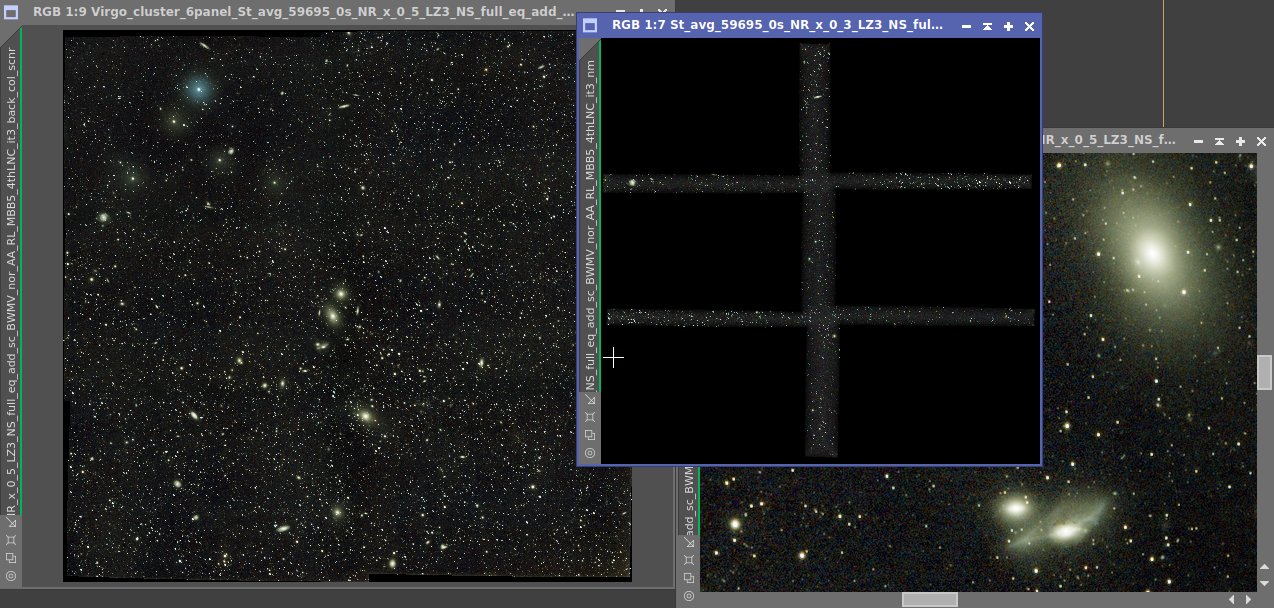
April 11, 2017 at 17:57 #13969KeesSchererParticipantO yes, a hole in one, blindfolded! The very first pass in APP with default settings of this 6 panel mosaic (Virgo cluster) just works! This is soo much simpeler to do than all the methods in Pixinsight….. Just load the 6 stacks and let APP do it’s thing!
 April 11, 2017 at 18:14 #13970
 GroenewoldParticipant
Whohohoooo, kijk dat is pas reclame. :) Supergave opname ook Kees!
edit: Sorry English; Gosh darn and holy smokes, what’s that haystack doing there, awesome picture!
April 11, 2017 at 23:30 #14008HaverkampParticipantVery nice @keesscherer ;-) ! Looking forward to the post processed version…
Let me know if you have questions about LNC or MBB or for instance the advanced normalisation mode ;-)
April 12, 2017 at 10:49 #14017KeesSchererParticipantVery nice @keesscherer ! Looking forward to the post processed version… Let me know if you have questions about LNC or MBB or for instance the advanced normalisation mode
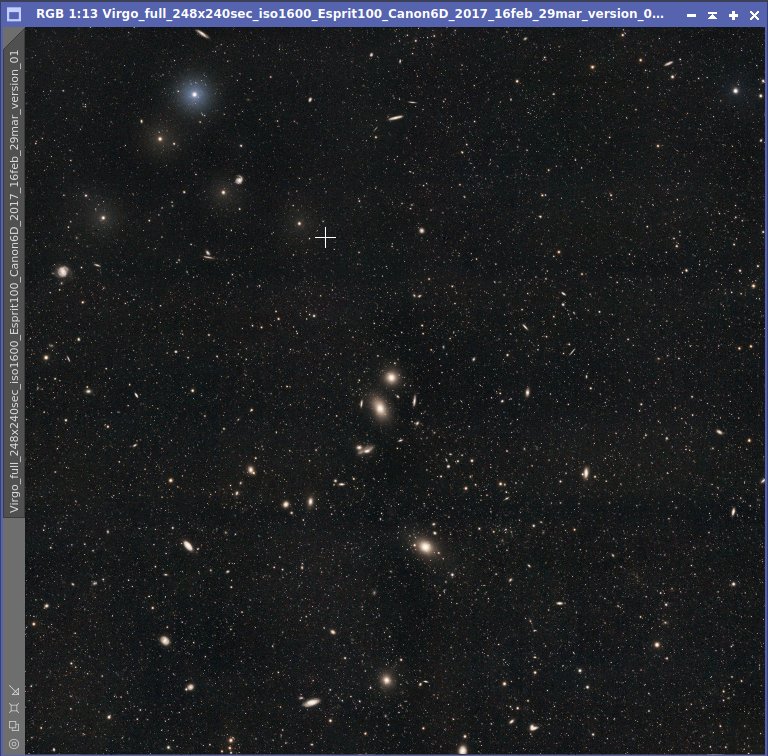
Yes, i think so. See attached screenprint where the background values in the panel overlap areas do not match precisely. What can i change to improve this?
 April 12, 2017 at 12:12 #14020HaverkampParticipant
Hi @keesscherer,
you can try several things:
First, for the most optimal results, first apply the remove Light Pollution tool on all your panels and make sure all borders of the panels are evenly illuminated.
in 5) Normalize
use the advanced normalization mode instead of regular.
in 6) Integrate
the % in Multi Band Blending can be varied. If believe you have used 5%?
It looks like there is very little overlap between the frames. Possibly, it helps if you reduce the MBB % to 2 or 3.
And increate the LNC degree to 8th degree with 5 iterations.
If there is indeed very little overlap, this could be a case where an extra GUI setting could come in handy for LNC to give the LNC correction more weight in the overlap areas. I’ll try to incorporate this setting in the next APP version.
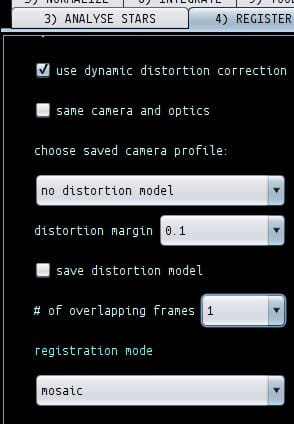
May 20, 2017 at 10:47 #15303KeesSchererParticipant“# of overlapping frames”, how do we have to use this option?
 May 20, 2017 at 22:45 #15312HaverkampParticipant
Hi @keesscherer,
the number of overlapping frames is a parameter in the calculation of a mosaic with
“dynamic distortion correction”on an
“same camera and optics”off.
The higher the number, the more robust the result should be, but calculation time will be longer.
The other new setting for scales applies to all mosaic calculations. Increase scales for a more robust result.
Full explanation is coming, I promise ;-)
-
AuthorPosts
- You must be logged in to reply to this topic.