

Forum Replies Created
-
AuthorPosts
-
April 13, 2017 at 23:24 #14071
 O’DonoghueParticipant
I ve been trying the triangles and it just hangs up. Not sure why but lots of Array errors.
The settings you suggested in your last mail worked best, but at a lower star amount 10000 was too much and it hung. I think I used 7000 in the end. I have no RMS values for you at this time. I would need to re run the experiment.
April 10, 2017 at 22:22 #13939O’DonoghueParticipantThose settings helped on the re run. I m posting the 5×5 image. There is only one area on the right hand side of some star misshape, and one area where there is flaring to the top right of the Pacman nebula. I’ll be able to fix these once stretched.
This is just a simple histo stretch and a small contrast tweak for the screen.
Tom
 April 3, 2017 at 23:17 #13751O’DonoghueParticipant
Hi Mabula,
Previously it took me about 2 -3 weeks to create the base layer, align all files to this base layer, process them to non linear data then stitch and blend in PS.
Now if I can get the settings right, technically only 3 hours Laptop time. This would be fantastic, and would also leave me with linear data. However with experimentation, and the possibility of having to create separate mosaics to cover star mis alignment, then APP (plus some registar and PS) would take about 2 days to get to the same point.
I was unticking the Same camera setting. I’ll keep trying your suggestions for the other settings.
I just ran another 6 pane mosaic of an area where the stars were mis aligned. It worked perfectly. I blended it in PS. I must see can I registar and blend it while in Linear mode.
What do you mean by the RMS screen shot of the registration? Do you mean just the settings I have choosen, or what the program is doing in the smaller windows that pop up while the algorithms are running?
Tom
March 31, 2017 at 01:02 #13563O’DonoghueParticipantThat did help in some areas, and made it worse in others. If I blend the two versions together, there is only one area where there is an issue. So Its getting very close to an entire flat, gradient correct, brightness single linear layer, cool.
I can give you some frames about the area where both struggled to blend, but as this is my next big mosaic project I wont be handing out all 25 frames to test. Sorry but they are years of data of my work so I like to keep it in house so to speak.
Tom
March 30, 2017 at 20:48 #13546O’DonoghueParticipantMy method for my two Mega Mosaics, Orion and the Galactic Centre were to make a base layer in PI with their Star Alignment, process. The GMM process which can make a mosaic from the Star Alignment base layer did not work for me. It left halos on stars, dark holes, distortions etc.
So I let the SA process register and build the base layer. Then I used the base layer from this in Registar. I would let Registar align a non linear panel to the overall base layer. Then I would build the mosaic in Photoshop, and blend them in.
This is data from 3 Takahashi FSQs (0.53m), 2 Atiks and 1 SXV ccd camera. So almost all the same set up. Pixel size is different in the SXV camera.
Very time consuming, but it allowed me to erase some overlapping regions which had bad registered stars. I do like having the full 25 pane layer in Linear Mode. I could re-blend in some panels to patch the distorted stars if necessary. However first a re run with your suggested settings.
Tom.
March 30, 2017 at 20:40 #13545O’DonoghueParticipantMabula,
Yes I like to get straight in there and test the big mosaics ?
I don’t quite understand the Thin Plate Spline bit. That sounds like a method to calculate the registration for the panels.
So let me mention where the frames came from
1) FITs were calibrated in AstroArt 5 with Darks and Flats applied here to stack the master 4 hr files.
2) Once I had the master frames for each panel, I opened them in PI, Cropped any border from the stack, then ran the DBE process to remove any gradients and vignetting. (I have all 25 frames without the DBE which I can mosaic in APP to test v the DBE version)
3) So PI has not registered these panels to each other. They have only had the DBE gradient removal performed on them.
There is approx. 15-20% overlap on the frames. Or at least I thought there was. The gap on the bottom row surprised me, the rotation effects around Polaris is evident as it seems to compress the top row frames. I will re-run the 25 with your suggestions and see how I get on.
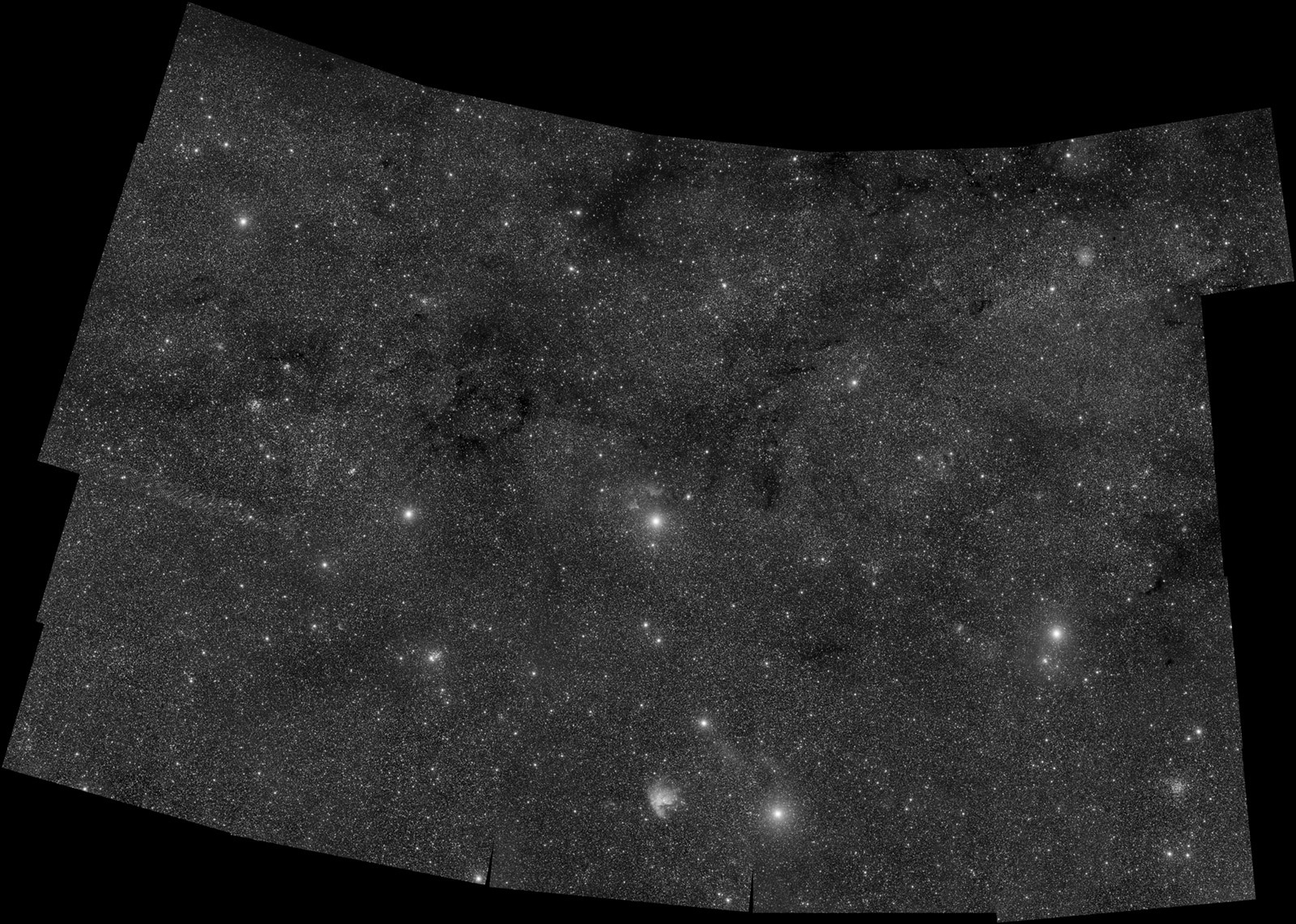
March 29, 2017 at 23:54 #13502O’DonoghueParticipantHere is the 25 pane version, used with the DBE files. Very good blending result for brightness, gradients and detail.
Two areas of overlapping show star distortion. Whether these can be joined without issues by other settings I m noy sure yet. More testing to do.
This took 3 hrs on the laptop to put together.
Tom
 March 29, 2017 at 20:14 #13482O’DonoghueParticipant
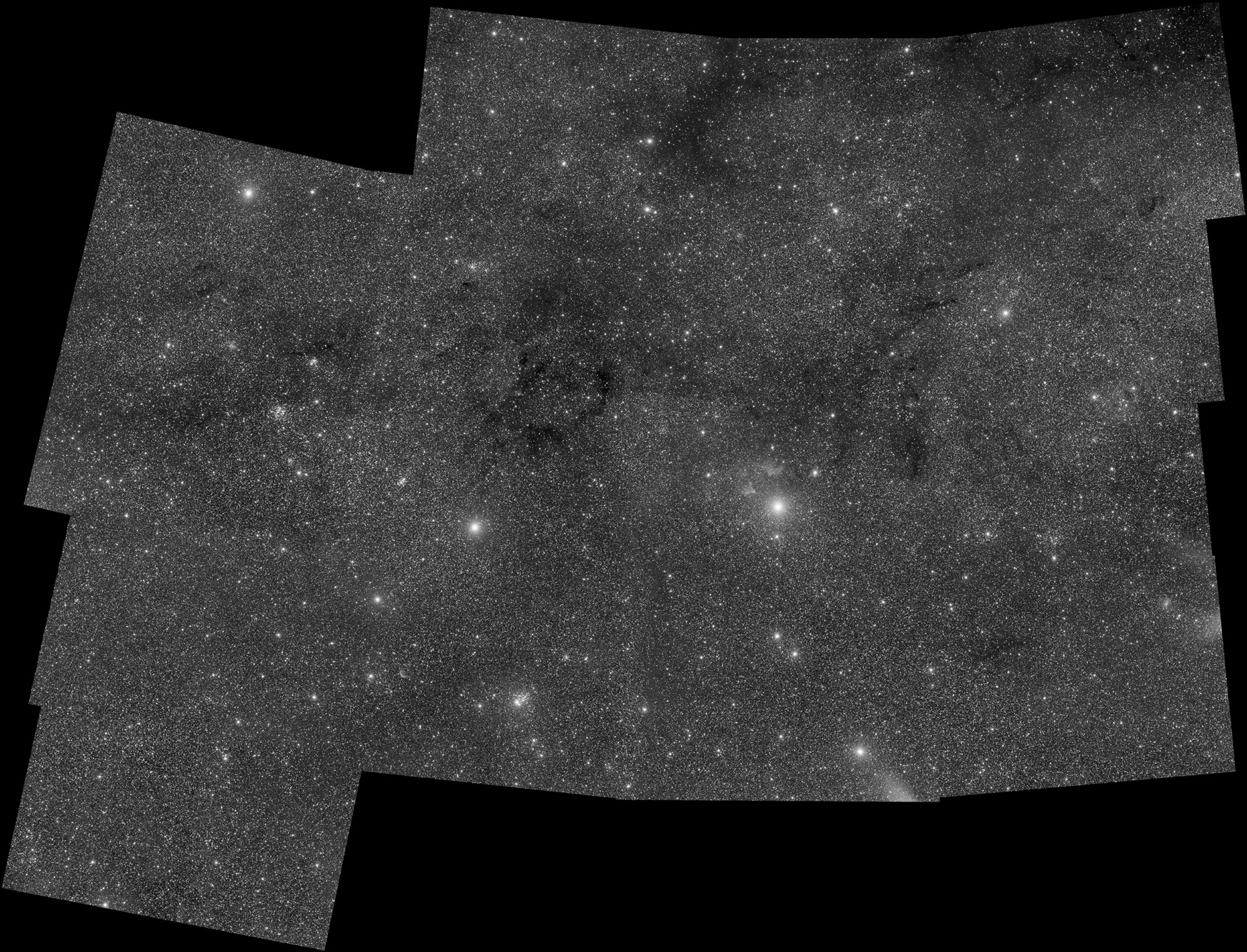
Let me try that initial image again
 March 29, 2017 at 20:13 #13480O’DonoghueParticipant
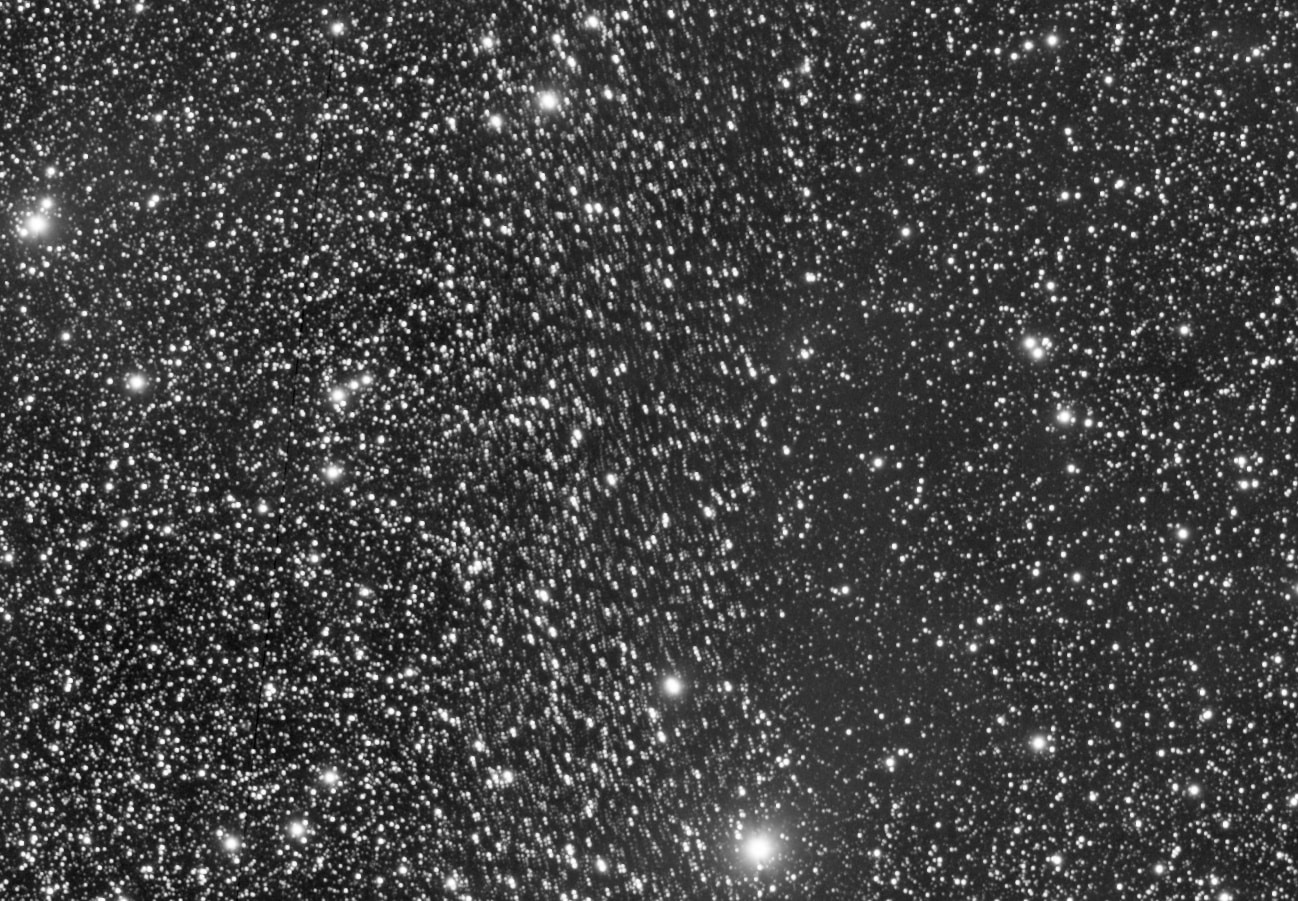
Zoomed in version.
I stretched the final image to show the Non linear version.
-
AuthorPosts