

Activity › Forums › Astrosoftware › Astro Pixel Processor › Ha, OIII, SII stacking, how to?
Tagged: APP
- This topic has 37 replies, 5 voices, and was last updated 9 years, 6 months ago by
 Musquetier.
-
AuthorPosts
-
March 18, 2017 at 08:16 #12740
 MusquetierParticipant
I have loaded all the Ha, OIII and SII lights together with the 3 Ha, OIII and SII master flats, a master dark and a master bias. Then calibrated, analysed stars, registered all frames, normalized them and then pressed stack but then I end up with a single gray image. Should I process each color separately instead?
March 18, 2017 at 09:45 #12746 GroenewoldParticipant
I think, as I also struggled a little bit with H-alpha, you better process these seperately and choose the mode in tab 0. Standard it says “Airy Disk” there, but there’s options for HAlpha etc.
March 18, 2017 at 09:48 #12747MusquetierParticipantWhen I progress them separately how do I make sure they are aligned correctly (during the registration phase)?
March 18, 2017 at 10:16 #12759 HaverkampParticipant
I think Rob is working with mono channel data, then the Halpha debayer mode is useless @supernov.
Yes, process the channels seperately Rob. Registration can be simply done when you have the stacks ready. Just load the stacks and register them and save registered frames.
Or another way.
Calirbate all you lights first and save your calirbated lights. Then load all lights of all channels and register them. And save registered frames.
Then you can stack all channels separately using registration mode: no registration
There are several ways to do this.
In the future, we can try to make a batch mode tool for this, I believe Yves mentioned this to me already ;-)
March 18, 2017 at 10:37 #12768Van den Broek
ParticipantWhy would one need to select mode: no registration when you only stack, I even don’t see it in the stack tab, probably a blind spot.
March 18, 2017 at 10:54 #12777HaverkampParticipantHi Yves, the no registration mode is to be set in
4) Register, registration mode: no registration.
APP is unlike PI, it is setup to do all steps
2) to 6) all in one go. So Registration is always a logical part of a stack process. If you have registered the data already, you want to use no registration mode.
My logic: if you don’t implement it like this, you’ll need to save your frames always after registration. Before starting a stack proces. I actually never save registrered frames as part of a normal stack routine.
March 18, 2017 at 14:01 #12842MusquetierParticipantOk, I have now a R, G, B, Ha, OIII and SII stack, all registered to one master, but they do differ in size because they are all taken on different days (in 2016 and 2017) and with two different camera’s which were mounted using a different rotation.
What is the procedure in APP to make them all similar without loosing the alignment, (so without shifting them on the X and Y axles).
Can this also be done in APP as well so I have done the complete processing using only this application?
Once this is done I can do the Combine RGB option in the 9) TOOLS tab to transfer to color and do the final tweaks…
March 18, 2017 at 15:16 #12874HaverkampParticipantHi Rob, best way would be to load all of your stacks and register them again. I see I forget a dropdown down box at save registered frames, I will fix this now.
When you have registered them,
go to 6) integration, set composition to full and click on apply mode.
If you then click on save registered frames, wou won’t lose data and all frames will have the same image dimensions.
I need to create the dropdownbox for composition at save registered frames.. Will do it now.. ?
Let me know it it works ?
And if it works, then proceed to combine RGB indeed ? and possibly selective color afterwards for finetuning of the colors.
The combine RGB will adjust for illumination differences to start with ? so the background of your different channels will almost be perfect to start with.
March 19, 2017 at 11:36 #12990MusquetierParticipantIk probeer met versie 01.033.3 de 6 images opnieuw te registreren maar ik krijg nu de volgende probleem tijdens de 3) ANALYSE STARS->analyse stars actie en ik begrijp niet goed waarom.
De gebruikte images zijn:
https://www.musquetier.nl/images/Barnard33_light-FILTER_Blue-BINNING_1-reg.fits
https://www.musquetier.nl/images/Barnard33_light-FILTER_Red-BINNING_1-reg.fits
https://www.musquetier.nl/images/Barnard33_light-FILTER_Green-BINNING_1-reg.fits
https://www.musquetier.nl/images/combined_Barnard33_OIII.fits
https://www.musquetier.nl/images/combined_Barnard33_Ha.fits
https://www.musquetier.nl/images/stack_SII.fitsMarch 19, 2017 at 12:56 #13002HaverkampParticipantIk zal even testen wat er gebeurd, dank je Rob
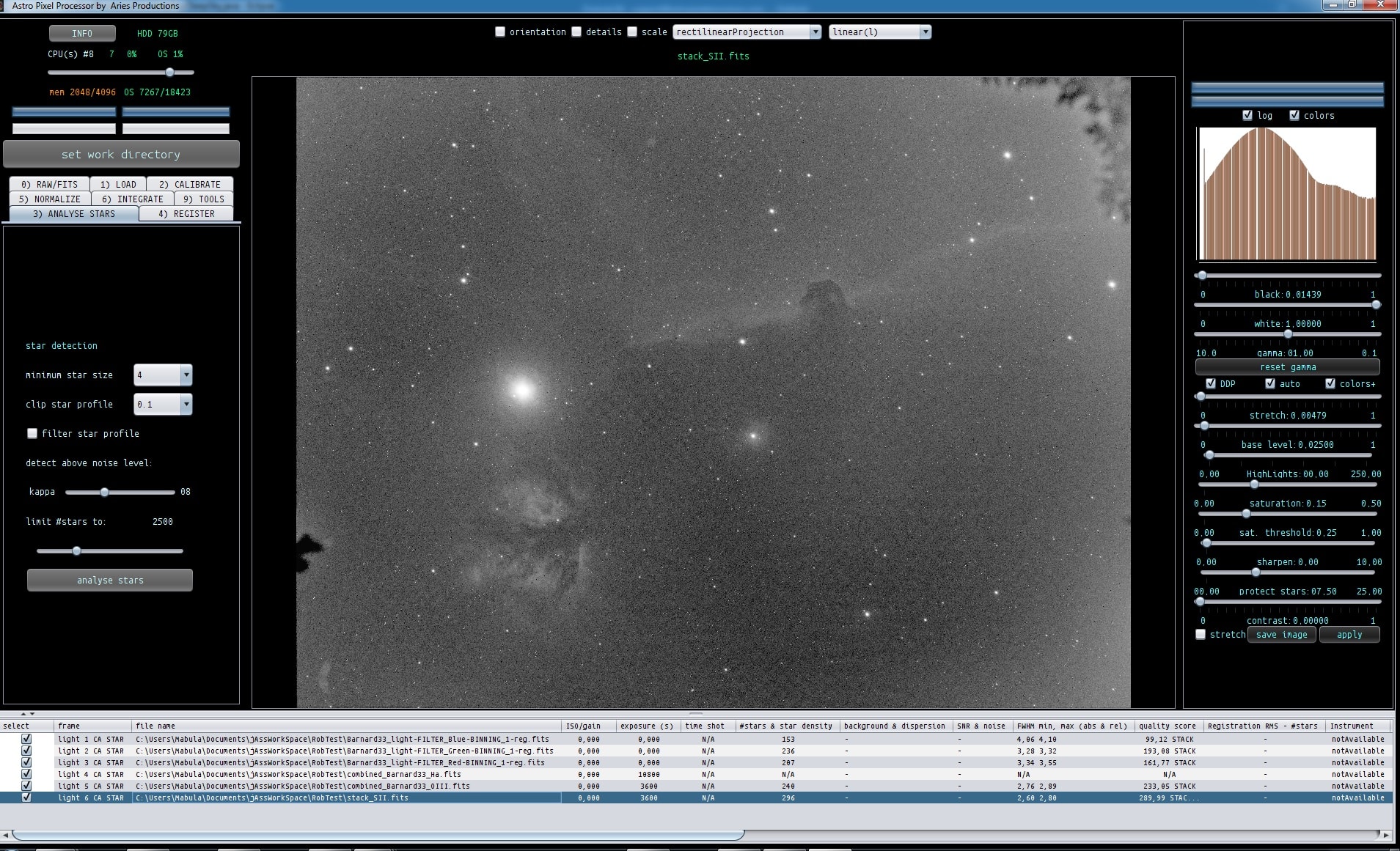
March 19, 2017 at 13:09 #13008HaverkampParticipantHoi Rob, de Ha data heeft geen data, dat is het probleem. Bekijk hem maar met bijvoorbeeld Fits Liberator of PI. Ik zie dat je combined als prefix ervoor hebt gezet
combined_Barnard33_Ha.fits
Heb je toevallig de stack nog liggen, ik denk dat er na het stacken iets is misgegaan. De andere opnames hebben wel sterren, zie screenshot.
 March 19, 2017 at 13:12 #13009HaverkampParticipant
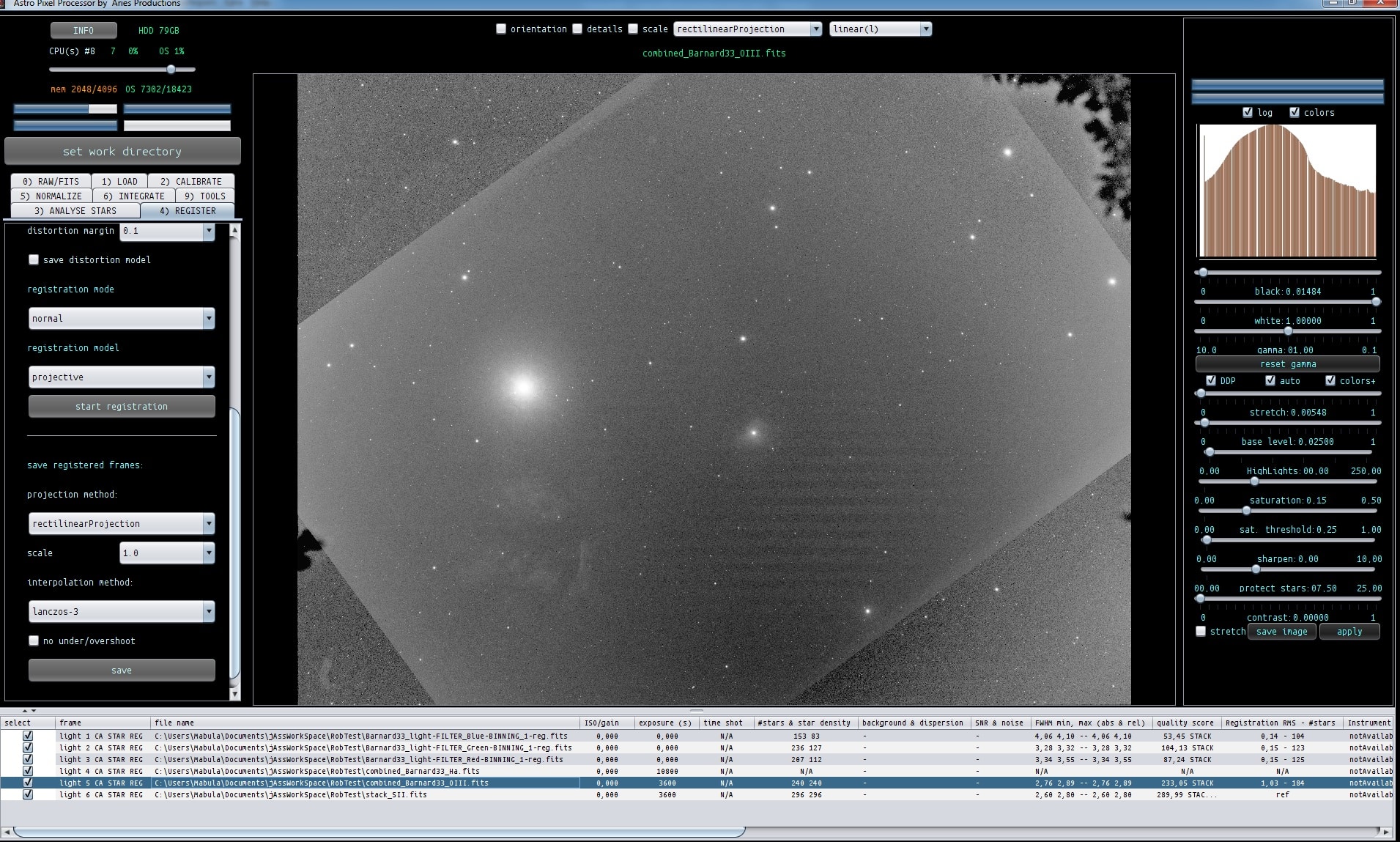
Het is denk ik handig om te weten wat je met de OIII en HA stacks hebt gedaan om naar de combined versie te komen?
Het lijkt alsof die ook door een ander programma een bewerking hebben gekregen. Ik zie namelijk ook de de OIII moeilijk te registreren is, wat er op wijst dat een ander programma iets van een registratie heeft gedaan met mogelijk een slecht effect ?
 March 19, 2017 at 17:17 #13022MusquetierParticipant
The combined file should have been a stack of the following files (2016 (PI) and 2017 (APP) data):
https://www.musquetier.nl/images/Barnard33_light-FILTER_Ha-BINNING_1-reg.fits
https://www.musquetier.nl/images/stack_Ha.fitsI’m not sure why it turned out to be black.
March 19, 2017 at 20:09 #13025HaverkampParticipantI’ll have a look ;-)
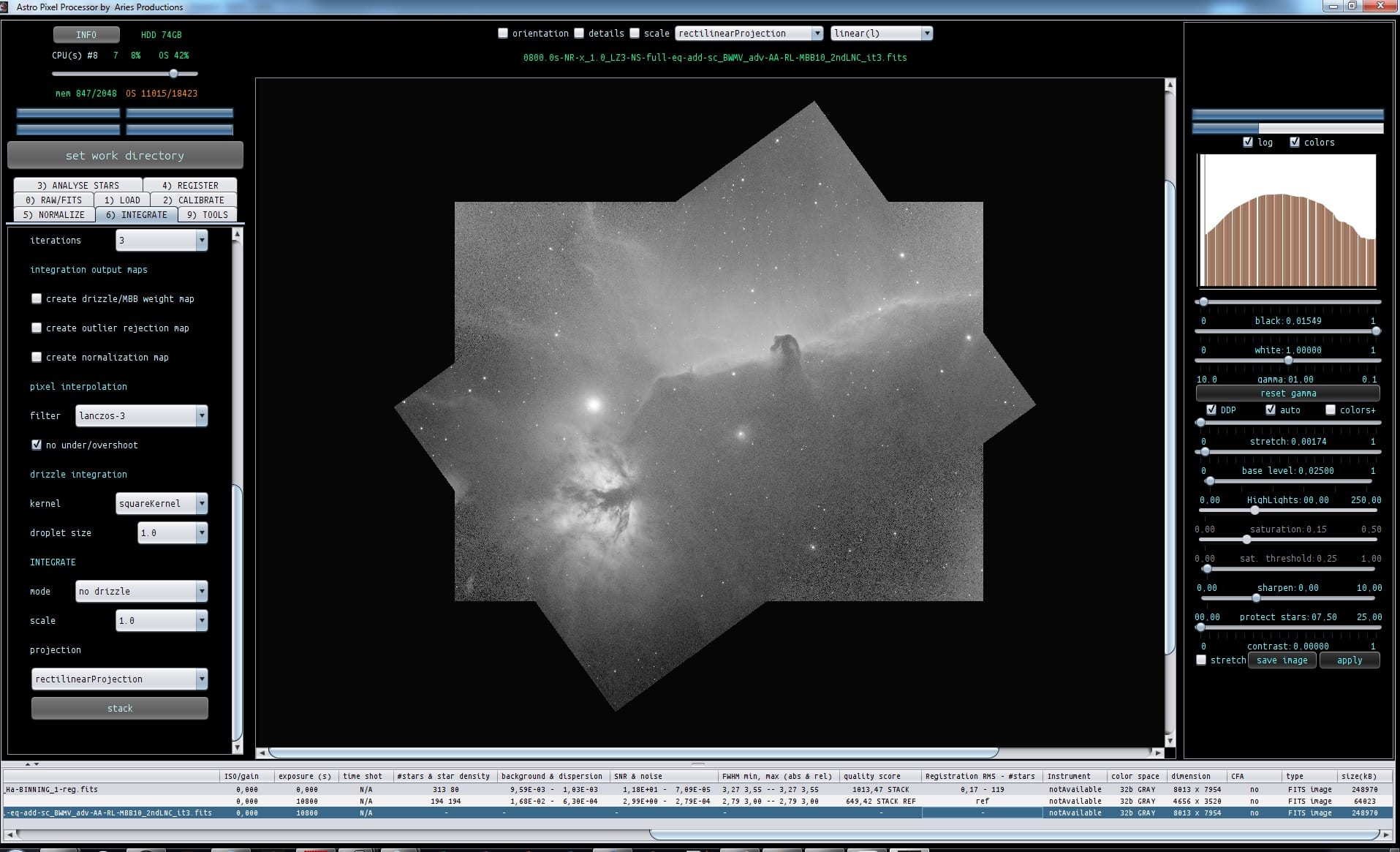
March 19, 2017 at 20:34 #13027HaverkampParticipantI can integrate these two images fine:
What I did:
Since there aren’t too many stars ( 100-200) I lowered kappa in the star analysis to 4
3) analyse stars ,
detect above noise
kappa 4
4) registration
since this is data from Pi and data from APP, clearly different sources, you need to
deselect same camera and optics ( a registration tool from a program is in technically speaking also a camera, it warps your data )
and
enable distortion correction
Then
5) normalize, I set normalization mode to advanced ! This will have the effect that the normalization parameters are only calculated on the area of the stacks that overlap. This will give better data normalization in this case ( this is one of the innovative feautures in APP).
6) Integrate
– composition mode FULL, we wwant to keep all data of both stacks in the final stack
– LNC set to 2nd degree, 3 iterations
– enabled MBB 10%
-Lanczos3 with no under/overshoot
and then stacked
The result is shown in the screenshot, notice that the seams of the stacks are hardly visible now..
So you can also do this with the OIII combine you did ?
Let me know if you can duplicate this result on the H alpha combination of the 2 stacks.
-
AuthorPosts

- You must be logged in to reply to this topic.