

-

Groenewold posted an update in the group Astro Pixel Processor Beta 9 years, 4 months ago · updated 9 years, 4 months ago
So this might just not be the best way to process stuff; but I loaded my sets of 20sec and 120sec exposures at once. All from different sessions as well. So how should I go about selecting the flats for the various sessions? Or should I just calibrate per session first as I do in PI..
-

Haverkamp replied to the topic Linux Mint 17 KDE DEB activation to never-never land in the forum Astro Pixel Processor Beta 9 years, 4 months ago
Great ! I noticed everything went fine ;-)
-
KeesScherer replied to the topic Linux Mint 17 KDE DEB activation to never-never land in the forum Astro Pixel Processor Beta 9 years, 4 months ago
solved: version 1.033.1 activation works! (I installed the “DEB 8GB” version on Linux Mint KDE 17.0 64bit.)
-
Haverkamp replied to the topic Info Panel HDD space value not correct in the forum Astro Pixel Processor Beta 9 years, 4 months ago
Hi Marc,
I really haven’t changed a thing on the working of the INFO panel for HDD in the past few days.
I’ll check on my macbook what APP reports and what MacOS reports.
“where is the swap or temp file located on the system”
DO you refer to OS swap? Or an APP temporary file?
APP stores temporary files in your working directory.
-
Hi @KeesScherer,
New LINUX versions can be downloaded in the APP downloads topic. Please let me know if you can get past the activation now. I’ll monitor it from this side as well.
Mabula
-
Haverkamp replied to the topic Linux Mint 17 KDE DEB activation to never-never land in the forum Astro Pixel Processor Beta 9 years, 4 months ago
Code is adjusted for this issue, so I will deploy new Linux DEB & RPM packages and will upload them 😉 I’ll give a sign when the new versions are ready for download …
-
Haverkamp replied to the topic Difference between “Correct Vignetting” & “Remove Light Pollution” in the forum Astro Pixel Processor Beta 9 years, 4 months ago
Hi Marc,
The differences are in the calculation of the correction model and how the model is applied to the data.
The how:
Correct Vignetting: model is applied multiplicatively, since vignetting is a mutliplicative function on the data.
Light Pollution: model is applied additively, since Light Pollution is extra signal added to the signal we…[Read more]
-
Hi @KeesScherer,
The problem is located, and I am working on the solution. The RPM package will fail as well in this case.
It has to do with finding the mac address of your computer, in this case your mac address isn’t connected to your localhost. So I need to get a bit smarter to get your mac address.
On Windows and MacOS, the mac address is…[Read more]
-
KeesScherer replied to the topic Linux Mint 17 KDE DEB activation to never-never land in the forum Astro Pixel Processor Beta 9 years, 4 months ago
Isn’t it possible to try installing the RPM package on your Linux Mint distro?
With some extra steps, yes, but i am testing the package that needs to be used on Debian/Ubuntu/Mint distro’s. The installation of the DEB package went fine, it is the activation that fails. I tried to verify the activation on a Windows 7 system, but there the i…[Read more]
-
Theunissen replied to the topic Linux Mint 17 KDE DEB activation to never-never land in the forum Astro Pixel Processor Beta 9 years, 4 months ago
Isn’t it possible to try installing the RPM package on your Linux Mint distro?
-
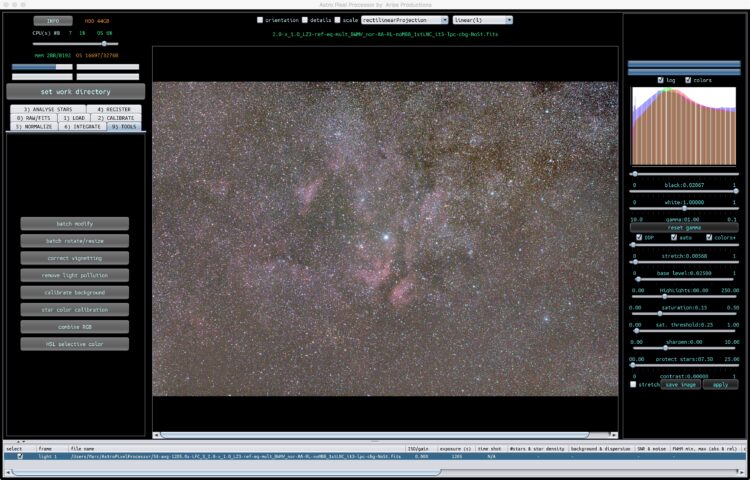
Theunissen started the topic Difference between “Correct Vignetting” & “Remove Light Pollution” in the forum Astro Pixel Processor Beta 9 years, 4 months ago
Not really a beta feedback but a question, what is the difference between “Correct Vignetting” & “Remove Light Pollution”, more specific, what are the best strategies for the placement of the “area select boxes”?APP_diff_RLP_CV
-
KeesScherer started the topic Linux Mint 17 KDE DEB activation to never-never land in the forum Astro Pixel Processor Beta 9 years, 4 months ago
The 8GB DEB package installs on my Linux Mint 17.0 KDE system, i can startup APP to the activation window, enter the activation data and then nothing, no error screen, no APP, nothing. Tried several times, made screenprint that i will send to Mabula by email.
-
Theunissen posted an update in the group Astro Pixel Processor Beta 9 years, 4 months ago
I added a Download link (above) in the group description for convenience.
-
Theunissen replied to the topic Info Panel HDD space value not correct in the forum Astro Pixel Processor Beta 9 years, 4 months ago
It does make sense, however, the HDD space was correct in the earliest beta. This brings me to another question, maybe even related, where is the swap or temp file located on the system?
Thanks for your quick reply!
-
Haverkamp replied to the topic Info Panel HDD space value not correct in the forum Astro Pixel Processor Beta 9 years, 4 months ago
Hi Marc,
The Info Panel, shows HDD space. This is the free HDD/SSD space off the drive on which you chose your working directory.
When APP is started, this shows the free space of the drive on which APP is installed. If you select a working directory on another drive, it will show you the free space off that drive. You should be able to work…[Read more]
-
Theunissen started the topic Info Panel HDD space value not correct in the forum Astro Pixel Processor 9 years, 4 months ago
I noticed that in the Info panel, the HDD space value is not correct.
In the pre-beta the HDD value was correct. It could be a coincidence, but it seems like the total workspace mem (8Gb) is subtracted from the real HDD space available on my system.
version: Mac OS 8Gb
-
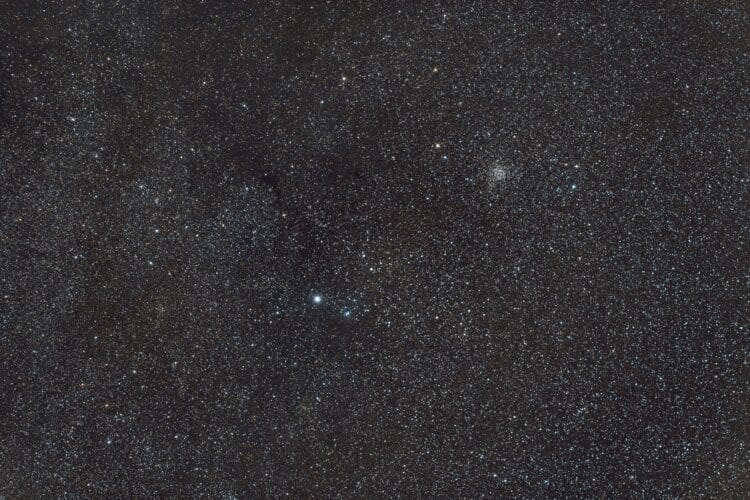
Theunissen replied to the topic NGC7789 wide field en Caph regio, 10 september 2016 in the forum Deepsky 9 years, 4 months ago
In de NGC7789 widefield bewerking viel me al eerder op dat de opname bepaald niet “flat” was, tijdens de bewerking ben ik er ook niet in geslaagd om met de bekende PI tools de afbeelding af te vlakken.
Een nieuwe APP stack met “remove light polution” actie leverde al een aanzienlijk vlakker beeld op. Verdere bewerking vervolgens weer met PI g…[Read more]
-
Groenewold replied to the topic Sadr en omgeving, 5 september 2016 in the forum Deepsky 9 years, 4 months ago
“Snel in de buurt komen van PI”, dat alleen al is een interessante feature natuurlijk. :) Ik ben heel benieuwd hoeveel tijd het kost om mijn M31 te reproduceren, want dat eindresultaat (waar ik nog steeds heel tevreden over ben als perfectionist), was me een lijdensweg.
-
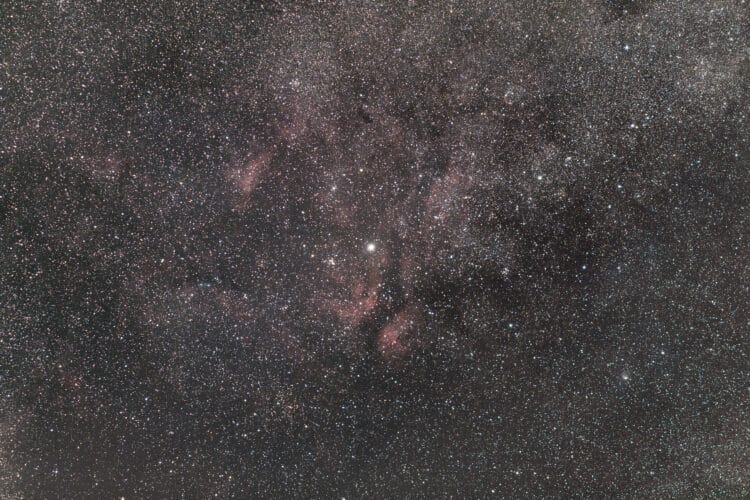
Theunissen replied to the topic Sadr en omgeving, 5 september 2016 in the forum Deepsky 9 years, 4 months ago
Even een setje oudere data geprobeerd, voor mijn eerste volledige APP bewerking. Uiteraard is mijn data niet representatief voor wat APP aan mogelijkheden biedt noch is deze bewerking optimaal uitgevoerd (lerende in een pre-beta), maar snel in de buurt komen van mijn PI bewerkingen geeft een alleraardigst…[Read more]
-
Theunissen replied to the topic Lichtvervuilingskaart in the forum Lichtvervuiling 9 years, 4 months ago
Ik kom bij je terug Norbert.
- Load More

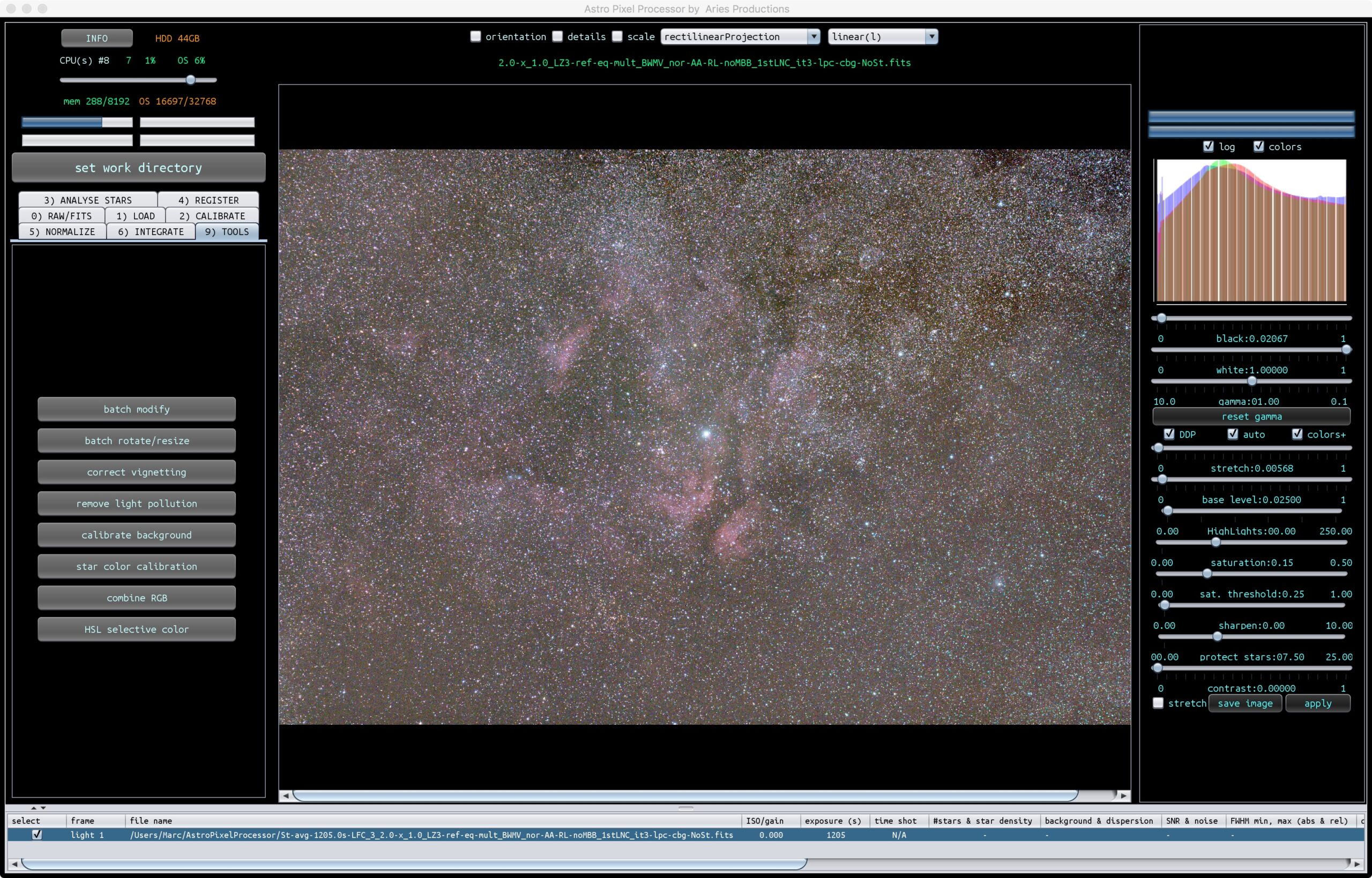

In addition to this, I already have master flats etc, how should I use those in the workflow? These are for the different sessions, but I’m not seeing an option in which I can say they are already calibrated and for a certain set of images.
Ok, feature request! :) I would like to be able to load all my lights at once, select from the list those of 1 day and to that add the flats (which is then indicated in the list), and then to do that for all days which need seperate frames. I’d like to have a checkmark that tells APP if the frames are already masters and for all this it would be…[Read more]
Hi @vincent, please start a topic for this so everyone can finfd this more easily in the future… Or @mth75 can move this to a new topic? (I don’t know how to this yet…)
If you have different calibration files for different lights, it’s best to calibrate those frames with the corresponding masters first and save them.
After calibration you can load all calibrated frames and stack them in one go.
Regarding the calirbation frames that you have, these are probably created in PI and will not be good for APP. PI doesn’t use the whole sensor for calirbation of your data. APP does. So you have two options, calibrate your data in PI and then proceed with your calirbated frames in APP. OR manually adjust the dimensions of your calirbation masters…[Read more]
And i really think, you are going to quick here ;-) APP can create master frames and will show you that they are masters when you load them ;-)
Probably it’s more constructive for me and the beta group if you start with a simple situation so you become aware of the possibilities. And I’ll work on the manual off course.
Well, it wasn’t complicated either right, just what someone could easily be doing when processing older data. Would APP be able to see automatically that the calibration frames are of a format that might cause trouble? I think something of a notice would be nice as noone has ever had experience with something other than dcraw processed files. I’ll…[Read more]