


@bula
active 4 years, 11 months agoForum Replies Created
-
AuthorPosts
-
HaverkampParticipant
Added this to the RFC, should help mosaicing of frames with little overlap:
“- For mosaicing, I need to provide option that pattern descriptors per scale are created along the borders instead of only squares spread over the entire image. By using rectangles instead of squares, the registration must become more robust with little star count at the borders. (Mabula, Maurice)”
HaverkampParticipantAfter extensive testing on your data, I have some conclusions now.
First of all, the best workflow would be to make a camera profile using single subs of each panel. To do this we can register with:
3) star analyis
star count limit around 5000
kappa above noise at 3
4) register
“same camera and optics” on
“calibrated projective” registration model
“mosaic” mode
and save distortion model.
During registration, you’ll be asked for focal length and pixel size, I used 500mm and 5 micron. You don’t need to be exact here. These are just used as starting points in the calculation. Then when finished, you can save this camera profile with a camera and objective/ota name.
The next step is to create all 6 panels and use this camera profile for registration.
“choose saved camera profile” witth dynamic distortion correction on selct the profile that you have created
After creation of the panels, you can integrate the mosaic without using distortion correction. Or for further precision, use distortion correction, with
“same camera and optics” off.
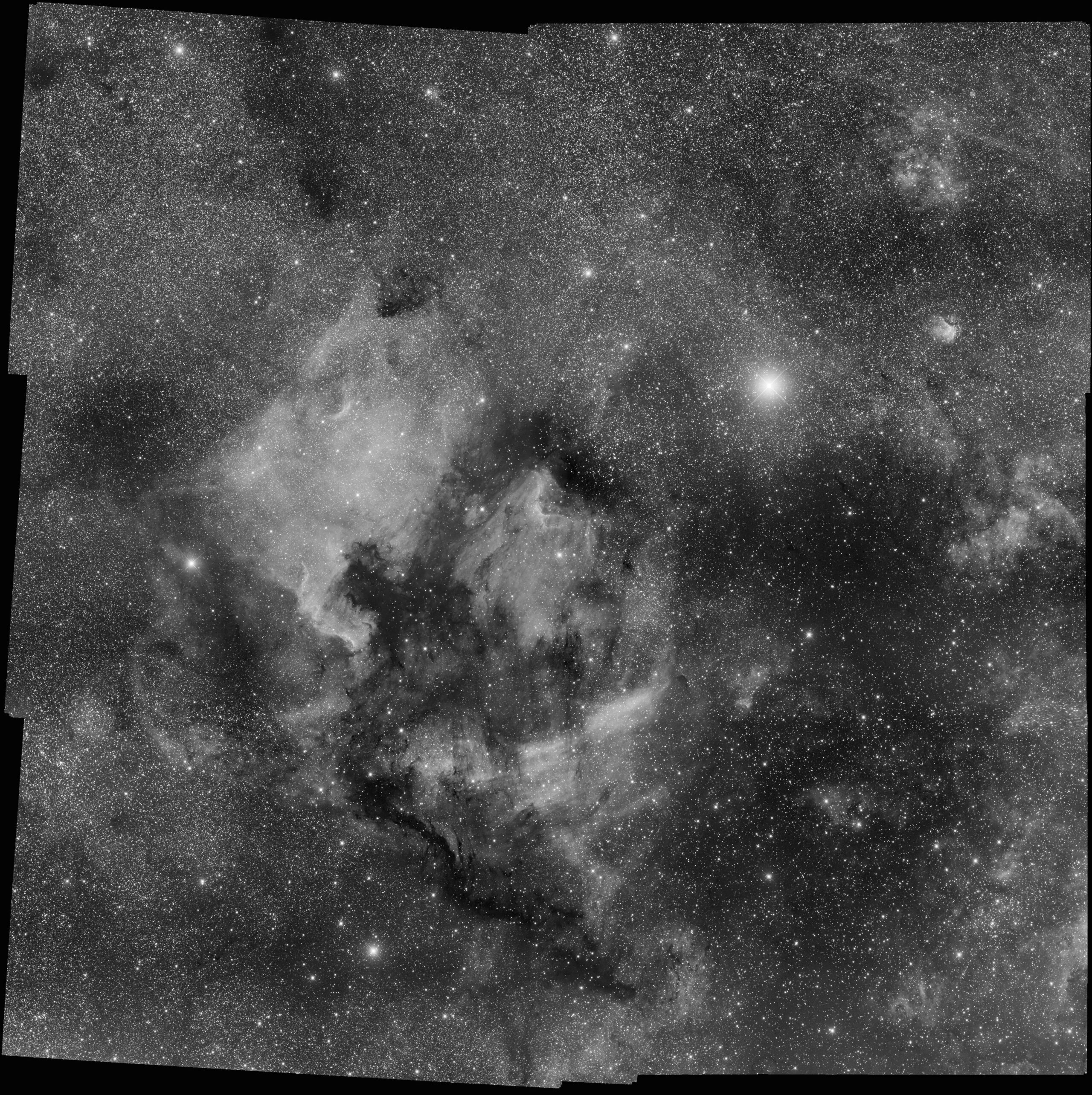
This is the result I got. Not perfect, but near perfect now. Only 1 registration flaw on the extreme right where the center-right and bottom-right panels overlap.
I’ll write down the exact stept for this workflow in the next couple of days ?
I have 2 arguments why this 6-panel is actually very hard to get perfect.
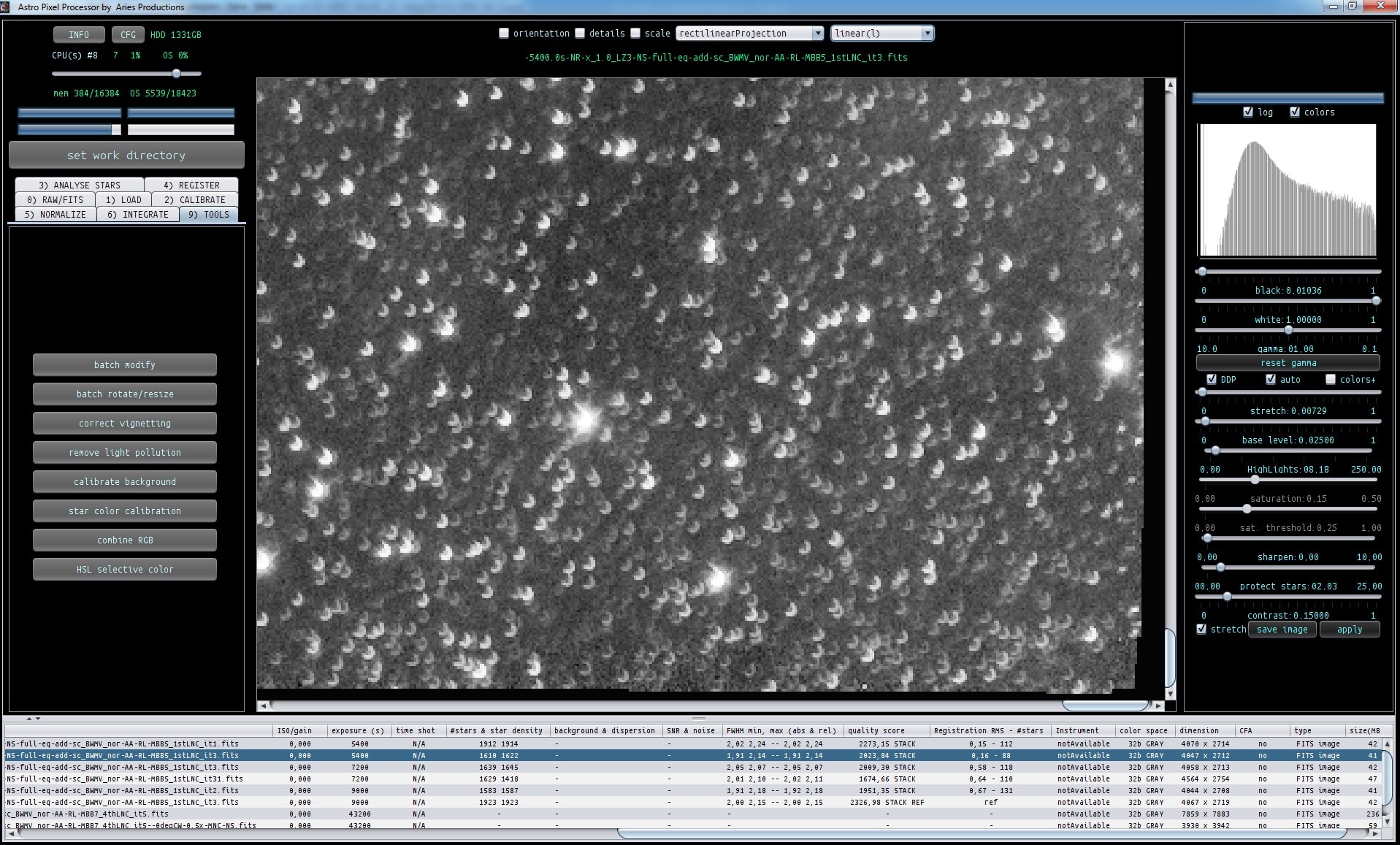
1) collimation problems, I noticed that the data was collected during several days. And collimation wasn’t constant over these days. Some panels have good stars in all 4 corners, but some have star shapes that are semi-circles instead of circles. This has a clear effect on the optical distortion pattern in your data, which isn’t constant, and also on the star lokation precision and the number of stars that are found in the corners particularly.
2) Rather small overlap between the frames. The overlap areas are less than 10% of the panels width/height. This is rather small. I suggest to have at least 10% and preferably 15% overlap. This will help a lot in gettting perfect distortion correction and thus perfect registration. More overlap between the panels will also make the success of the mosaic less dependant on not constant collimation over all imaging sessions.
To make APP more robust for mosaicing when the overlap is really small, I can improve more things in the registration engine. I’ll put these on the RFC ?
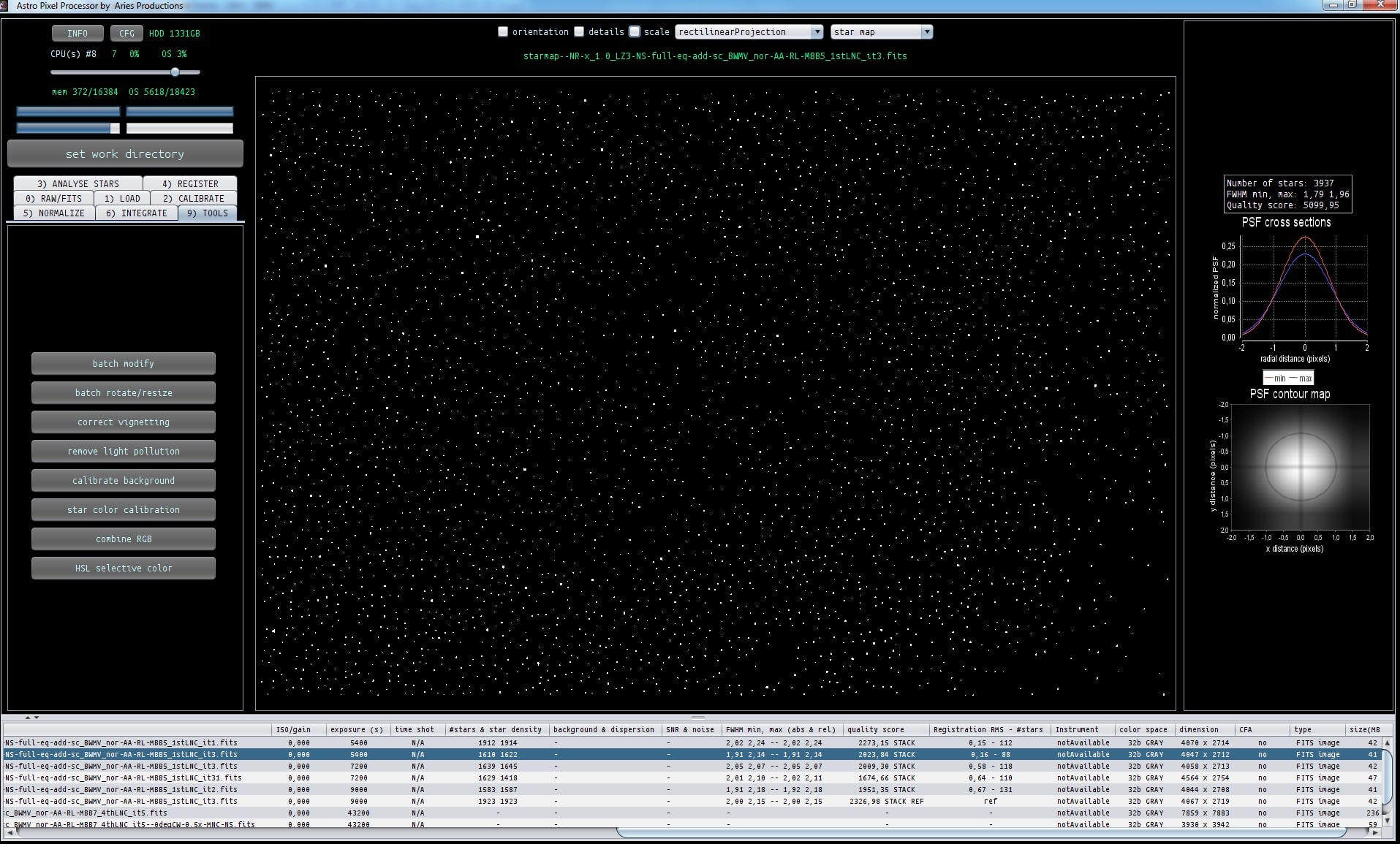
I have also included 2 screenshots, one of a panel with a corner that has bad collimation. And the starmap of the entire panel, which shows that the star detection is this corner is bad (lower-right), which has a clear effect on the registration precision.
 HaverkampParticipant
You’re welcome Hans,
Your image looks pretty good to me.
“I think flats and guiding are serious issues.”
Yes, if you can improve on these 2 issues, I have no doubt that your images will benefit hugely ;-)
HaverkampParticipantThank you for reporting this. I have done a lot of work in the registration engine to prevent this from happening in the future.
Basically, the amount of starpairs between the frames put limits on memory and cpu usage at the same time when the total amount of star pairs become bigger then a couple of 1000 star pairs.
Reason being, to calculate a homography between 1000 stars, APP needs
(1000*2 (x,y coordinate) * 8 (double precision calculation) )^2 bytes
for the Hessian Matrix in the regression.
For 1000 stars this means = 256MB of memory. This is no problem
2500 stars between two frames => 1.6GB now it starts to become a problem.
To solve this problem for different maximum amounts of memory available to APP, I have built in dynamically scaling of the registration engine for both the amount of memory that is needed and the number of CPUs that are/can be used. The scaling is done such that the memory usage can’t top the available amount of memory to APP and thereby preventing future Out of Memory errors.
Also the amount of stars that can be used in the registration is now capped depending on the available MAX memory for APP.
From version 1.038, this “out of memory” bug in the registration engine should be a thing of the past I hope ;-)
HaverkampParticipantHaverkampParticipant@whwang, not yet, but it’s on my list to set logging on in APP’s configuration menu. I’am also planning to show console output while APP’s working ?
HaverkampParticipantThank you @keesscherer for this bug and usefull screenshot.
The screenshot shows that you have very high star counts (3000-4000). So I tried to register some frames with that high star counts and only 2GB of memory reserved to APP. I do get the same memory problem, so clearly there is a memory leak in the registration engine.The good news is, that I have located it now, so I’ll fix it.
I am wondering about the high star count, was registration not good with a maximum of 2500 stars, so you decided to increased the limit? (For regular stacks, 1000 stars should normally be enough to get very good registration ) Or just testing?
Regarding speed, I know I can do more optimizations in the integration module regarding outlier rejection of light frames.. I’ll work on that soon, because that’s a clear bottleneck currently…
HaverkampParticipantI am working on your data and I am testing a new algorithm. But, I clearly see some problems with the data, probably arising due to applying “dynamic distortion correction” already on the single panel integrations.
There are 2 workflows, that will probably give better results. Can you try any of these 2 if you have spare time, or send me some of the calibrated files from each panel so I can test it myself and possibly use it for more optimal workflow topics?
1) create the mosaic first using using only 1 single sub per panel and save the found distortion model, you need to use the
calibrated projective registration model and
turn on “same camera and optics”
to be able to save the distortion model/camera profile. Then apply this camera profile to your data while integrating the panels. Then the mosaic integration can be done without distortion correction since all panels are properly corrected already.
2) create the panels first without distortion correction (which could be possible I think with your data without big registration errors) and only use distortion correction when you integrate the mosaic. You need to turn of “same camera and optics” in this case while registering the mosaic.
I know from testing on Yves mosaic data, that these 2 methods are to be preferred over the workflow that you used in this case.
(If you send me all the data, I’ll create both workflows in 2 topics.)
HaverkampParticipantHi all,
I am working on the tooltips as a simple and quick way to inform the user about all possible settings and when to use these.
I have set the current time for the tooltip to show at 60 seconds. So if you hoover over a button, the tooltip will show, and if you don’t move at all in 60seconds, the tooltip will dissapear. If you move the mouse over the button while showing the tooltip, the 60 seconds counter starts again when you don’t move the mouse anymore.
Is this practical in your opinion? Normally a tooltip only shows for 5-15 seconds.
I have managed to get a nice tooltip implementation. I can use HTML coding for the tooltip, so I could even put small images/graphs in the tooltip in due time for further explanation.
HaverkampParticipantHi @whwang,
Thank you again for your feedback.
“On the other hand, the registration is still terribly wrong. I increased the detected stars to more than 6000. Typical registration rms is between 1 and 3 and number of stars is less than half of the detected stars. For registration, I used dynamic distortion correction and calibrated projective, and no same camera and optics.”
Yes, I am going to work on the (calibrated) projective mosaic algorithms. I know that especially the calibrated version needs a big upgrade to work well (with your data). I have delayed improving the algorithms until a dataset comes along that can clearly show the limits of the current algorithm. I think your data is calling for an upgrade, so I’ll work on it and I will let you know when you can test it ;-)
The amount of stars that is used in registration depends on the amount of overlap between the frame and it’s reference. So if 2000 stars are registered out of a possible 6000 that are detected in the frames, this would roughly mean that the frame and it’s reference overlap for 2000/6000 = 1/3 or 33%. And I have artificial intelligence (Bayesian inference) in place to expand the initial registration hypothesis to the extreme corners of the area for which the two frames have overlap.
“One thing I might do is to to pick one unstacked raw frame for each panel and feed them to APP. This way, there should be absolutely no additional distortion introduced by the stacking in PixInsight. (I still do not believe PixInsight had introduced any distortion, but it wouldn’t hurt to test and verify this.) Unfortunately this will have to wait for a couple of weeks.”
I haven’t seen your data so I can’t say a lot about any distortion introduced by PI, I only know from experience and testing myself with distortion correction in PI, that it can be a problem. Like I said before, if your panels were integrated without PI’s distortion correction, then we shouldn’t worry about this. And you could get a better result with “same camera and optics” on. If only homographies were used by PI, then the distortion pattern of your data shouldn’t be changed like you indicated as well.
The main problem currently is that the calibrated mosaic algorithm doens’t model the center of distortion yet for the panels. This really needs to be improved to get better results.
I would be very interested to see what happens, if you register only single untouched subs of the panels. The best way to create your mosaic, I think, is to make a distortion model using only individual subs of all 40 panels. Then save this model, and use this model in the creation of the panels. Then the mosaic integration should turn out much better. This is the way I used in for instance the 9 panel of Yves of the Nan to Crescent.
“Unfortunately this will have to wait for a couple of weeks.”
I would advise to wait with further testing until I have had time to improve the algortihms so no problem at all ;-)
HaverkampParticipantThank you @whwang,
I will test this using my macbook with attached monitors and hopefully fix this.
Added to RFC
Mabula
HaverkampParticipantI am working on the registration engine.
In the next version you can now select the scale on which pattern recognition is done.
For regular (not mosaic) stacks, only scales of 1-5 are needed to get optimal registration.
Internally, I had this fixed to scales of 1 to 8.
For the mosaicing, it will be much more efficient to use smaller scales if you have panels that have little overlap. For your mosaic, you can use scales of 8 to 12.
Simply said. A descriptor scale of 10, means the pattern is only 1/10th of the frame’s dimension. So this descriptor size would be needed if 2 frames to be aligned with each other only have 10% overlap.
Your problem frame only had 7% overlap. For this to be registered robustly, you would need a scale of 12 or 13.
Since I had fixed internally to only use scales of 1-8, this became a problem. You can now tweak this.
If you are using scales higher than 8, use the pentagons for more speed ;-)
I am now working on the actual multiple view mosaic algorithm. The result is better but not yet perfect, so I am trying to see if I can improve more.
HaverkampParticipantH@whwang,
Wow, that already looks pretty impressive ;-) !
“Is 32bit floating point the internal data format for APP? Does relaxing it to 16bit floating point allow for 1.4 GP images without significant rebuilt of APP?”
In image integration APP converts all image data formats to normalized 32bits float data in the range of 0-1. I have implemented this, so you can combine without problems data of 16bit and 32bits, which is most usefull for combining data of different sources. Light integration is done always in 32bits, unless you feed 64bits data into APP, then integration is done in 64bits.
Relaxing it to 16bit for now will not matter. The technical limit is a limit on array dimensions (can’t be larger then 2^31 elements in Java) not on the amount of memory. I will investigate in due time how to overcome this, it should be possible off course, but like I said I’ll have to do some serious rebuilding of some modules. (I first quick search inidicated that there might be s special library which I can use.. which would save me a lot of time)
1) Is it possible to make it straight in some way?
To do it artificially would mean to create a special algorithm for this purpose. I know from literature that in using cylindrical projections, constraints are used to actually solve this. Possibly this could be the solution since a cylindrical projection would suite this dataset I think.
2) There are still brightness/contrast differences between the panels.
Yes I see, as long as the individual mosaic frames aren’t perfectly corrected for any gradients I would think this is to be expected more or less. I see that you have used MBB and LNC. All possible seams are well corrected?
3) The registration is wrong in many ways.
Yes from the Registration RMS that is saw in a previous screenshot I was expecting clear errors to show in the mosaic.
The best way to solve this would mean to start from scratch with individual subs of all panels I think, but that would mean, you have to remake all panels which is a lot of work.
For now, the best thing to try to improve registration is to increase the star count in the star analysis.
Set limit stars to 5000 and lower the
detect above noise level kappa to 4.
And then run registration with
“dynamic distortion correction”
“same camera and optics” try on and off. (If on is worse then off, I strongly suspect the registration engine of PI did more worse than good for your data, so for me this would be important to know)
But probably wait for the new version first before trying. I am actually working in the registration engine now which could also help this dataset ;-)
I’ll give you a signal when you can download it.
Finally, can you send me the result which is shown in your latest screenshot, so I can get a better idea of the size of the registration errors?
HaverkampParticipantHi Wei-Hao (@whwang)
I have added several extra checks for memory or technical limits into APP.
A proper message will pop-up, when image dimensions become infinite or negative, like the error that started this thread.
If your image dimensions after registration become bigger than
1) the amount of memory that can be allocated or
2) the technical limit of the image structure in the code
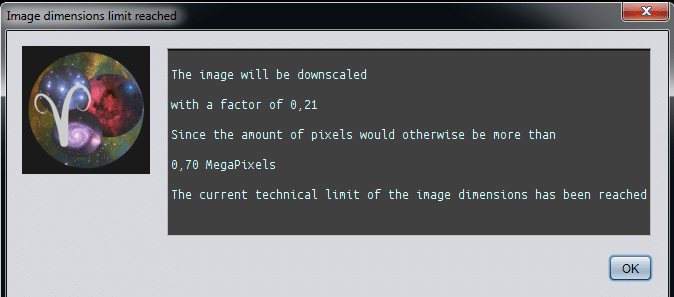
the user will get a warning that the image will be downscaled with a certain factor
and the warning will indicate which limitation was reached.
The downscaling is a measure that although a limit is reached, the image can still be created.
I have been testing this, this afternoon.
With 16GB of memory allocated for APP the limit is a
430MP (MegaPixel) 32bits float RGB image, so a monochrome 32bits image could be 3times this, 1290 MP. This 430MP image has 25000×17000 image dimensions and is 5GBs large.
To make bigger pictures, more memory needs to be allocated to APP.
The technical limit for an image would be triggered when the
– RGB image becomes larger than (2^31) / 3 = 700MP
– monochrome image becomes larger than 2^31 = 2147MP
For 32bits float data, this means that allocating 32GBs of RAM to APP is enough. Allocating 80GBs of RAM won’t accomplish more.
To go beyond the 2 billion pixel limit, I would need to completely rebuild the way APP handles images. This would be something to implement once other more pressing matters are solved off course.
I will compile new versions later today and will inform you once they are ready for download.
(The screenshot shows the warning when a limit is reached, I set the technical limit really low for testing purposes.)
 HaverkampParticipant
“It still shows an out of memory error. What’s funny is that I once successfully stitched all the panels together using a computer with just 16 GB of RAM. ”
By looking at the error, I think I know what’s happening. My initial guess would be that:
After registration, APP finds a field of view that is too large too fit into the image structure that I currently use in APP. The limit now is that the amount of pixels of an image can’t exceed 2^31 = 2,147,483,648 = 2 billion pixels. So the image can’t be created. The amount of memory is not the limitation here. You are the first one that triggers this if my guess is correct.
If you are using the calibrated projective registration model and use equirectangular projection in the integration then I am a bit surprised though that this is triggered with your 40 panels mosaic,
With 2 billion pixels being the limit at the moment, this means that for an RGB image of 2 billion pixel in 32bits float format, this image needs a memory allocation of = (2^31) * 4 (8bits bytes to 32bits floats) * 3 (3 channels) = 24GBs of memory..
For stacking or other operations, APP would need this amount times three = 72GBs currently. I set this conservatively at the moment. So the 80GBs of memory should handle such an image I think.
To prevent this error from happening and still being able to create the image within the 2GB limit, I need APP to automatically adjust the scale of the composition so it would fit into the 2GB limitation on the amount of pixels. Then the error is not thrown, the user will get a proper warning and the image would still be created although at a smaller scale. I’ll fix this today.
“Another potential bug. On this computer, I closed APP after the out of memory error. Then I launched it again. The RAM assigned to APP went back to 1 GB automatically, instead of 80 GB. This happened once on my other computer yesterday. It will be nice to force this setting unchanged every time, unless the users changes it.”
This is strange, especially since the default value is 2GB. If the user override isn’t working it should default to 2GB. I know that if you open the CFG menu, it always starts at 1GB, is this what you are seeing? Or do you actually see “mem x / 1024” at the top left after having set the memory at a certain value and a restart of APP?
This setting should be forced indeed, I have tested this on Windows, MacOS en Linux and it works on my systems. I set it once and it always works.
“Feature request: it will be nice if the “set work directory” button remembers the work directory from last time. At this moment, it goes to the home directory every time I launch APP and click the “set work directory” button. It will be much more convenient if it stays where it was. Even if we want to use a different work directory every time, going from where it was will still be faster than going from home, since astronomical files tend to sit in a more confined region in a big computer.”
Will add this to the RFC, is quite usefull indeed.
“Finally, the launching time of APP on this second computer is just a few seconds, many many times faster than on the other computer. However, this computer is not faster than the previously one. It has more cores and much more RAM, but these shouldn’t affect how fast an app launches.”
Yes, I agree, it’s strange behaviour and possibly due to some OS configuration in combination with APP startup parameters. You are the first to report this. I’ll build the next version with slightly different startup parameters to see if it has some influence. I will also investigate if it somehow relates to license verification.
Thank you for your feedback Wei-Hao ?
Mabula
-
AuthorPosts