

@bula
active 4 years, 11 months agoForum Replies Created
-
AuthorPosts
-
HaverkampParticipant
Now we proceed to the creation of the master bias, master dark and master flat.
We need to stop and think about our calirbation routine now.
I want to calibrate the flats with the master bias, to properly remove the bias pedestal of the 6D camera of Vincent.
But I don’t want to calibrate the darks with the master bias. If I remove the bias from the darks, I’ll inject a bit of noise in the masterdark from the bias subtraction. Which will translate to slightly higher noise possibly in your calibrated lights. So I’ll choose to only calibrate the lights with a masterdark of darks which aren’t bias subtracted. The reason being: the bias is already in the darks ;-)
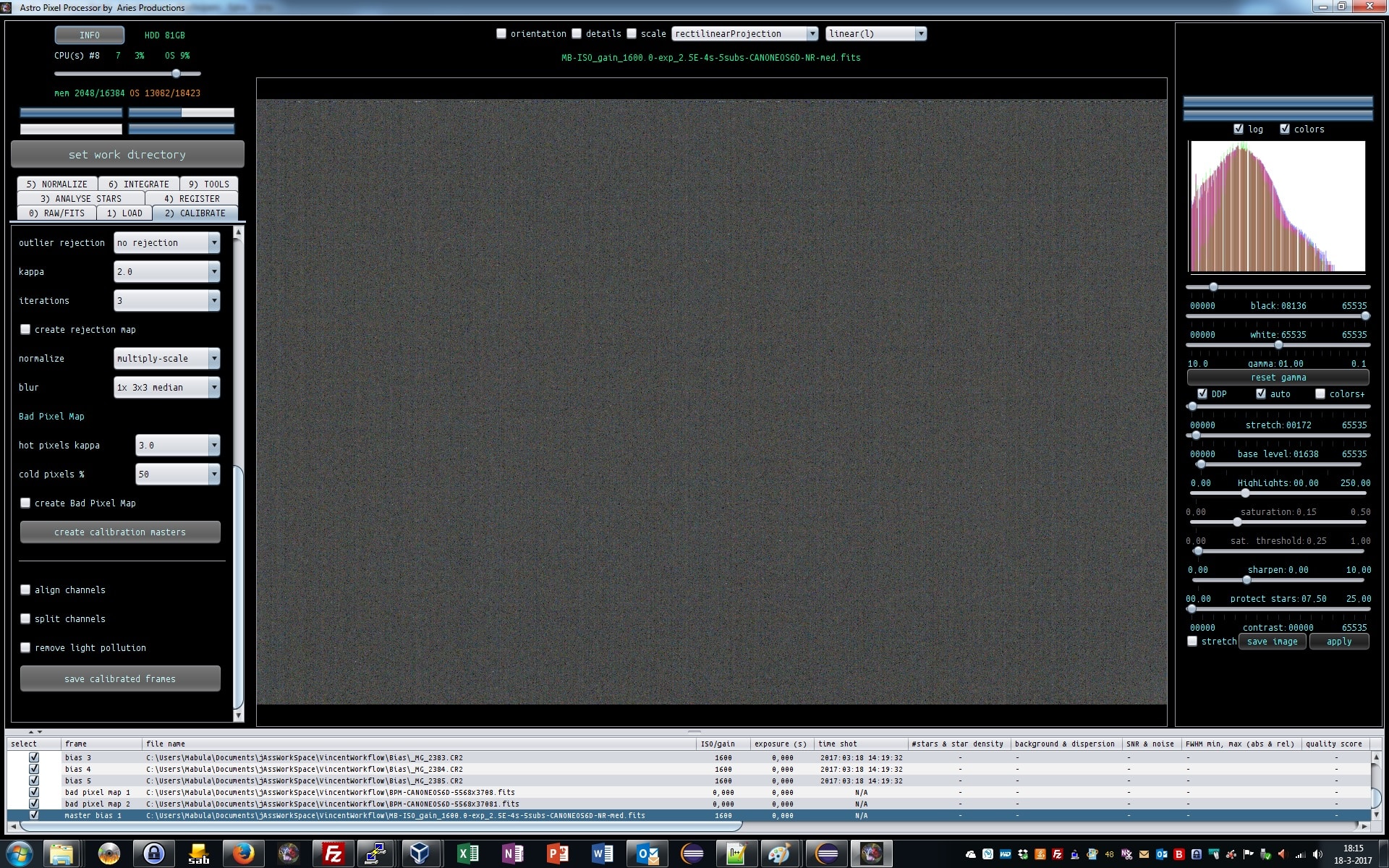
So first step is to make the master bias, we deselect the darks, flats, and lights and select the bias frames.
We set the master bias creation setttins at
2) CALIBRATE
Master bias
since I only work on 5 frames, i’ll do median combination without outlier rejection.
If you have plenty of bias, like 200-400 frames (which you should have to make a good master bias) select average and outlier rejection with 1 iteration with a kappa of 3.
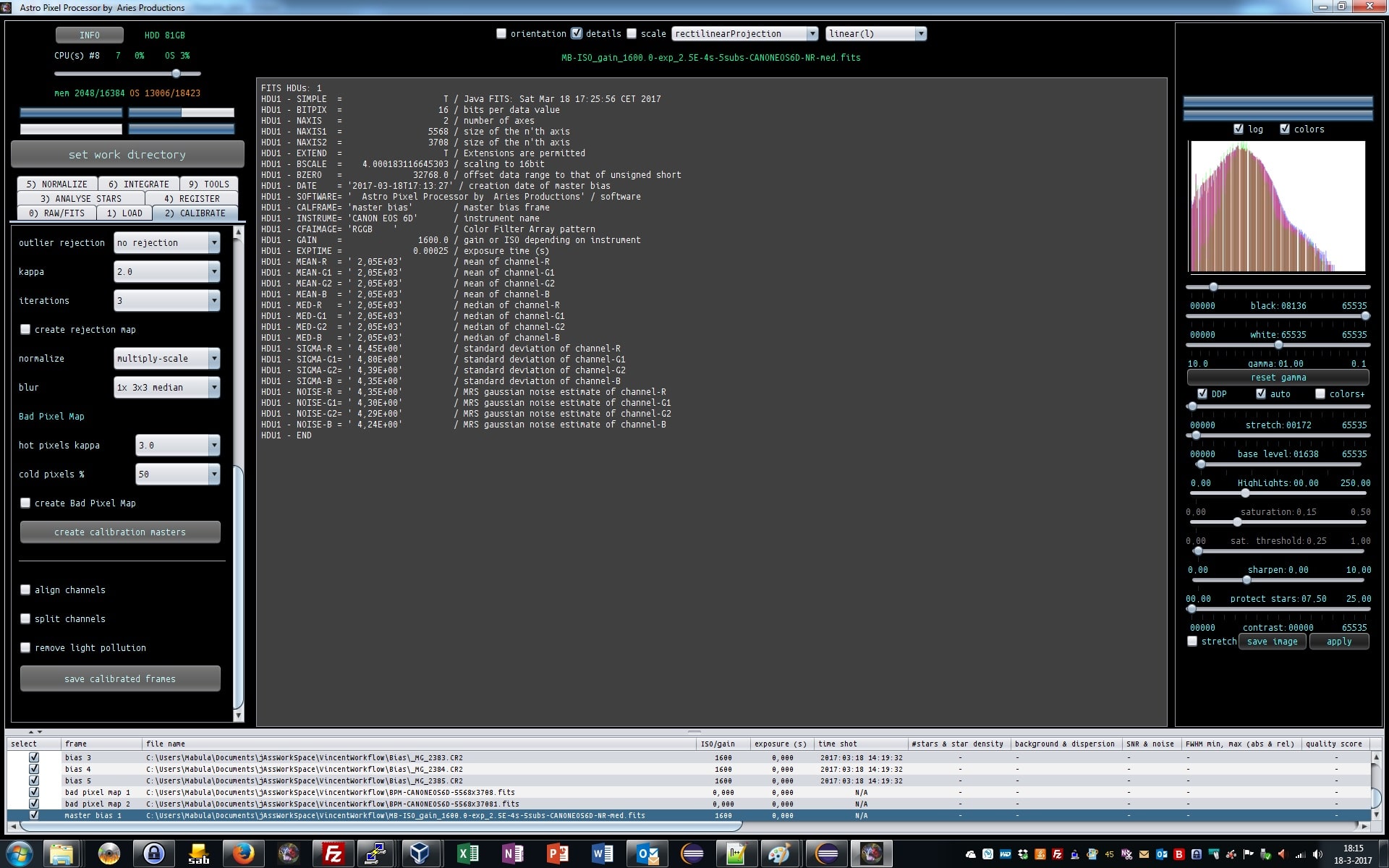
Click on create calibration masters, the master bias will be created now. In the FITS header we can see statistics of the master bias. A bias and dark (or their masters can be viewed with DDP on now).
You’ll see that APP analysis the master bias on the CFA channels and pixels seperately ;-)

 HaverkampParticipant
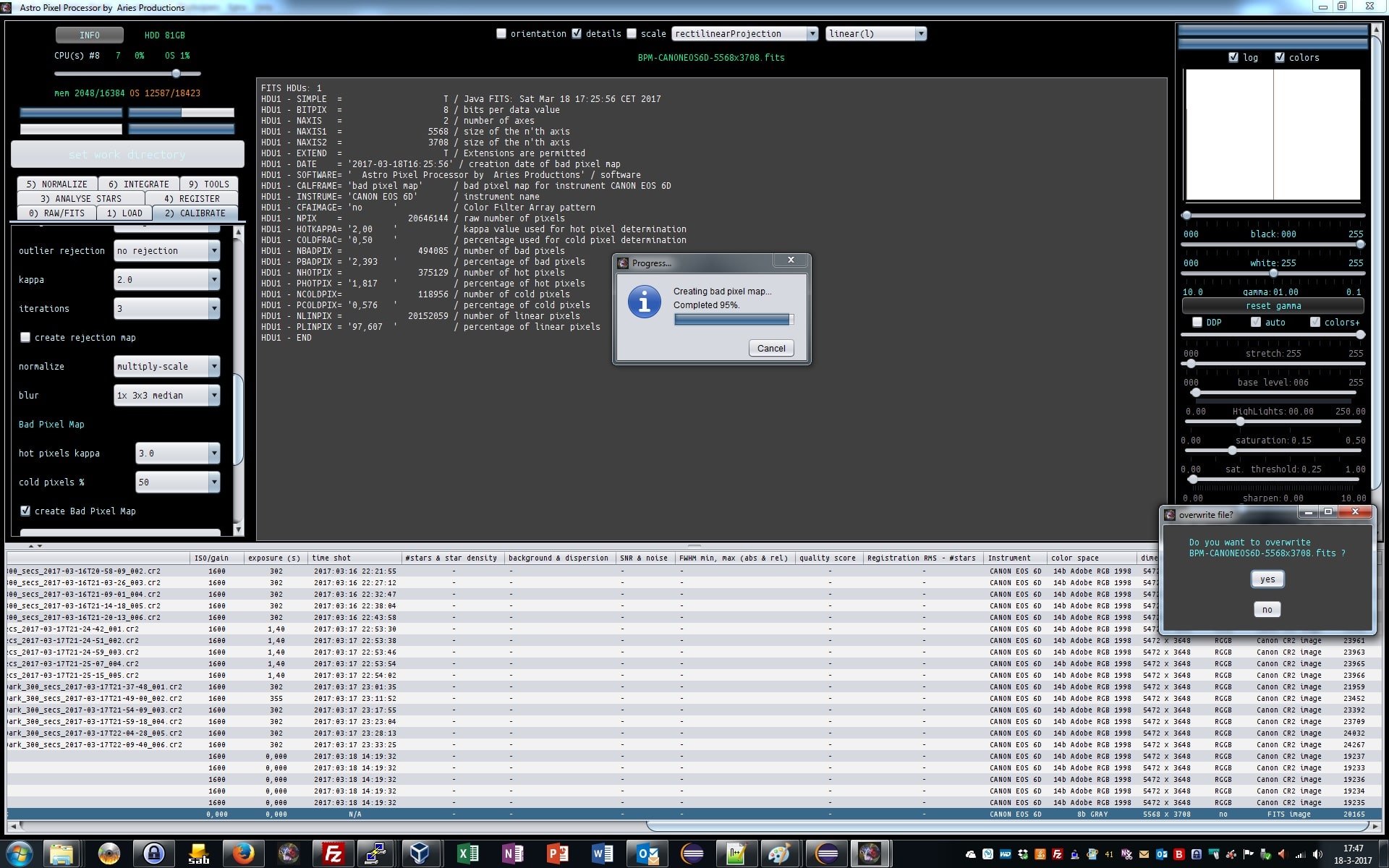
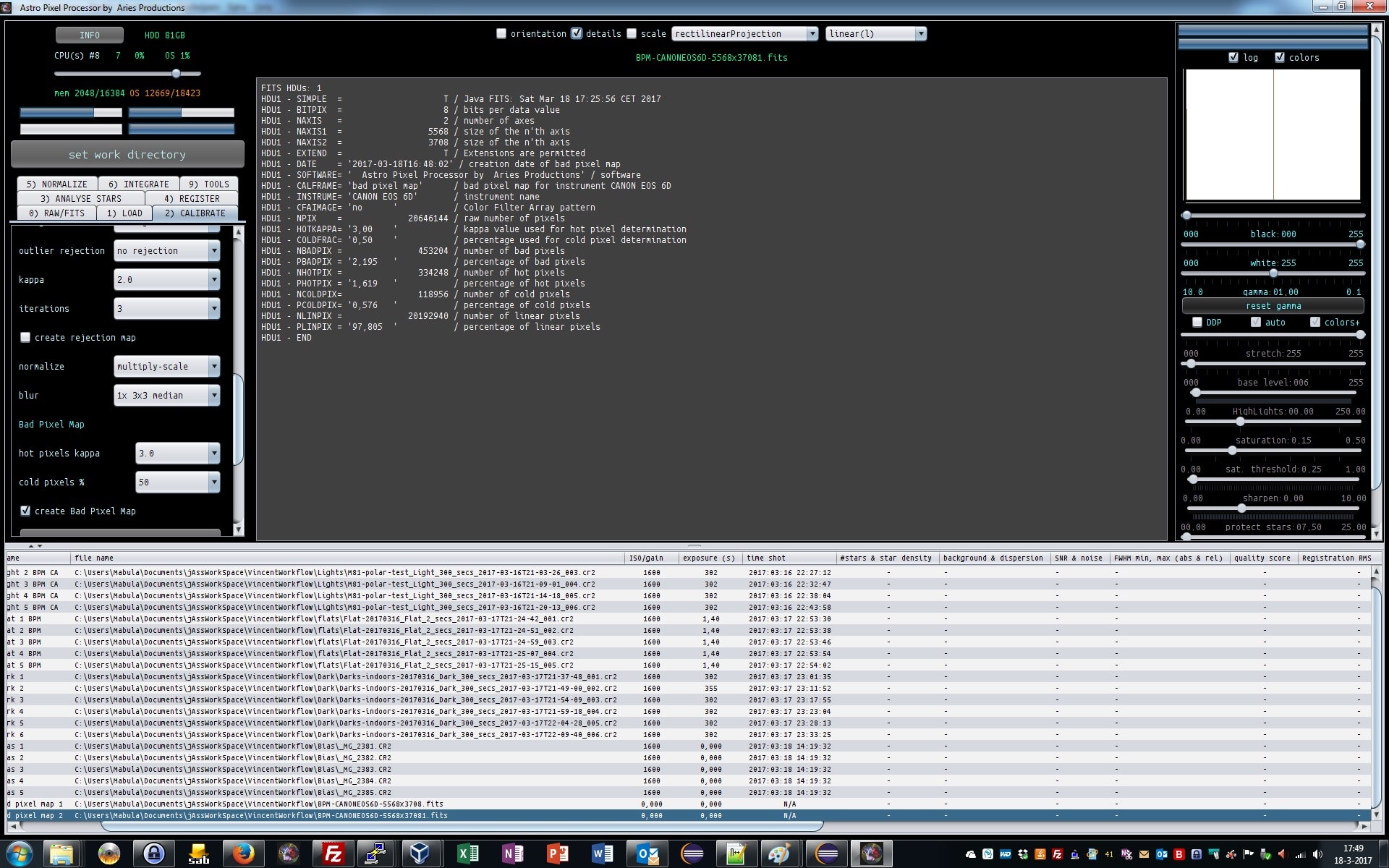
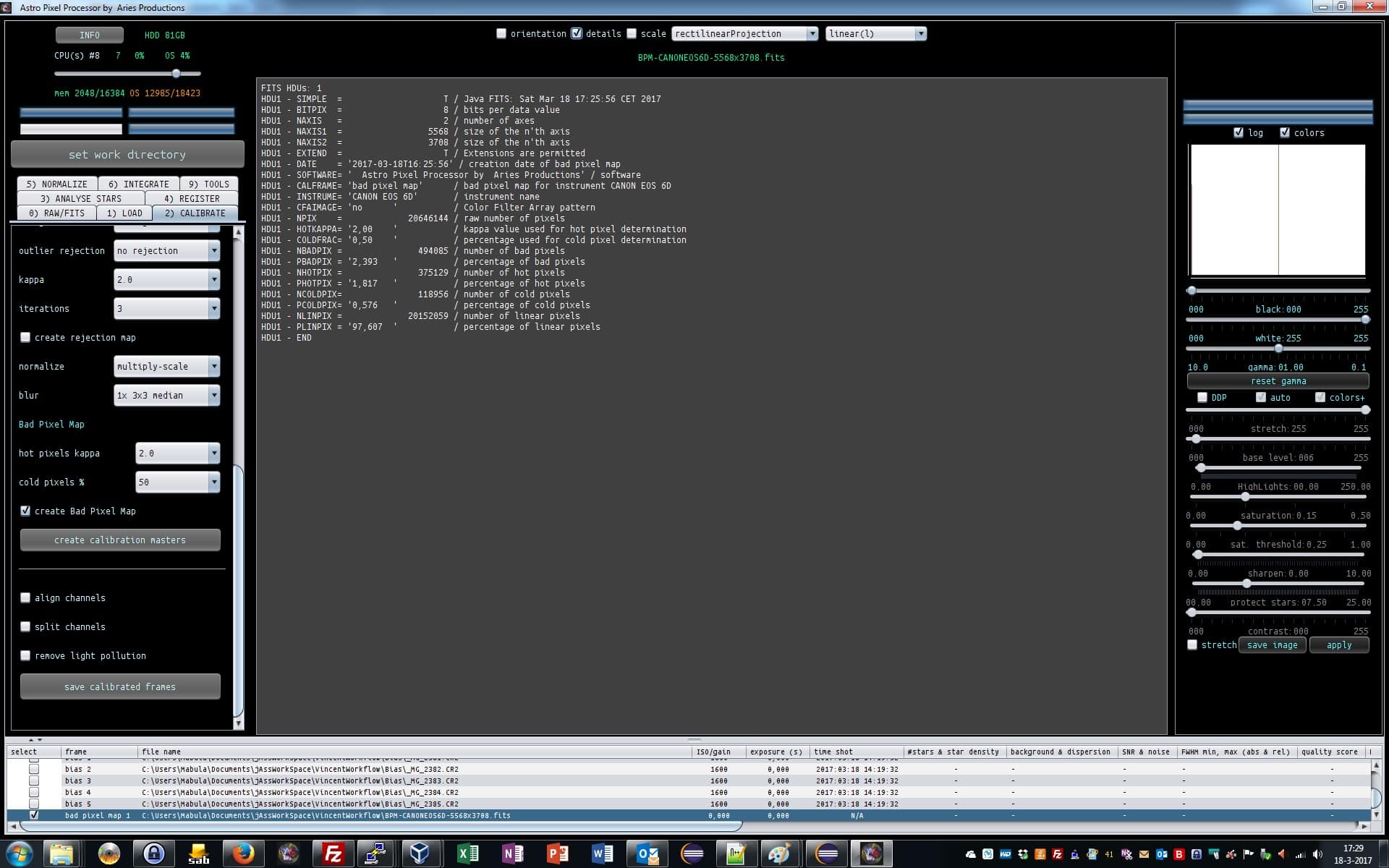
We see in the BPM statistics that APP detected almost 2% of hot pixels. This probably is too high.
I”ll be making another BPM with a bit higher hot kapps value. I’ll take 3 kappa.
Now the hot pixel % dropped to about 1.6% , which is still quite high. We will see what it does in the actual calibration of the lights later on.

 HaverkampParticipant
About the BPM (Bad Pixel Map):
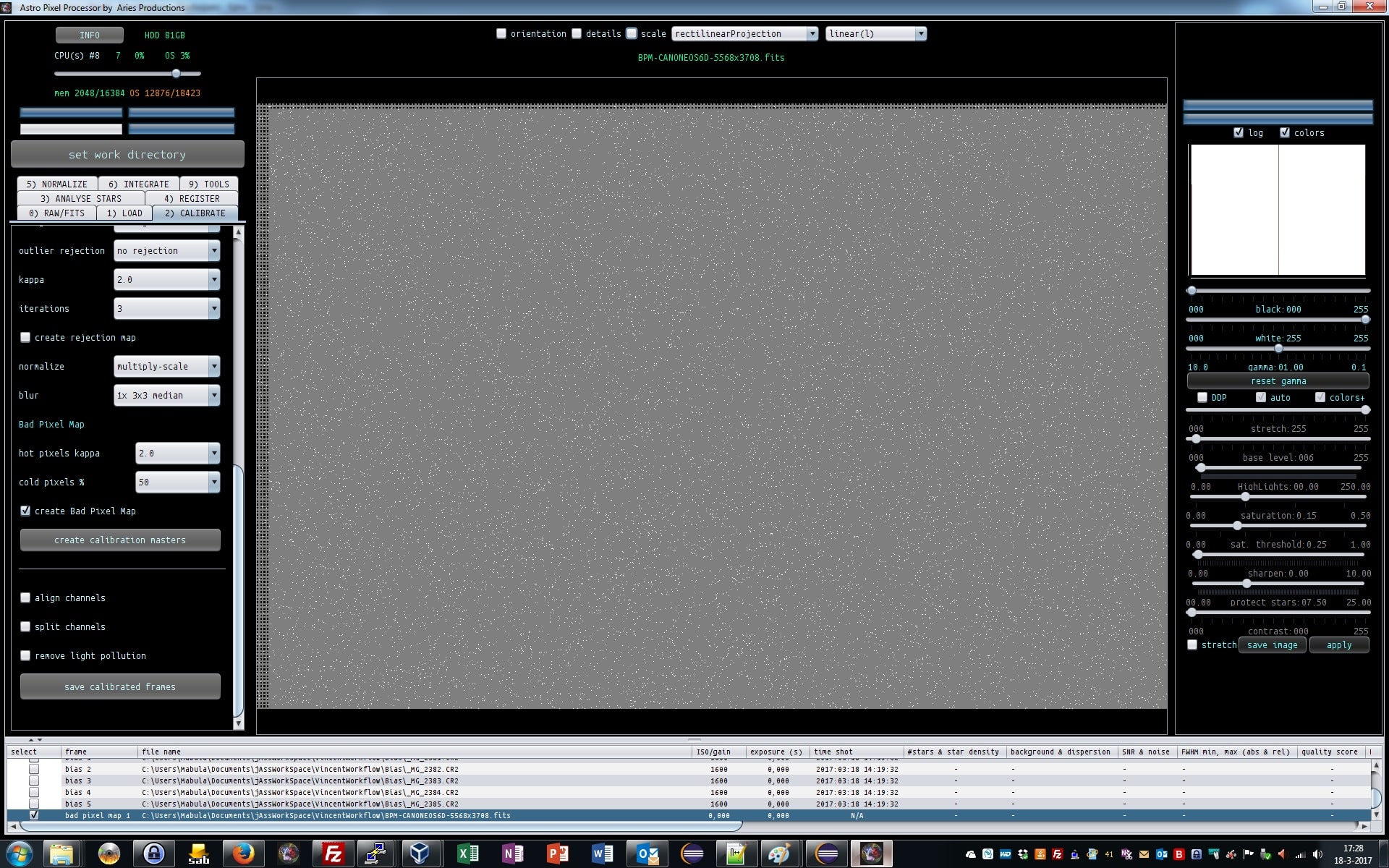
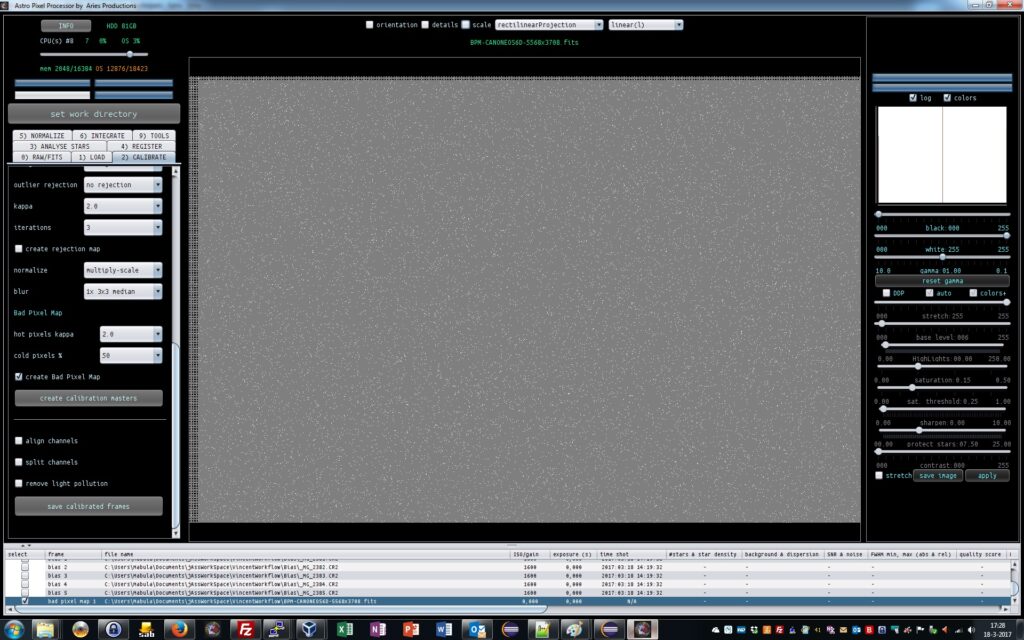
Gray pixels mean linear pixels
black pixels are cold pixel
white pixel are hot pixels.
We see a lot of pixels that seem to behave non-linear and can be considered a bit hot. But maybe we are seeing to many and our hot kappa value was too low.
We also see some cold pixels, these are pixels of the raw borders of the sensor. Which you normallys don’t see, but we see them now, since the bad pixel map is a map of the entire sensor.
The BPM image dimensions are different than the image dimensions of the lights. This is due to the fact that the lights of RAW images are always cropped to remove these RAW borders. Check the dimension column in the file list.
You’ll see that the dimensions of the BPM are : 5568×3708
Normal light frames are: 5472×3648
 HaverkampParticipant
The Bad pixel map uses darks for hot pixel detection, en flats for cold pixel detection.
Hot pixel kappa setting : default is 2 kappa.
Cold pixel % : default is 50%.
The darks and flats are combined to a masterdark and masterflat internally.
Then the masterdark is locally analysed. All pixels that deviate more than the
PixelValue > LocalMedian + (HotPixelKappa* StandardDeviation) means hot !
are considered hot pixels and will be marked like that in the bad pixel map.
The masterflat is analysed globally. All pixels that are less than cold pixel % from the median of the masterflat are consideres cold pixels.
PixelValue < ColdPixel% * GlobalMedian means cold !
If you have very strong vignetting, you possibly need to lower this value. Otherwise 50% is fine in most cases.
We leave the settings at their default and click on create calibration frames. Since we selected create Bad Pixel Map. Only a BPM will be created. No Master dark or Master Flat will be created yet.
When the creation is finished, we get a Bad Pixel Map at the bottom of our list, see screenshot. Let’s select the bad pixel map to see how it looks.
A bad pixel map is unlike a light frame. Deselect DPP when viewing a Bad Pixel Map, to properly see the BPM
by clicking on details at the top of the application above the image viewer we can get some statistics.
 HaverkampParticipant
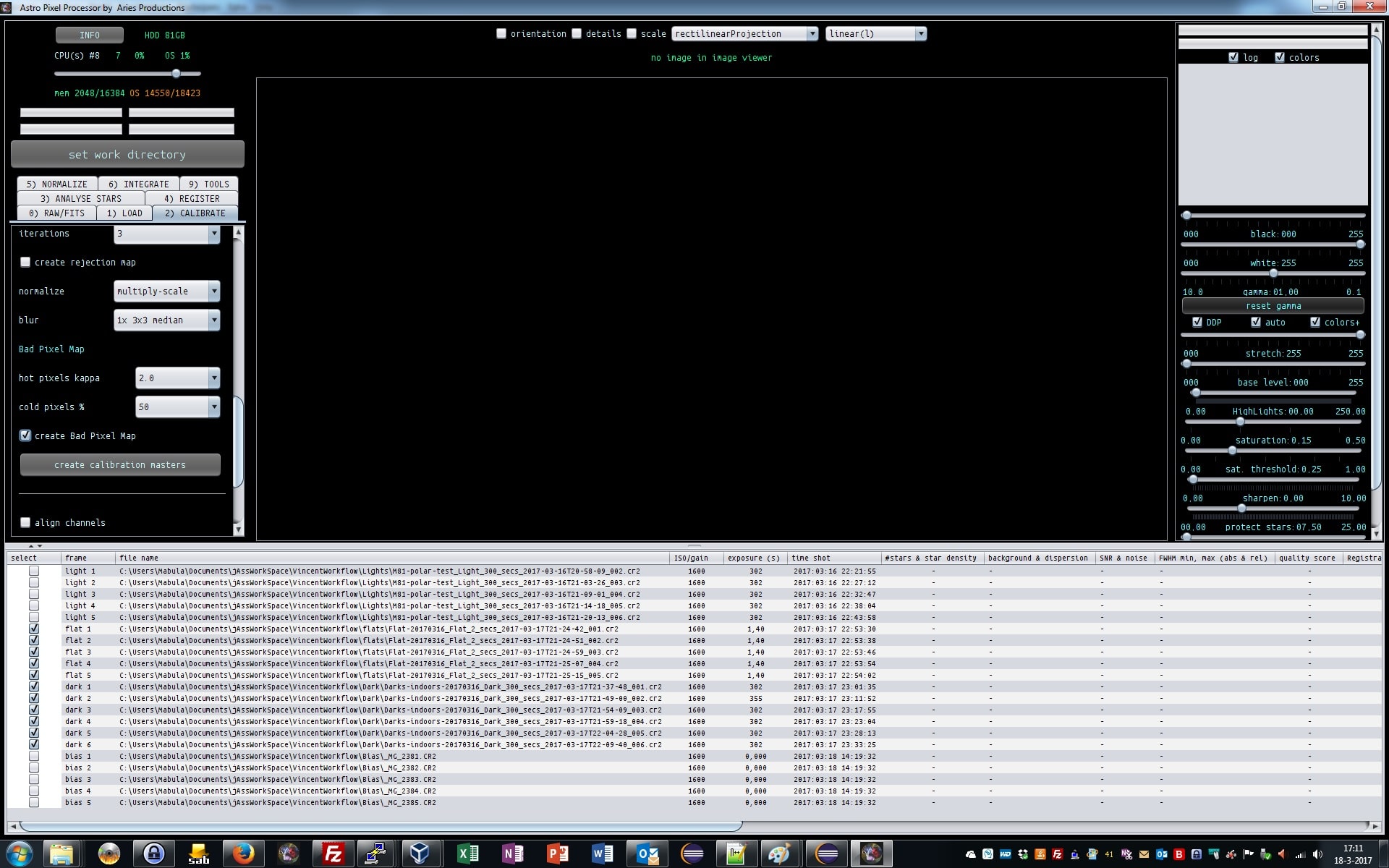
2) CALIBRATE
we scroll down to the Bad Pixel Map options and select create bad pixel map.
If you create a good Bad Pixel Map, you will be able to use this for a very long time with high efficiency.
The bad pixel map will be created using only the darks and flats.
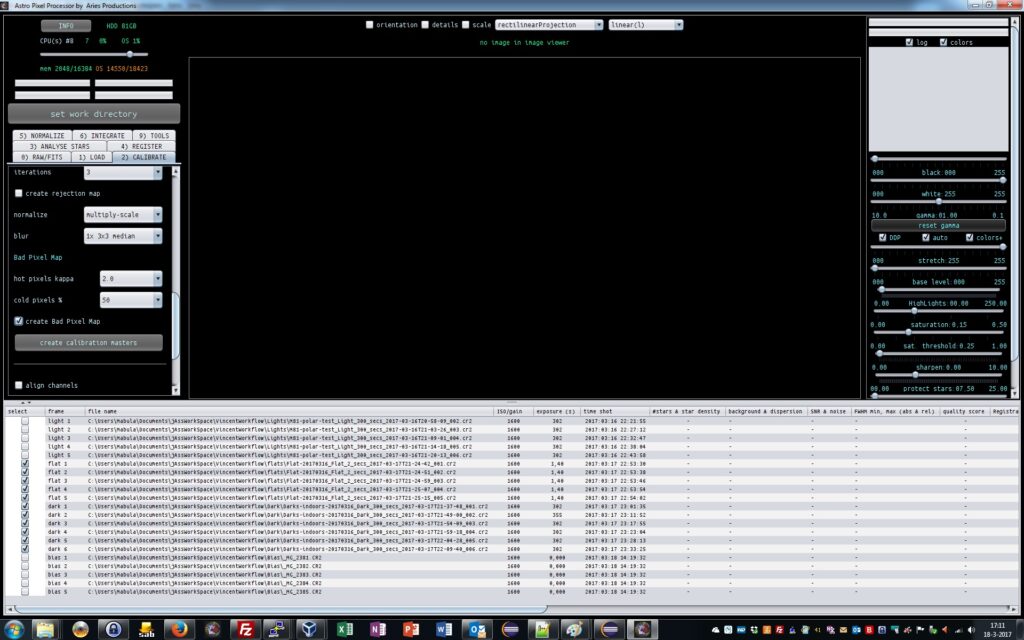
First we deselect the lights and bias, by clicking on the all button next to the lights and bias buttons in 1) LOAD
 HaverkampParticipant
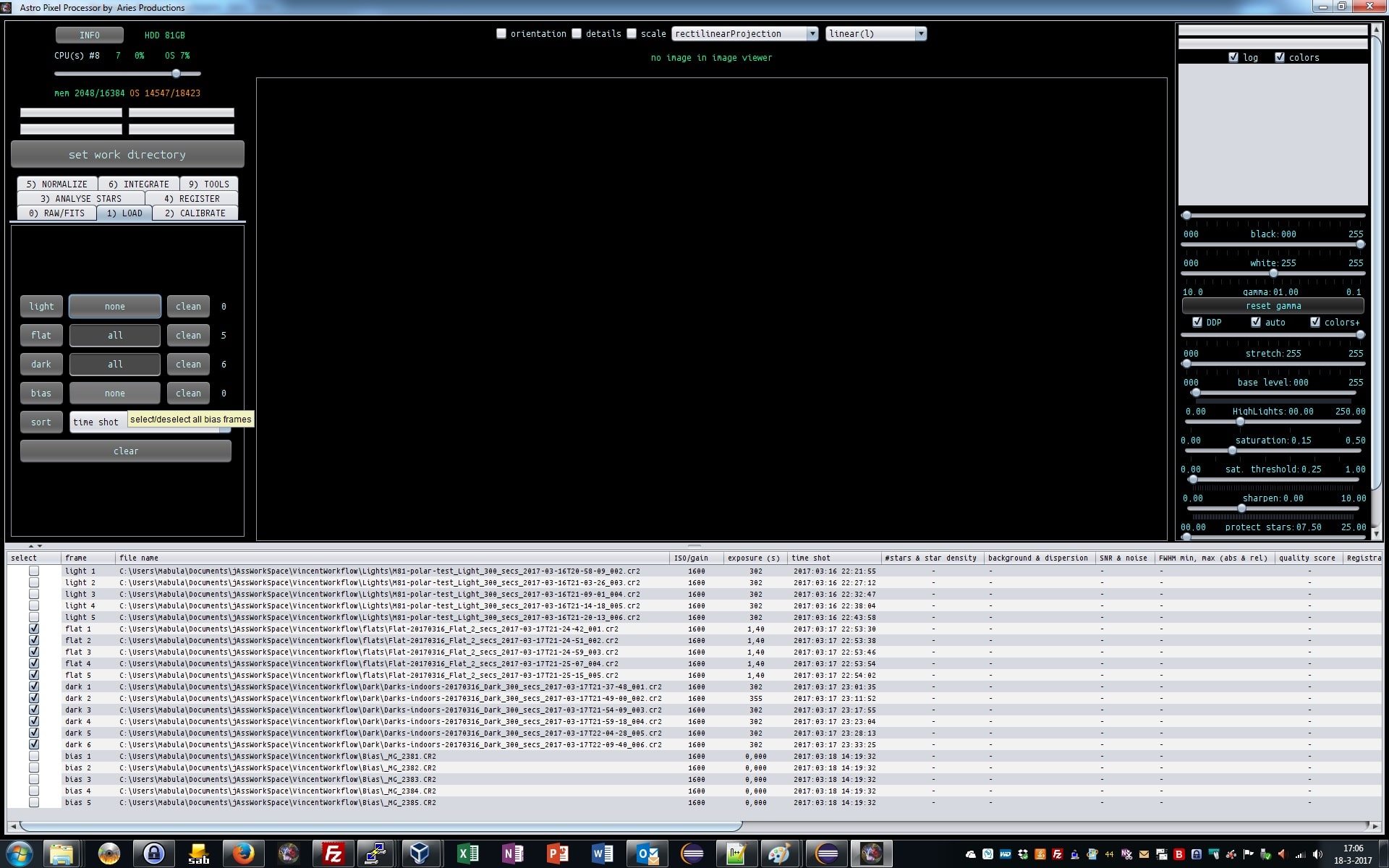
We see that all data is shot using ISO 1600.
The light frames have an exposure of 300 seconds. just like the darks, one of the darks is 350 seconds, but that’s no problem.
We don’t have a Bad Pixel Map yet of the sensor of VIncent’s camera. Let’s make that first using his darks and flats.
The bad pixel map will correct the non-linear pixels of the sensor, hot and cold if there are any.
We go to 2) CALIBRATE
HaverkampParticipantWe load all data:
light frames by pusing the light button, darks by pushing the dark button, flats by pushing the flats button etc..
Notice how the files in the filelist show their type.
And in the 1) LOAD panel, we see a counter for the number of frames we have just loaded.
 HaverkampParticipant
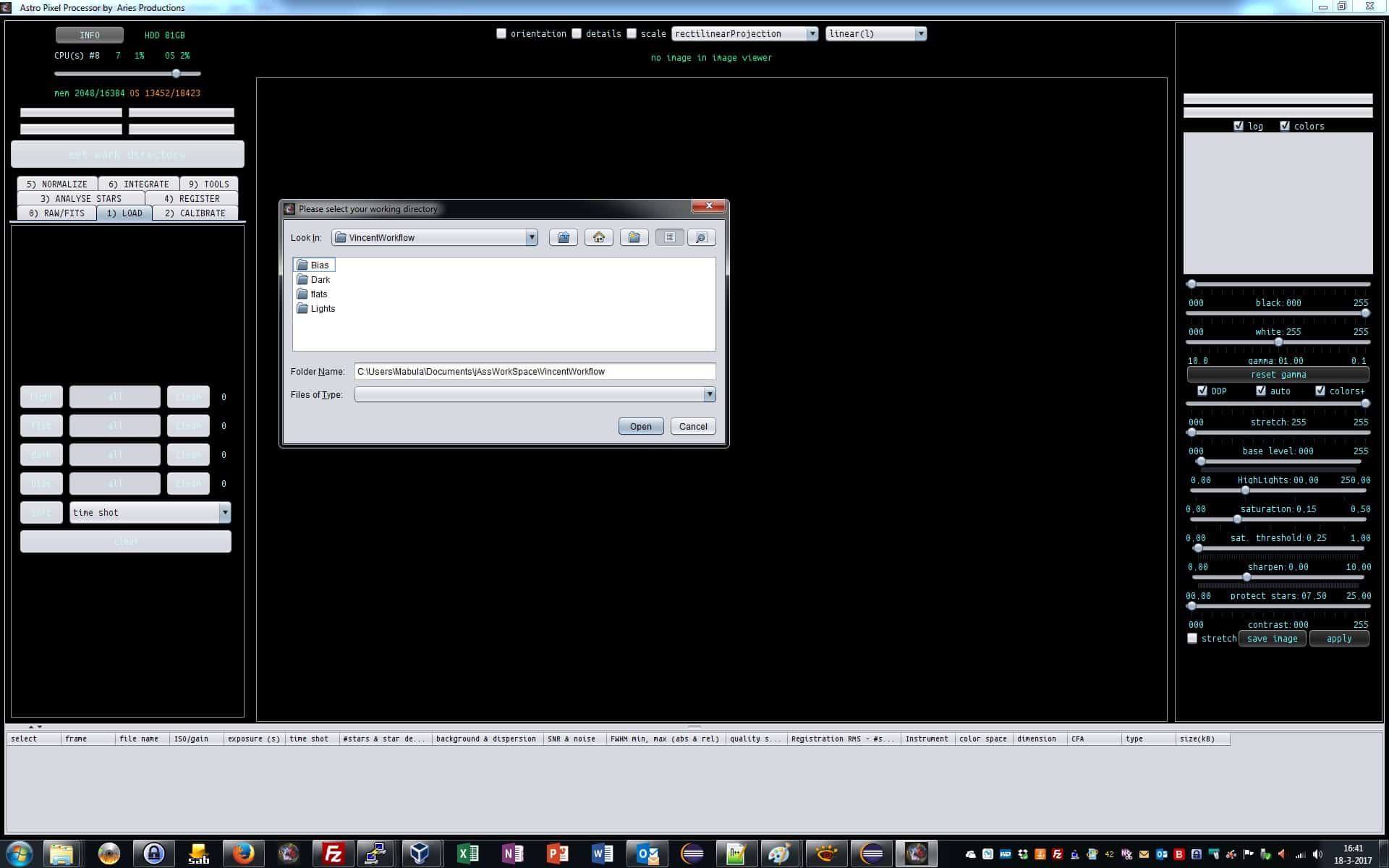
We start APP and select our Working Directory.
This Work Directory will be used for temporary files during stacking and the results will be saved here. Try to use a hard disk partition with enough free space and possibly the fastest drive you have on your computer. This will speed things up.
We choose the folder with our project data, with separate folders for lights, bias, darks, flats
 HaverkampParticipant
Thank you Kees,
It would be most helpfull if you can answer my questions in the mean time?
– is swap enable or not on your linux OS ?
– is your linux mint fully up-to-date ?
– is the OS running out of memory befor the crash?
The more information you provide the faster I can get to the bottom of this ;-) and I really want to solve this.
Regarding a virtual computer, whole bank networks (which require the best stability and security) run on virtual computers/servers, because it really works like regular computers only with shared hardware resources. So something must speak for it to work properly I would think.
HaverkampParticipantHi Rob, best way would be to load all of your stacks and register them again. I see I forget a dropdown down box at save registered frames, I will fix this now.
When you have registered them,
go to 6) integration, set composition to full and click on apply mode.
If you then click on save registered frames, wou won’t lose data and all frames will have the same image dimensions.
I need to create the dropdownbox for composition at save registered frames.. Will do it now.. ?
Let me know it it works ?
And if it works, then proceed to combine RGB indeed ? and possibly selective color afterwards for finetuning of the colors.
The combine RGB will adjust for illumination differences to start with ? so the background of your different channels will almost be perfect to start with.
HaverkampParticipantKees, unfortunately, this seems to be a difficult bug.
I have installed Linux Mint 17.1 KDE 64bit, fully updated with
apt-get update
, and I can install APP 1.033-4 without problems and also do all fases up until stacking with 7 Canon 6D CR2s in this case. screenshot 1
I have set the star analyser to find as much stars as possible, see screenshot 2
I do notice the CR2 loader is taking a big memory heap, I’ll look into that further now.
One possible reason could be, the OS is running out of your RAM memory ( the OS ? /8000 at top left) and your Linux OS doesn’t have swap enabled? If swap is enabled, the OS should be able to handle this, At least I think so.
– my plan of attack to solve this, I need to optimize the CR2 loader, memory management seems to be off there….
HaverkampParticipantYes, I hope so ;-)
HaverkampParticipantWill add to cfg file ;-)
HaverkampParticipantYes, it immediately stops, I can replicate this, I also encountered the registration bug when the reference is not satr anaysed. Will add to RFC and fix this ;-)
HaverkampParticipantMaybe I can make a setting where you can choose directly to go to a certain fase again in the “past” ?
-
AuthorPosts