


@bula
active 4 years, 11 months agoForum Replies Created
-
AuthorPosts
-
March 23, 2017 at 19:43 in reply to: Calibration frames with different ISO settings, how to process? #13213HaverkampParticipant
Hi Maurice,
Thanks, you can convert your old master calibration files from PI to APP, but it is not so easy. The main reason being:
APP uses the whole sensor of your camera for the creation of the calibration frames. And a program like PI, that has a dependency on DCRAW doesn’t do this. So the calibration frames that PI makes have smaller image dimensions than those of APP.
To use your old master calibration frames you need to figure out what offsets to add on all 4 borders of your PI calibration masters to get to the correct image dimensions for your whole sensor. I can help with this if you want to. I have done this conversion for instance on old calibration files of Scott from Images Plus, which also has the dcraw dependency.
You can use the batch modify tool, it can even uncrop and undebayer, something I needed to do on Scott’s data.
But for now, it’s probably best to use new bias frames. That will be much easier for now.
Let me know if you succeed in calibrating your lights properly.
March 23, 2017 at 09:51 in reply to: Calibration frames with different ISO settings, how to process? #13195HaverkampParticipantHi Maurice,
APP has the following rules for applying master calibration frames to frames that need calibration:
First, for BIAS frames there are no rules, since they can’t be calbrated
Darks: can only by calibrated by a master bias of the same ISO or gain + offset (but usually gain + offset are not even in the fits header of the software that does the capture)
Flats:
1) can be calibrated by a master bias of the same iso (gain+offset)
2) can be calibrated by a master dark of the same iso (gain+offset) and the same exposure time
3) can be calibrated by a Bad Pixel Map
Lights:
1) can be calibrated by a master bias of the same iso (gain+offset)
2) can be calibrated by a master dark of the same iso (gain+offset) and the same exposure time
3) can be calibrated by a master flat ( no restriction on ISO or gain/offset )
4) can be calibrated by a Bad Pixel Map of the same instrument name (instument is fits convention for the used camera)
So your masterbias of iso200 for your flats and your masterbias of iso1600 for your lights will automatically be applied to the correct frames (that have the same ISO), since APP has the strict rule that master bias frames must match the iso of the frame that needs calibration.
Even better, you can visually check if calibration works like it should.
When you have created your master calibration files, load your lights and your master calibration files.
For each light there will be certain marks in the frame column in the bottom file list window, indicating this frame can be calibrated now with a certain master calibration frame.
B for Bias
D for Dark
F for Flat
BPM for BPM..
Now above the image viewer window, there is a dropdownbox, which is set at linear by default.
Click on one of your images in the filelist and it will be shown linearly.
And you can also display your frame, fully calibrated with the masters. Set the dropdownbox to
l-calibrated
and the image will be shown linearly and calibrated with the master frames that are supplied. So you can visually check if the master flat is of good quality and also if the BPM for instance actually removes bad pixels.
Let me know if this is clear ;-)
HaverkampParticipantOkay, thank you Kees,
I’ll enable logging and a possible memory dump for out of memory problems and will compile a new version so we can track were in the process it fails. I’ll notify you when you can download the new version.
HaverkampParticipantLeuk om te horen, ik merk dat de meesten al behoorlijk wat kunnen doen met APP zonder een handleiding. (Dat vind ik al best wel positief, maar ik heb zeker nog veel werk te doen om de gebruikerservaring flink te verbeteren, dat is duidelijk ;-) )
“Nog een tip: bij calibratie zet je cal- voor de file naam maar bij registratie zet je -reg er achter. Wellicht dat je hier 1 lijn in moet kiezen (of ervoor, wat nu helpt bij het groeperen van de files, door het sorteren op filenaam, of erna)…”
Helemaal mee eens ;-) zet ik ook op de RFC. Ik zet er ook bij dat ik meer informatie in de FITS headers moet plaatsen. Bijvoorbeeld bij een stack, alle stack settings ook in de header zetten.
HaverkampParticipantAi, okay, so you created a master flat and master bias. And then proceeded.
At which process did it crash, do you know ?
Was it already stacking, or was it still in the registration process?
HaverkampParticipantWas thinking about this, good idea ;-) Will add to RFC list
HaverkampParticipantHoi Rob, de bug is gevonden, gelukkig een hele kleine, maar wel vervelend om tegen aan te lopen.
Heb even wat met de combinatie gespeeld. Je gaat enorm veel winnen qua resultaat als je voor het doen van de RGB combine tool, eerst alle lagen zo goed mogelijk corrigeerd voor gradienten met de Light Pollution correction tool. En ik zie dat de Blauwe stack mogelijk een sterke flat over correctie heeft gehad? Als je dat kan corrigeren dan zal dat veel helpen.
Hier even een screenshot, ziet er nog niet zo goed uit, maar laat zien dat de tool in de volgende release zal werken. Kijk maar eens naar de waardes die ik nu heb ingevuld voor de composiet.
 HaverkampParticipant
Thank you Rob, I’ll proceed in English now…
I am downloading the OIII & Ha stacks and I will try to duplicate the error you received.
About the other 2 bugs you mention, indeed more things to fix, I have put them on the RFC list ?
The link of your combined image seems wrong as well, it’s a 171MB file instead of the mentioned 750MB?
HaverkampParticipantOkay, i’ll have a look now..
Rob, please check the URL of the OIII stack, this stack has clearly different image dimensions than the other stacks..
HaverkampParticipantOk, during combining RGB the next thing happened when the Calculate button was pressed:
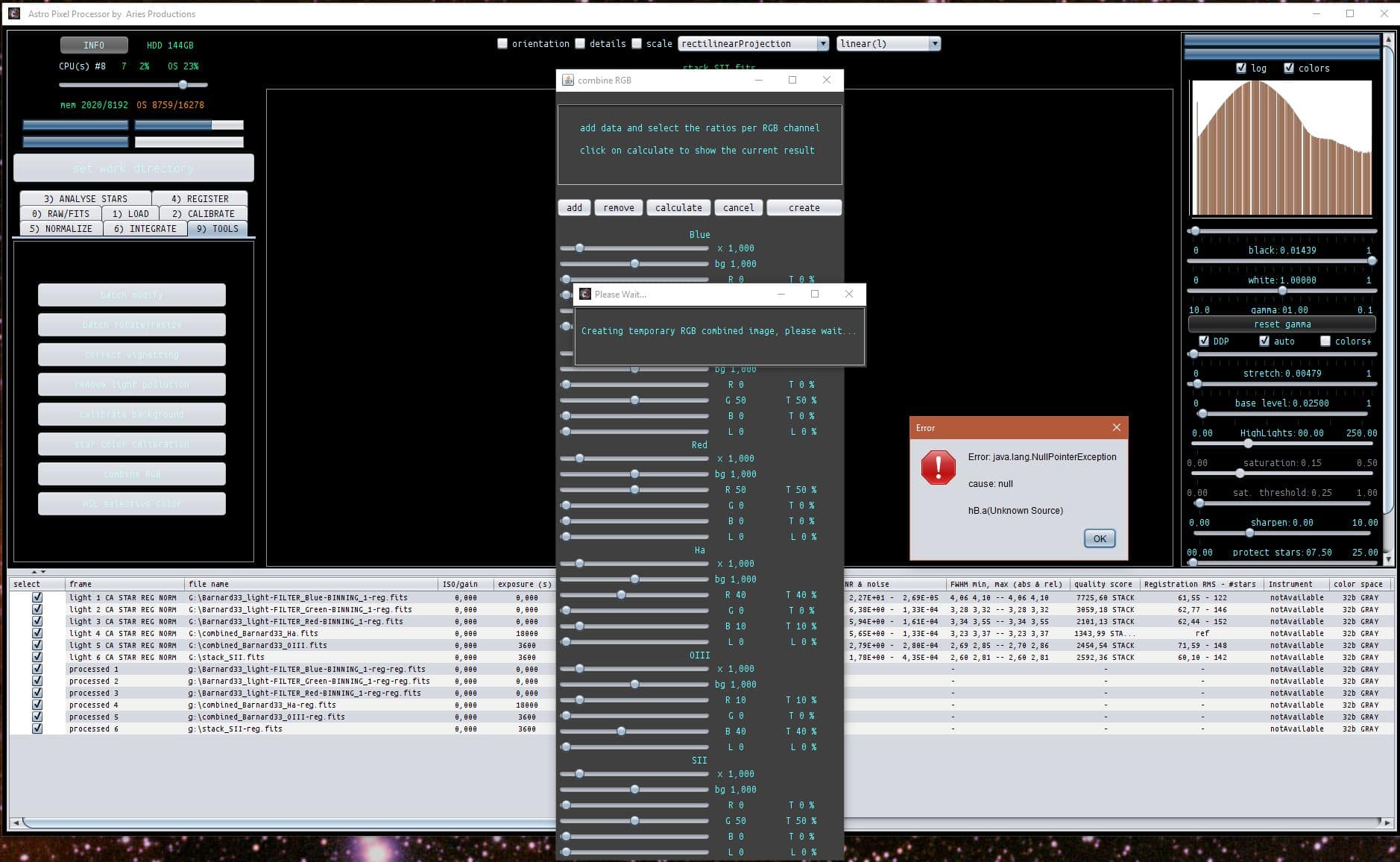
Master bug finder Rob ;-),
can you share all 6 stacks? Then I’ll try if I can duplicate this problem?
And please check if it does work with only 3, 4, 5 layers instead of 6. ( I never get to combine 6 layers, so maybe the errror is in that part of the code..)
HaverkampParticipantI tried the procedure as described in your last post but is seem to hang here. NEVER MIND IT JUST TOOK A LOT OF TIME BUT IT DID FINISH AFTER ALL!!!
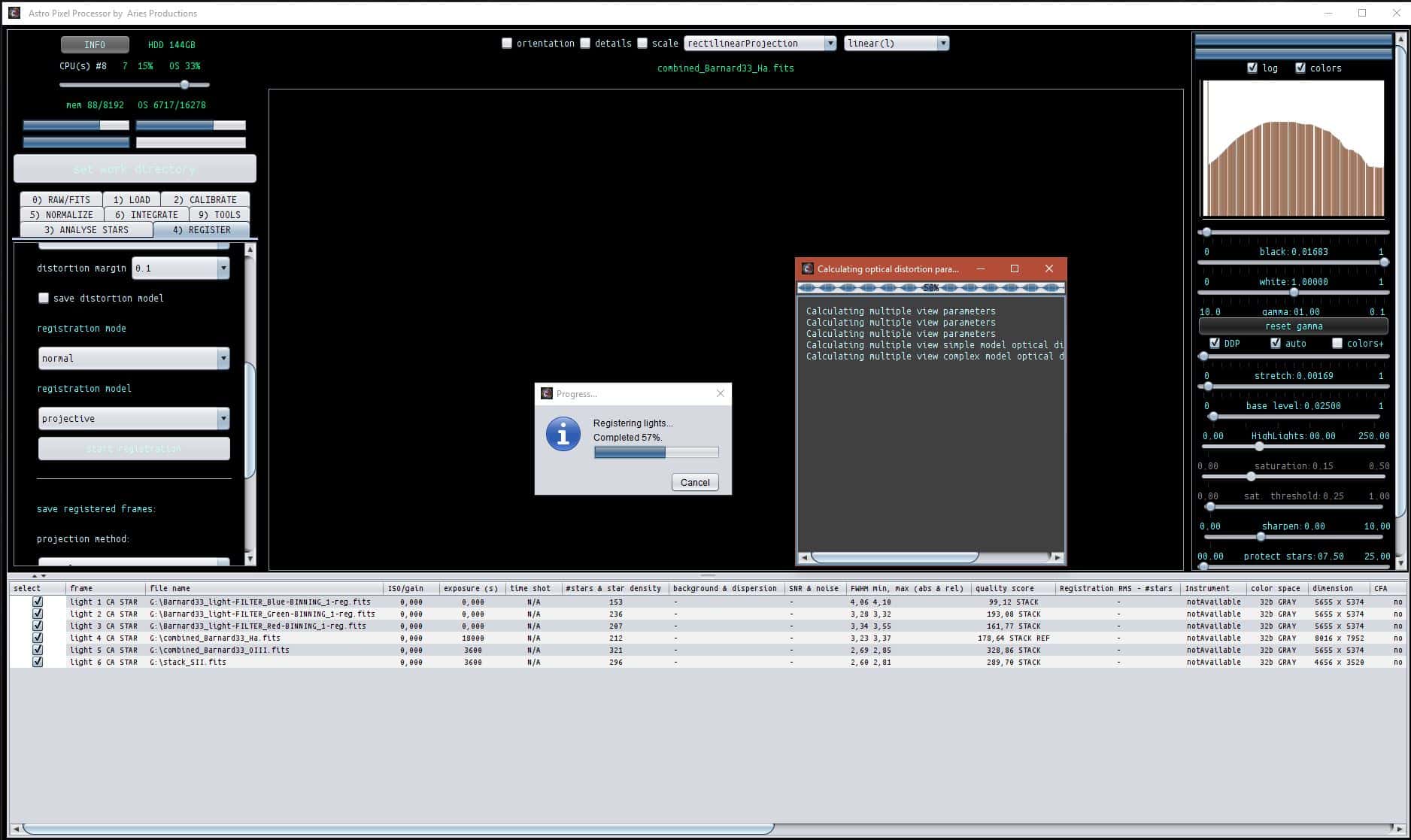
It can take some time to calculate distortion parameters, i’ll need to show how the RMS error improves during calculation so the user can see it’s working ;-)
HaverkampParticipantThank you Scott, for your elaborate explanation about how I could possbly solve this.
The idea that I currenly have is similar like you propose and I could possible implement it in a way that’s secure and hassle free for me and for the user. (by using public/private key security, SSL/TLS)
I’ll start work on it this week ;-)
HaverkampParticipantYes, I really do agree on all points you make, and Kees and Scott made ;-)
The issue for me is not how APP’s security is compared to another’s security, I just need it to be secure.
I have seriously been thinking and reading about this issue, because I would like it to work myself without an internet connection. (I think, I might have found a solution already…)
If and when I find a way to keep it really copy protected while not having to have a working internet connection, I’ll certainly implement it as soon as possible. It will be good for me, and it will be much better for you, the users of APP ;-)
So, rest assured, I’ll try really hard to get this solved properly and quick.
Mabula
HaverkampParticipantOkay and yes, the subject is something to take into serious consideration, thank you Kees.
I will study on it to try to find a solution with which I am comfortable.
HaverkampParticipantHi Kees, yes, I realize, Scott posed this issue as well regarding needing an internet connection while you could be working in the “field”.
I am thinking about how I can solve this for you, while maintaining good application security. This is a hard thing to do and I don’t envision a good solution yet.
Scott proposed to do a once a week verification, if it fails for an entire week, than the program would stop. But that would still be a problem in your situation i would think, since you have disconnected your computers from the internet on purpose, right?
For instance, the security of Pixinsight is really weak, if you install PI on another computer and copy the license file of a working license, PI will simply always work and it will not check with any server/database. It will think it was properly activated. (So buy once, and copy a zillion times seems to work… Please, if anybody asks, you haven’t got this information from me… ? )
I’ll most definitely try to find a solution for this, I would hate it as well if my program doesn’t run, just when I want to use it when I gathered some nice data on some remote lokation with no internet.. ;-(
Need to do some studying on application security I think…
I have put this issue at the top of the RFC list.
-
AuthorPosts