

@bula
active 4 years, 11 months agoForum Replies Created
-
AuthorPosts
-
HaverkampParticipant
Now I need to combine all the masters (RGB, Ha, OIII and SII). But I’m stil;l struggling with the difference dimensions of the images. How would I solve this so I can combine these images?
Hi Rob, to use the RGB combine (or composite) tool, all images need to have the same dimensions.
Just load the stacks as lights. And register them with Lanczos3 and No under/over shoot. And then save registered frames. Then all registered stacks should have the same image dimensions and the composition used is FULL, so no data is lost of any stack.
I will make a workflow soon for combination of multi channel monochrome data.
Usually, I just make the stacks per channel using FULL composition mode in 6) integrate, without registering the lights to one particular stack, (which you probably created first). It can be done that way, but it’s not necessary.
When you have all stacks, just load them as lights and register them and save the registered frames using Lanczos3 and No under/over shoot.
Let me know if this makes sense and if you can proceed.
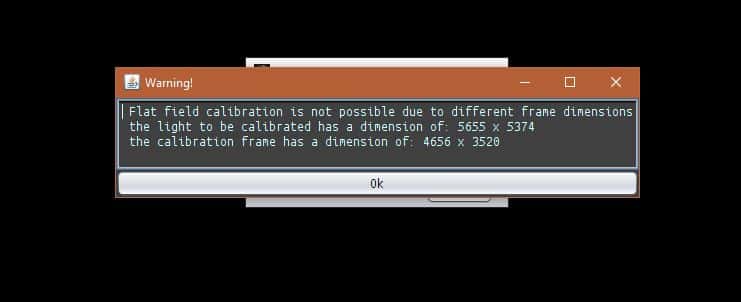
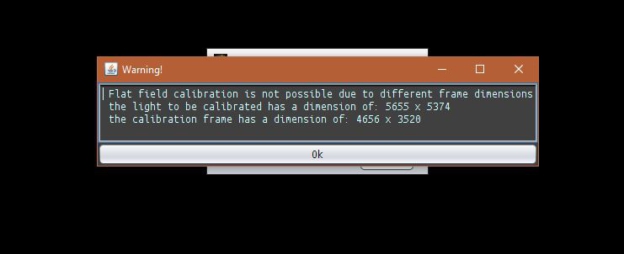
HaverkampParticipantOk, I did the OIII in a similar manner as described for the Ha and got this result, I believed this worked out just fine. However I did get this warnings during steps 2 – 6…
Hi Rob,
I am looking at the file list. You’re getting this warning, because you have loaded a master flat for the single lights. Which it will apply to. But it can’t and shouldn’t be applied to the old OIII stack from PI, since it has different image dimensions. So this warning is just a reminder to the user that he/she possible has a wrong flat loaded.
In such a case, I would recommend first calibrating your new lights with the calibration frames. And then saving the calibrated lights.
Next proceed with your newly calibrated lights and your old stack from PI. Then you should get no warning and integration should be fine.
HaverkampParticipantyes ! Great ;-)
Okay, now I will focus on improving the DEB en RPM packages, so the application gets a nice Icon on Linux and it will show in the menu system ;-)
I am really glad it works now on your system, luckily, this bug forced me to have a good look at the CR2 loader. (Haven’t touched the CR2loader in the past year or so…) The improvement is huge indeed. I am very happy !
HaverkampParticipantHi @KeesScherer,
I have used your CR2s in testing.
I have released a new version 1.033.5 with a huge fix for the CR2 loader in APP. The CR2s will load 2-3 seconds faster now and the memory footprint is reduced drastically. Hopefully this will solve your problem on Linux Mint as well.
I still need to make more work of the DEB and RPM packages. They are a bit too simple at the moment.
So, before you install 1.033.5, you will need to manually remove the old APP version from your system. Did you do this previously or not?
I removed the old version cleanly with
sudo apt-get purge astropixelprocessor
After that action, you should be able to install 1.033.5. Let me know if you can proceed past the star analyser now ;-)
Cheers,
Mabula
HaverkampParticipantHmm, can you make a screenshot, your description has me guessing how that actually looks.. I am afraid.
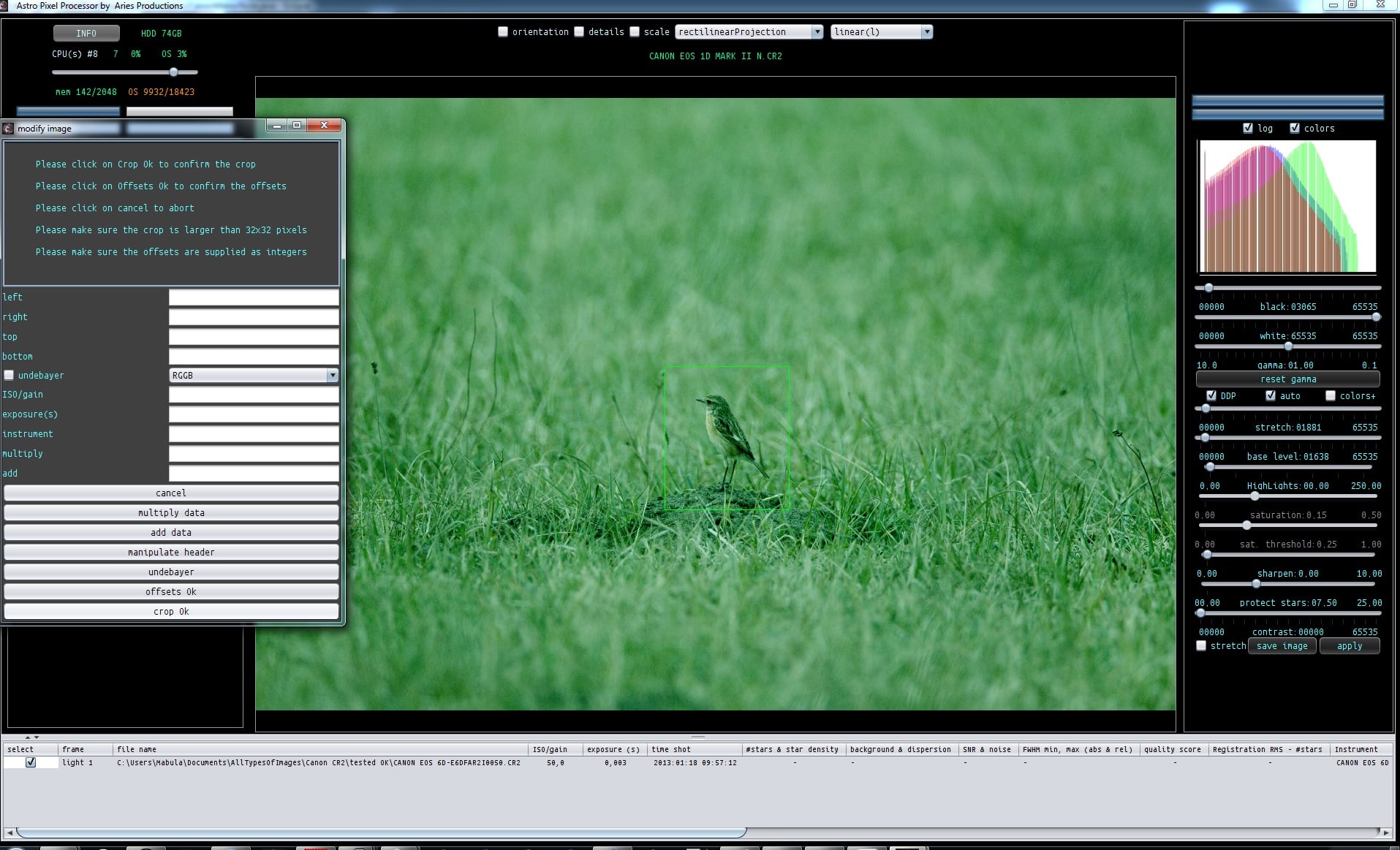
HaverkampParticipantWith the batch modify tool, you can do several modifications
1) you can mutliply your data with a factor
2) you can add or subtract an offset
3) you can adjust the (FITS) header for ISO/GAIN/ exposure time, instrument
4) you can undebayer ! so from debayered data, you can create the monochrome CFA data again ! Try it
5) You can crop using offsets, even negative offsets, this will uncrop your data, so you can add a border around your data.
6) or crop, you can draw a crop in the image on your screen and select crop OK
HaverkampParticipantThere are actually 2 crop functions,
1) batch modify tool
2) and you can integrate to a crop of the reference in 6) integrate
If you want to crop just 1 frame, use the batch modify tool ?
 HaverkampParticipant
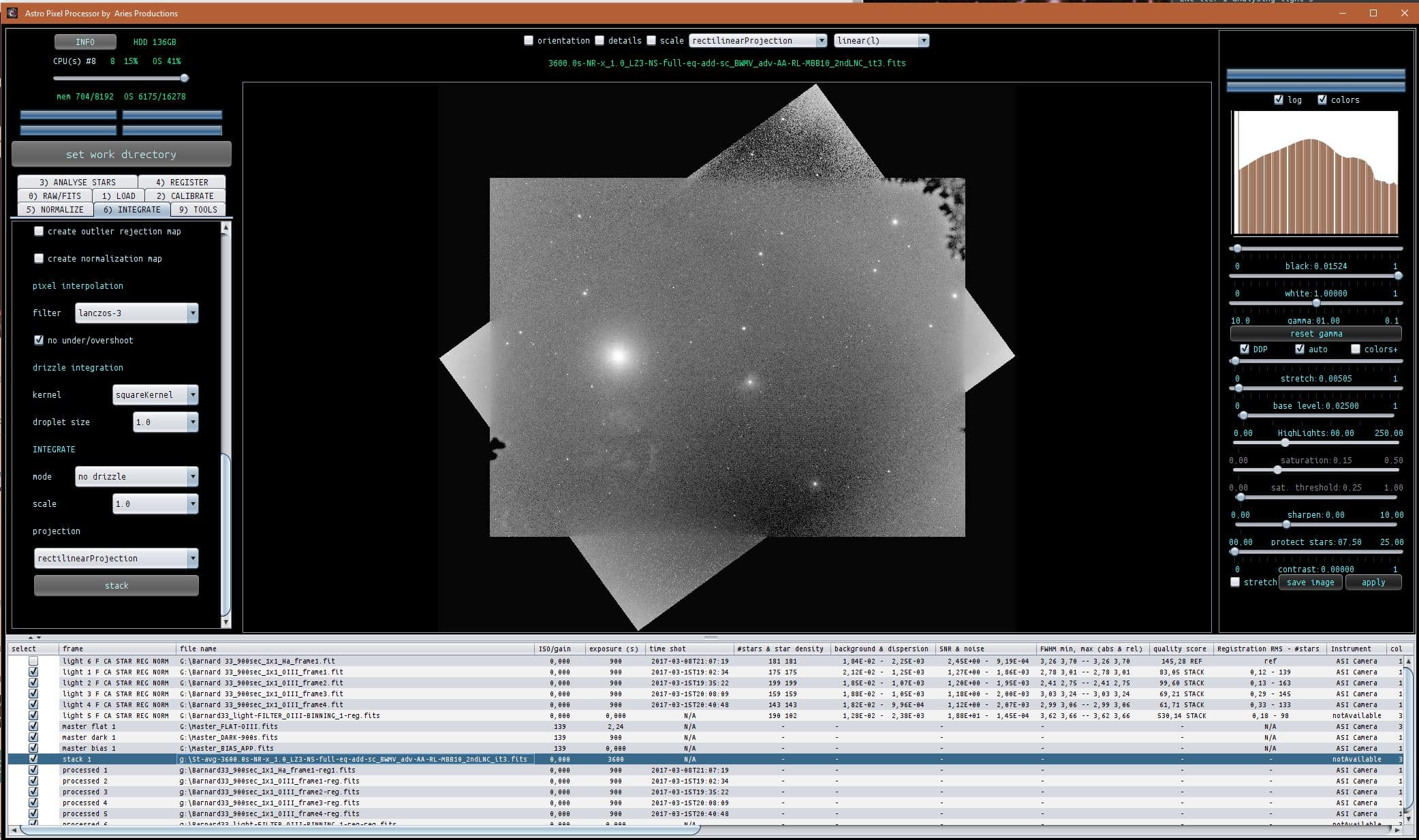
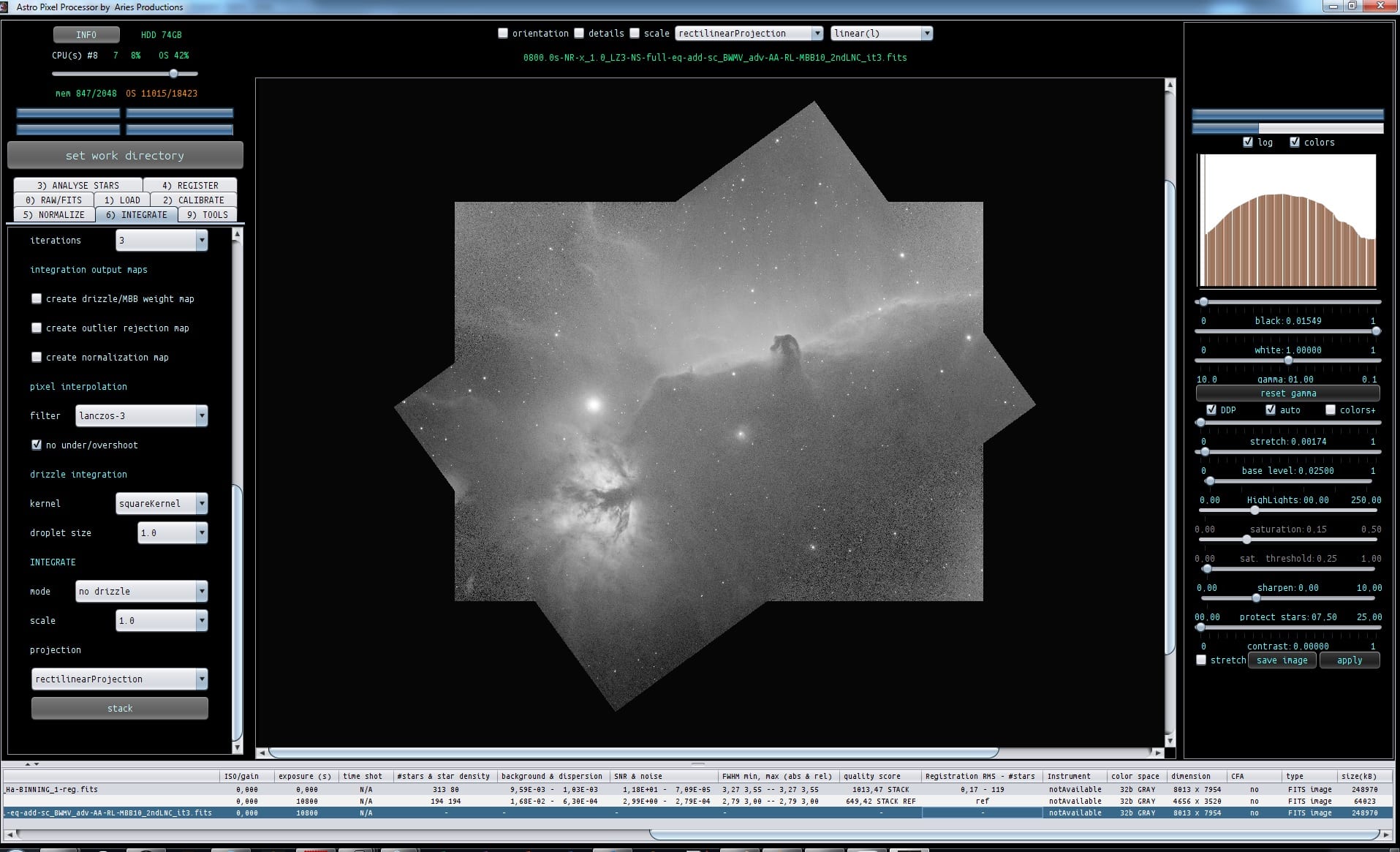
I can integrate these two images fine:
What I did:
Since there aren’t too many stars ( 100-200) I lowered kappa in the star analysis to 4
3) analyse stars ,
detect above noise
kappa 4
4) registration
since this is data from Pi and data from APP, clearly different sources, you need to
deselect same camera and optics ( a registration tool from a program is in technically speaking also a camera, it warps your data )
and
enable distortion correction
Then
5) normalize, I set normalization mode to advanced ! This will have the effect that the normalization parameters are only calculated on the area of the stacks that overlap. This will give better data normalization in this case ( this is one of the innovative feautures in APP).
6) Integrate
– composition mode FULL, we wwant to keep all data of both stacks in the final stack
– LNC set to 2nd degree, 3 iterations
– enabled MBB 10%
-Lanczos3 with no under/overshoot
and then stacked
The result is shown in the screenshot, notice that the seams of the stacks are hardly visible now..
So you can also do this with the OIII combine you did ?
Let me know if you can duplicate this result on the H alpha combination of the 2 stacks.
 HaverkampParticipant
I’ll have a look ;-)
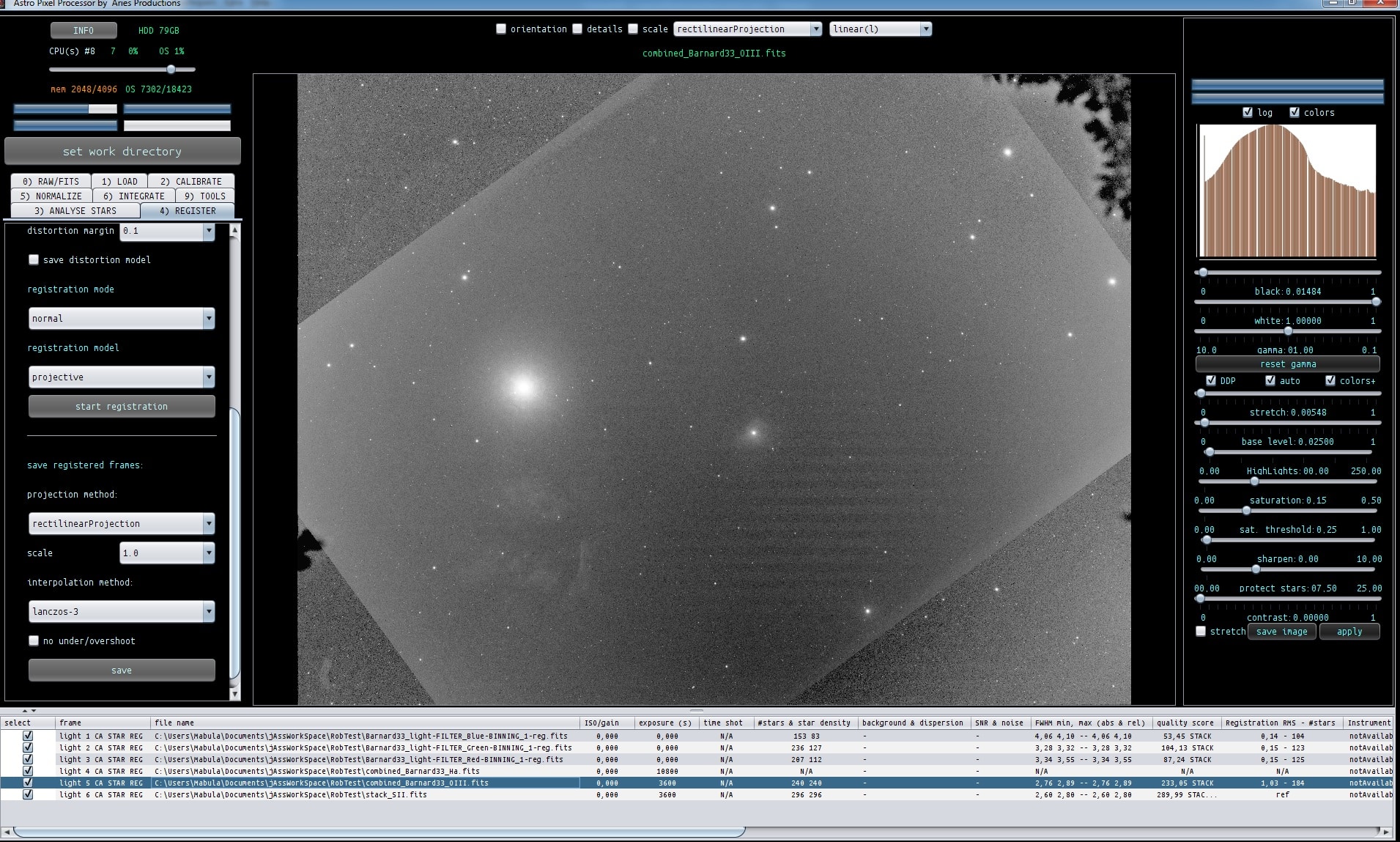
HaverkampParticipantHet is denk ik handig om te weten wat je met de OIII en HA stacks hebt gedaan om naar de combined versie te komen?
Het lijkt alsof die ook door een ander programma een bewerking hebben gekregen. Ik zie namelijk ook de de OIII moeilijk te registreren is, wat er op wijst dat een ander programma iets van een registratie heeft gedaan met mogelijk een slecht effect ?
 HaverkampParticipant
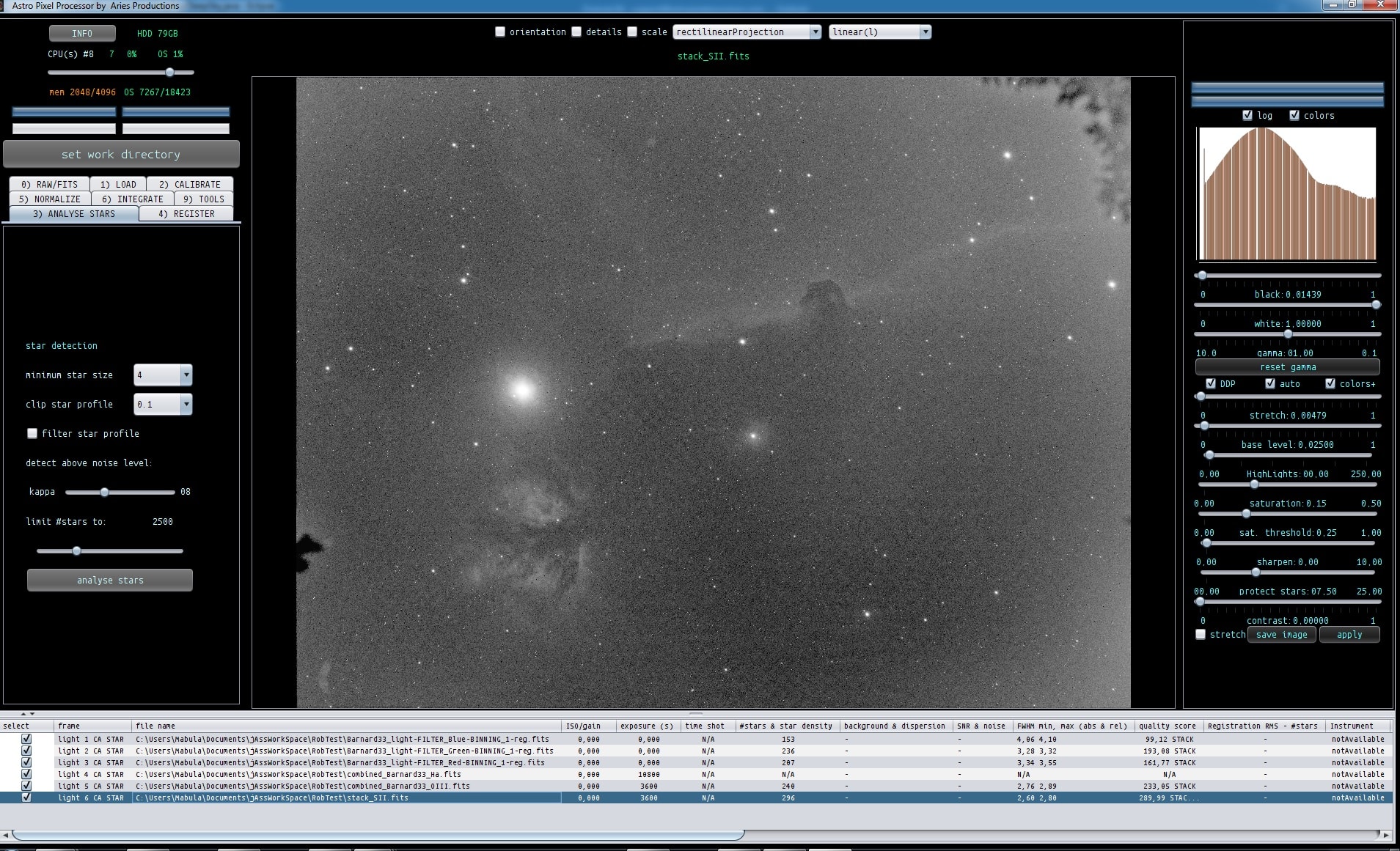
Hoi Rob, de Ha data heeft geen data, dat is het probleem. Bekijk hem maar met bijvoorbeeld Fits Liberator of PI. Ik zie dat je combined als prefix ervoor hebt gezet
combined_Barnard33_Ha.fits
Heb je toevallig de stack nog liggen, ik denk dat er na het stacken iets is misgegaan. De andere opnames hebben wel sterren, zie screenshot.
 HaverkampParticipant
Excellent suggestion Yves, it’s on the RFC list
HaverkampParticipantBen je data aan het downloader, even kijken wat er gebeurd. Registratie zou inderdaad ook niet mogen starten als geen een frame succesvol ge star analysed kon worden..
HaverkampParticipantIk zal even testen wat er gebeurd, dank je Rob
HaverkampParticipantHet ligt een beetje aan de hoeveelheid van bad columns die er zijn…
Bij class 2 sensoren heb ik het heel erg gezien, veel erger dan de 2 die toegestaan zijn (bij aanschaf lijkt me) zoals Kees aangeeft.
Dat ligt mogelijk aan het feit, dat zo’n CCD in de loop van de tijd blijkbaar meer bad columns krijgt of kan krijgen. Ik heb een class 2 CCD van Atik gezien in bezit van een sterrenwacht, die had er denk ik wel 100 op een aantal van 4000 ofzo en de kolommen gingen soms van helemaal boven tot onder…
Als er dan veel kolommen heel dicht op elkaar zitten, dan is het soms moeilijk om de BPM goed te maken heb ik gemerkt. Maar goed, dat zijn dus extreme situaties bij oude camera’s.
Met maar enkele bad kolommen, kan de Bad Pixel Map functie in APP dit perfect corrigeren inderdaad ;-)
-
AuthorPosts